247Security Inc. | 4400 North Point Parkway, Suite # 158, Alpharetta, GA 30022, USA | 1-866-693-7492 | www.247securityinc.com
USER MANUAL, ZEUS Pt
43
4.9 STATUS MENU
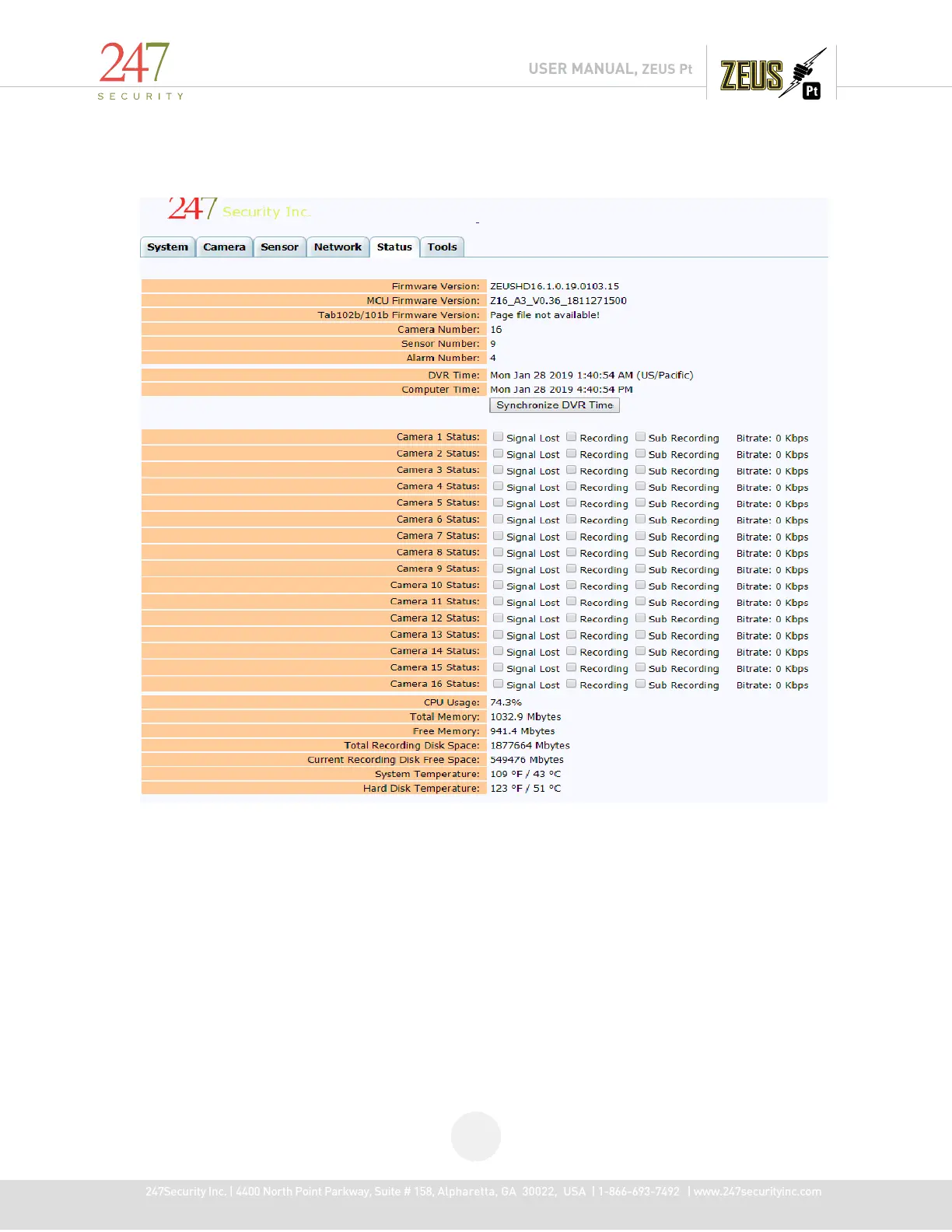
This tab displays the current system configuration and a real time heath status summary of the DVR.
Starting from the top, this tab informs the user which firmware versions are currently loaded, version of
Tab101, number of cameras, sensors and alarms the DVR currently supports and the current DVR time
as well as your local computer time.
The local computer time is extracted from your computer which is currently connected to the DVR.
The “Synchronize DVR Time” button will synchronize the DVR time with the local time on the
connected laptop or computer.
The information below the “Synchronize DVR Time” button provides the user a general system
health of the DVR as well as indication of all camera inputs status.



 To Next Page