247Security Inc. | 4400 North Point Parkway, Suite # 158, Alpharetta, GA 30022, USA | 1-866-693-7492 | www.247securityinc.com
USER MANUAL, ZEUS Pt
36
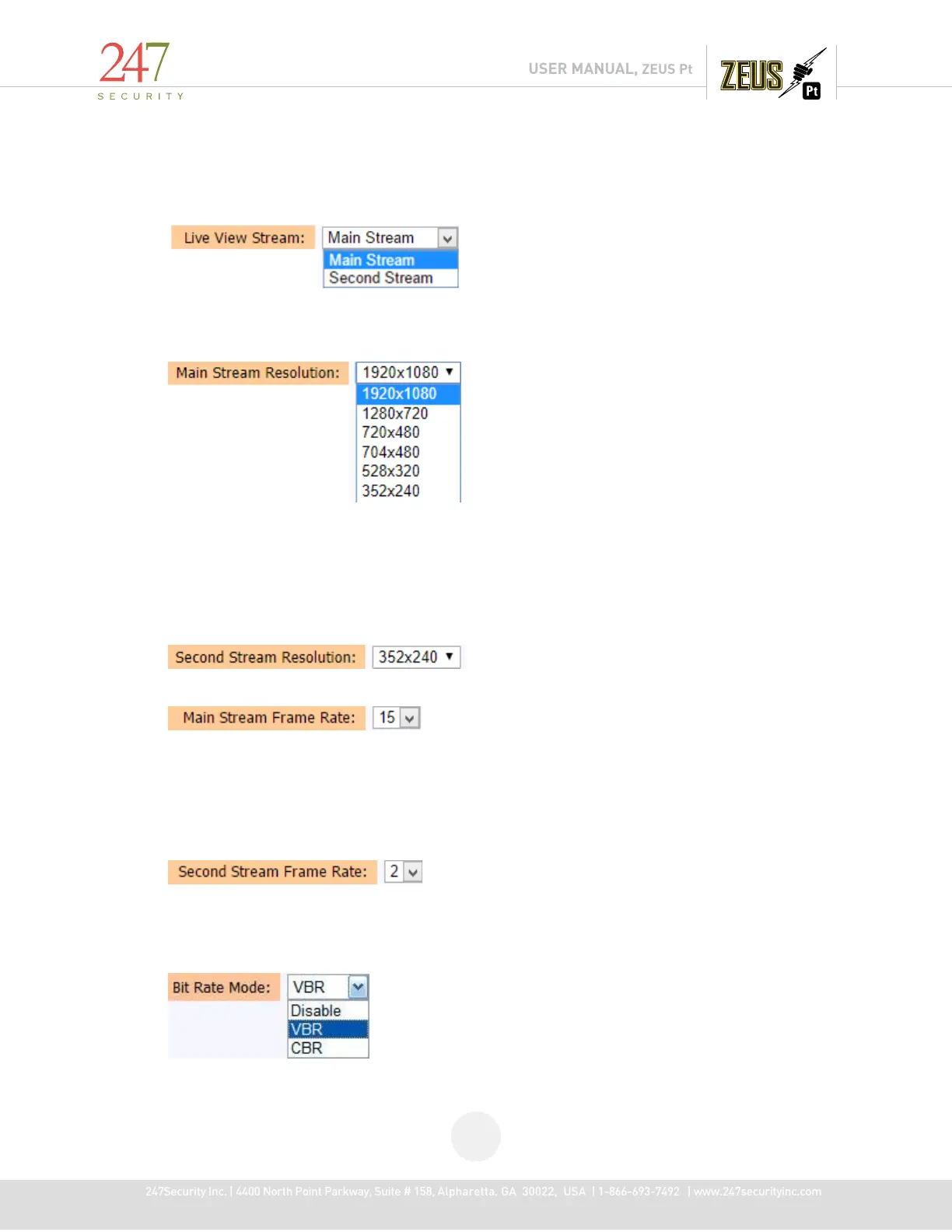
This option should be enabled when “Second Stream” option is selected in “Live View Stream”
4.6.7 LIVE VIEW STREAM:
This is used for live view via DVRViewer, allow user select stream to live view to save resource
4.6.8 MAIN STREAM RESOLUTION:
There are many modes available of video resolution and “1920x 1080” being the highest is
supported for Analog HD camera. Selecting the highest resolution will create larger files and shorten the
storage recording time but provide a clearer image.
4.6.9 SECOND STREAM RESOLUTION
4.6.10 MAIN STREAM FRAME RATE:
Frame rate is an important factor that defines how fast you want your video to record. Frame
rate is adjustable from a minimum 1 fps to 30 fps maximum for each individual camera. The 16 channels
DVR allows recording maximum of 300fps at full resolution 1920x 1080. To conserve video storage, it is
recommended to select 20FPS for camera1-4 and 15 FPS for camera 5-8.
4.6.11 SECOND STREAM FRAME RATE:
Frame rate is adjustable from a minimum 1 fps to 5 fps maximum for each individual camera.
For live view purpose so frame rate of second is lower main stream and suggest it should 2
4.6.12 BIT RATE MODE



 To Next Page