247Security Inc. | 4400 North Point Parkway, Suite # 158, Alpharetta, GA 30022, USA | 1-866-693-7492 | www.247securityinc.com
USER MANUAL, ZEUS Pt
53
5.6 LIVE VIEW
The feature is mostly used when setting up the ZEUS so that the installer can properly aim the
cameras in the vehicle. Once the DVRViewer application is running, click on the play button and select
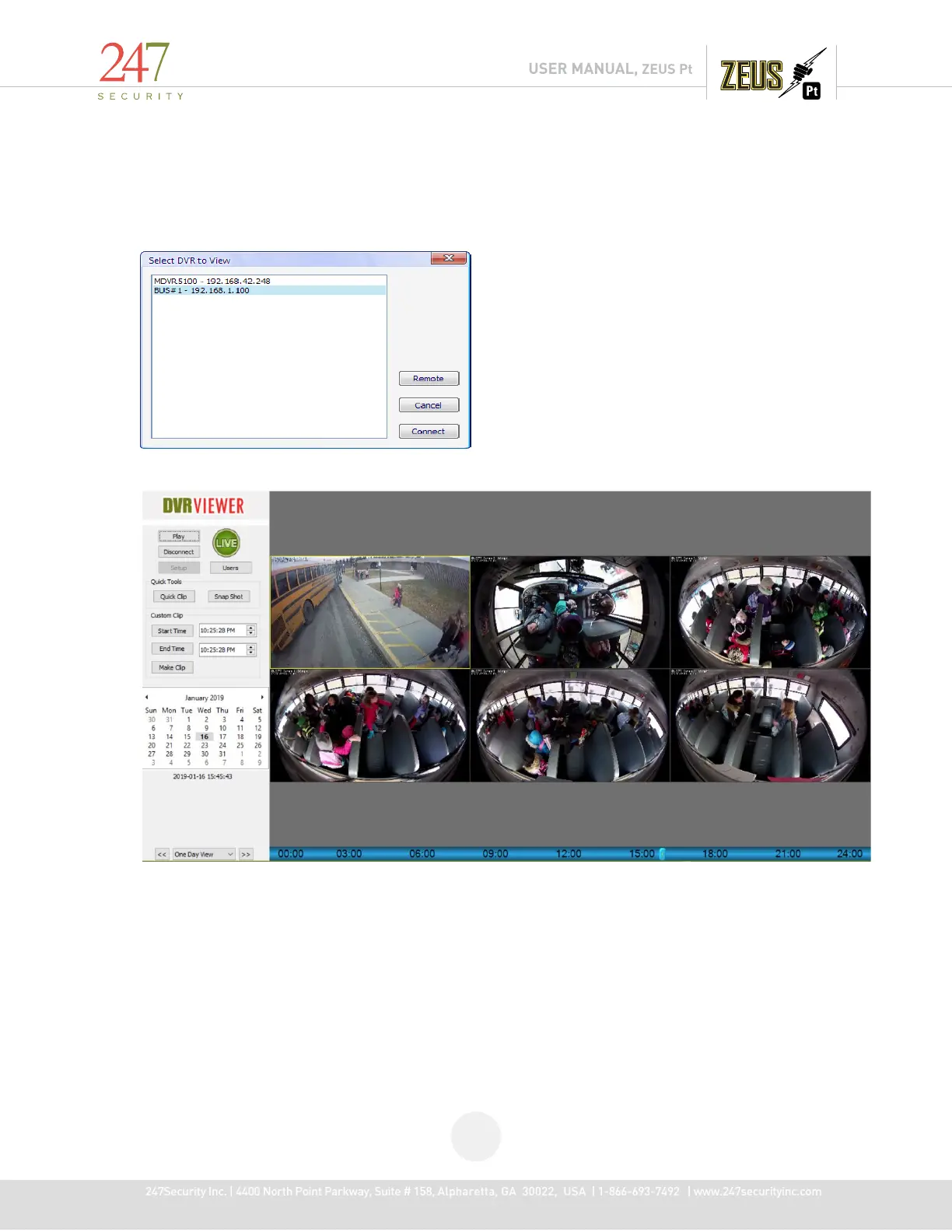
“Live View”. You will get the following window:
Select the DVR you want to connect to so that it’s highlighted and then click on “Connect” button.
Installer should now be viewing the real time video from the cameras connected. The above
screenshot shows four video channels enabled with only one camera connected, if the ZEUS is not
receiving video from the camera, the video channel will display a black screen.



 To Next Page