247Security Inc. | 4400 North Point Parkway, Suite # 158, Alpharetta, GA 30022, USA | 1-866-693-7492 | www.247securityinc.com
USER MANUAL, ZEUS Pt
42
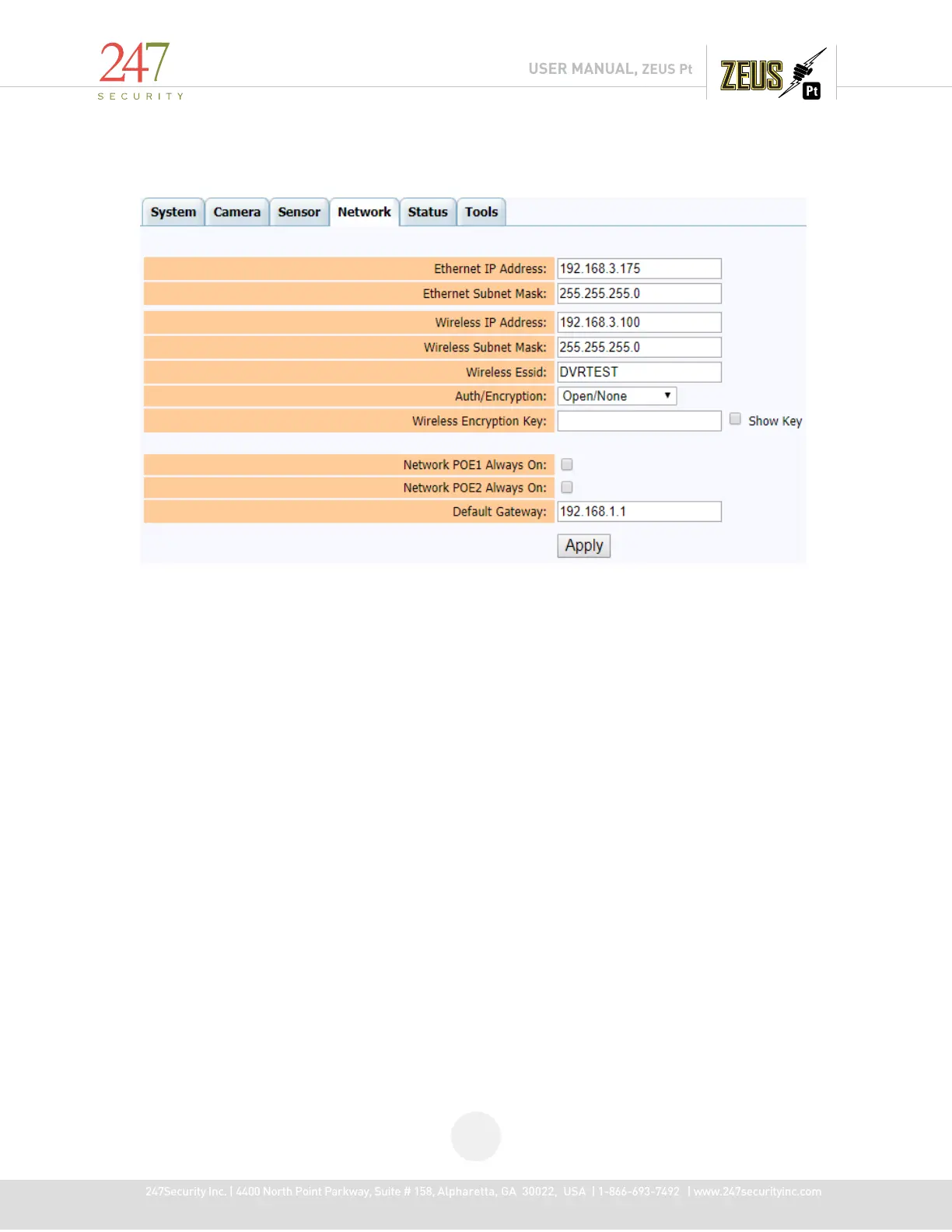
4.8 NETWORK MENU
The default Ethernet IP address of the ZEUS is “192.168.1.100” and it has to be modified if you
have more than two devices unless necessary. If this IP address is modified the user will NOT be able to
access the DVR if the IP address is lost. The “Network POE1/2 Always On” option is used to send
constant power to the POE interface of ZEUS devices with this feature. If the box is left unchecked,
power will only be provided when IGN signal is switched off. If the box is checked, then power will
always be provided to the POE interface and the AP/Client will be functioning during recording and
running time.



 To Next Page