96 CHAPTER 5: PERFORMING ADDITIONAL ADMINISTRATIVE TASKS
Viewing Detected
Rogue Access Points
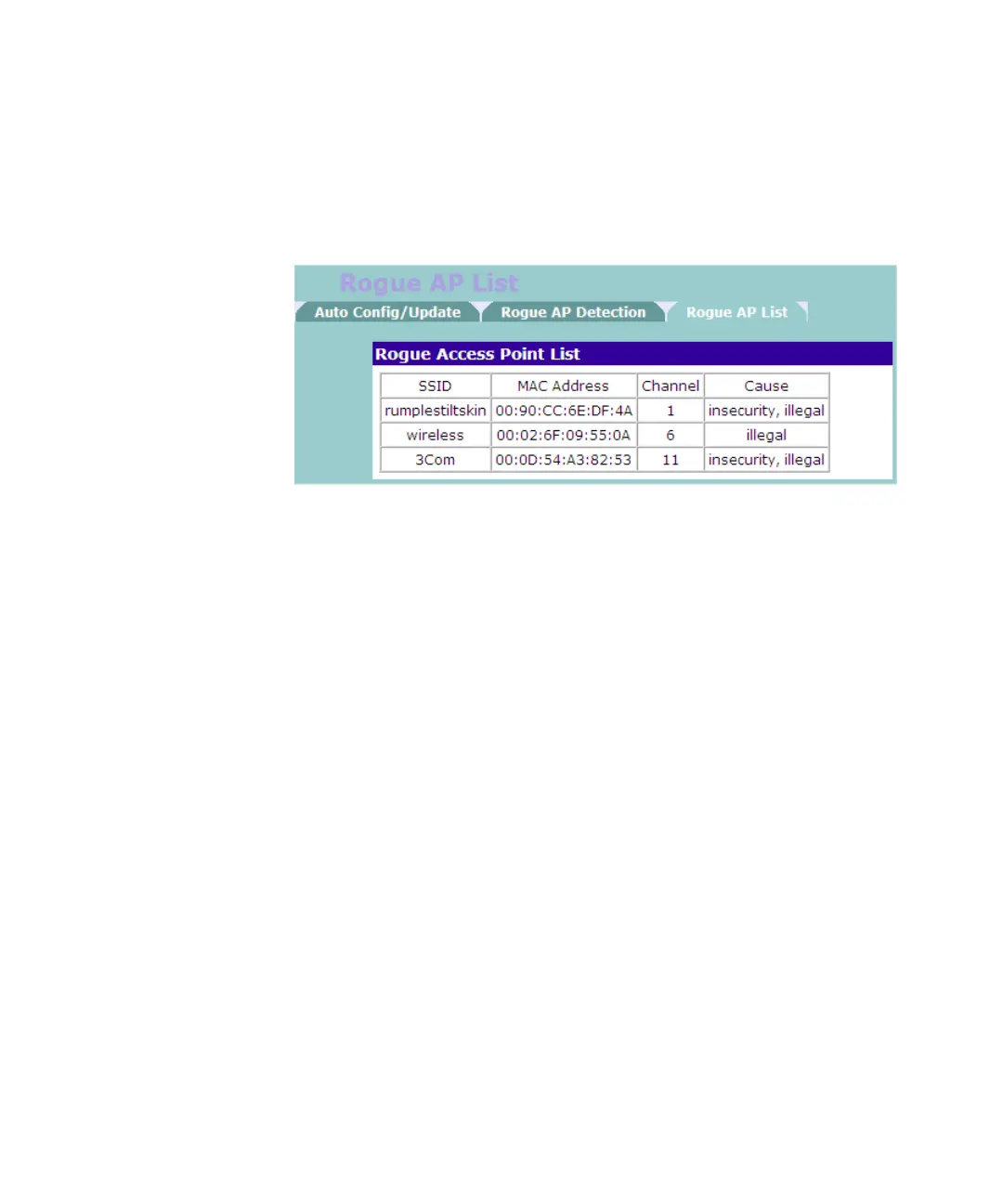
On the Advanced screen, click Rogue AP List. The screen displays
information about unauthorized access points on the network, including
why it was detected as rogue.
Table 20 Rogue Access Point List
The following information is available in the Rogue Access Point List
screen:
■ SSID – Displays the SSID that the rogue access point is broadcasting to
the network
■ MAC Address – Displays the MAC or physical address of the rogue
access point
■ Channel – Displays the wireless channel that the rogue access point is
using
■ Cause – Displays the reason why the access point was considered as
rogue. Possible reasons include:
■ Insecurity – Access point does not have wireless security settings
enabled
■ Illegal – Access point is not included in the list of authorized access
points



 To Next Page