9-7
To do… Use the command… Remarks
Display the current GVRP state
display gvrp state interface
interface-type interface-number vlan
vlan-id
Available in any view
Display statistics about GVRP
display gvrp statistics [ interface
interface-list ]
Available in any view
Display the global GVRP state
display gvrp status Available in any view
Display the information about
dynamic VLAN operations
performed on a port
display gvrp vlan-operation
interface interface-type
interface-number
Available in any view
Clear the GARP statistics
reset garp statistics [ interface
interface-list ]
Available in user view
GVRP Configuration Examples
GVRP Configuration Example I
Network requirements
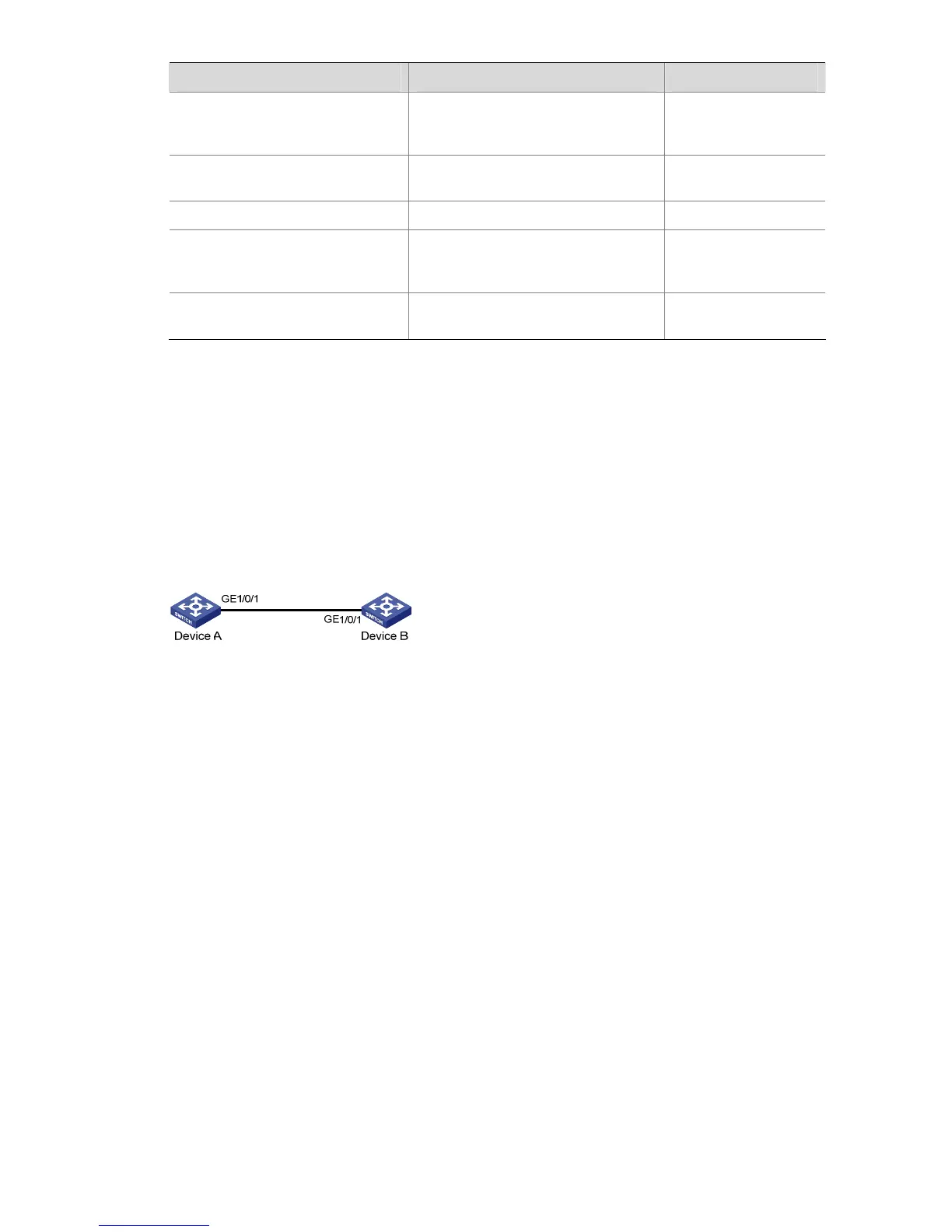
Configure GVRP for dynamic VLAN information registration and update among devices, adopting the
normal registration mode on ports.
Figure 9-2 Network diagram for GVRP configuration
Configuration procedure
1) Configure Device A
# Enable GVRP globally.
<DeviceA> system-view
[DeviceA] gvrp
# Configure port GigabitEthernet 1/0/1 as a trunk port, allowing all VLANs to pass through.
[DeviceA] interface gigabitethernet 1/0/1
[DeviceA-GigabitEthernet1/0/1] port link-type trunk
[DeviceA-GigabitEthernet1/0/1] port trunk permit vlan all
# Enable GVRP on trunk port GigabitEthernet 1/0/1.
[DeviceA-GigabitEthernet1/0/1] gvrp
[DeviceA-GigabitEthernet1/0/1] quit
# Create VLAN 2 (a static VLAN).
[DeviceA] vlan 2
2) Configure Device B
# Enable GVRP globally.
<DeviceB> system-view








 To Next Page