Policy
101
■
Inactivity Timeout
If a connection to a server outside the LAN remains idle
for more than 5 minutes (default value), the Internet
Firewall closes the connection. This is done for security
purposes. Without this timeout, it is possible that
connections could stay open indefinitely, creating
potential security risks. You can increase the timeout
interval if users frequently complain of dropped
connections in applications such as Telnet and FTP.
Click
Update
to send the configuration data to the Internet
Firewall. You must restart the Internet Firewall for these
changes to take effect.
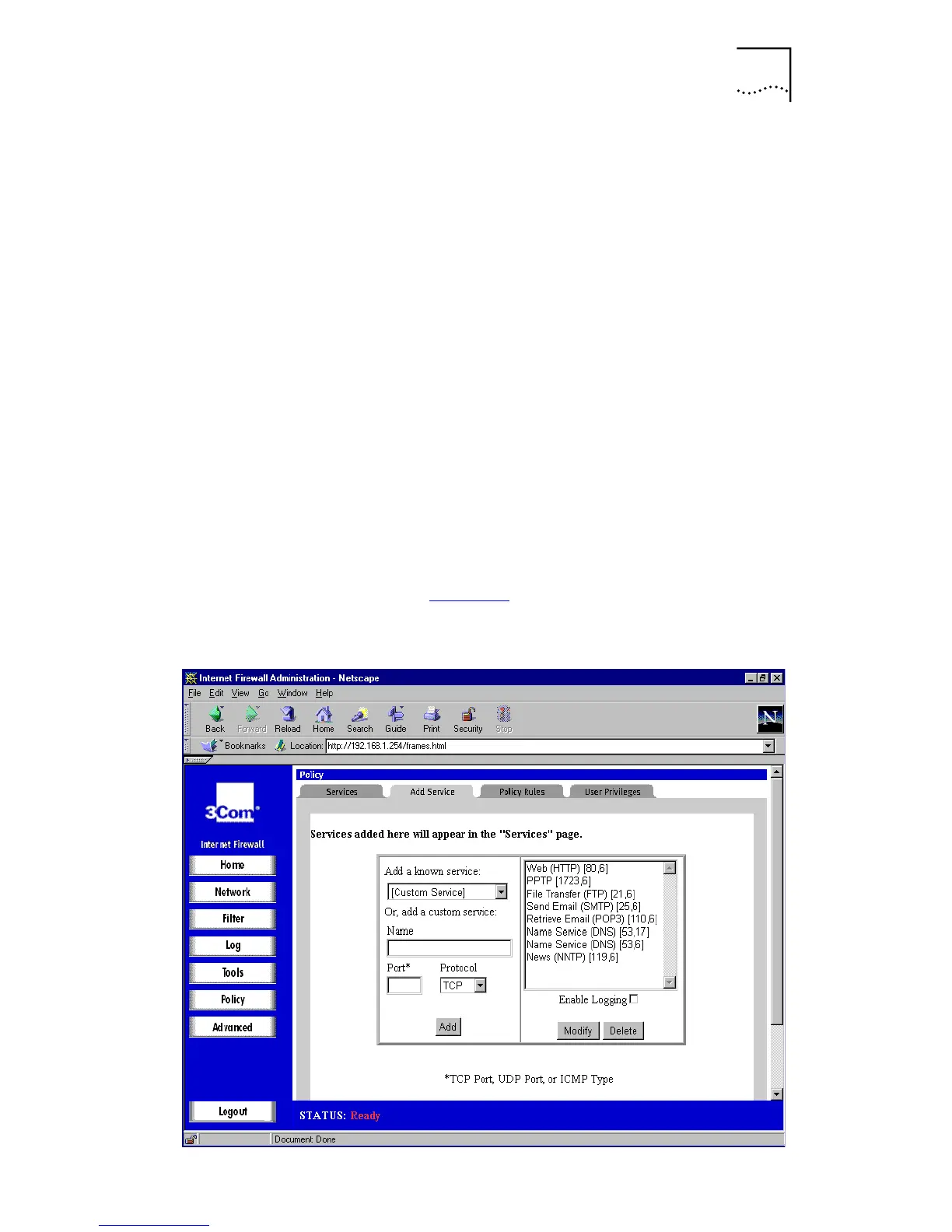
Adding a Service
If a protocol is not listed in the
Services
window, you can
add the service.
Click
Policy
, and then select the
Add Service
tab. A window
similar to that in Figure 44
is displayed.
Figure 44
Add Service Window



 To Next Page