Consent
79
Consent
This page must reside on a Web server and be accessible as
a URL by users on the LAN.
Use the
Consent
function to specify which computers are
always filtered and which are filtered only when such
protection is requested by the user. You can also configure
Consent
to require users to agree to the terms outlined in
an organization’s
Acceptable Use Policy
before you allow
them to browse the Web any further.
Click
Filter
,
and then select the
Consent
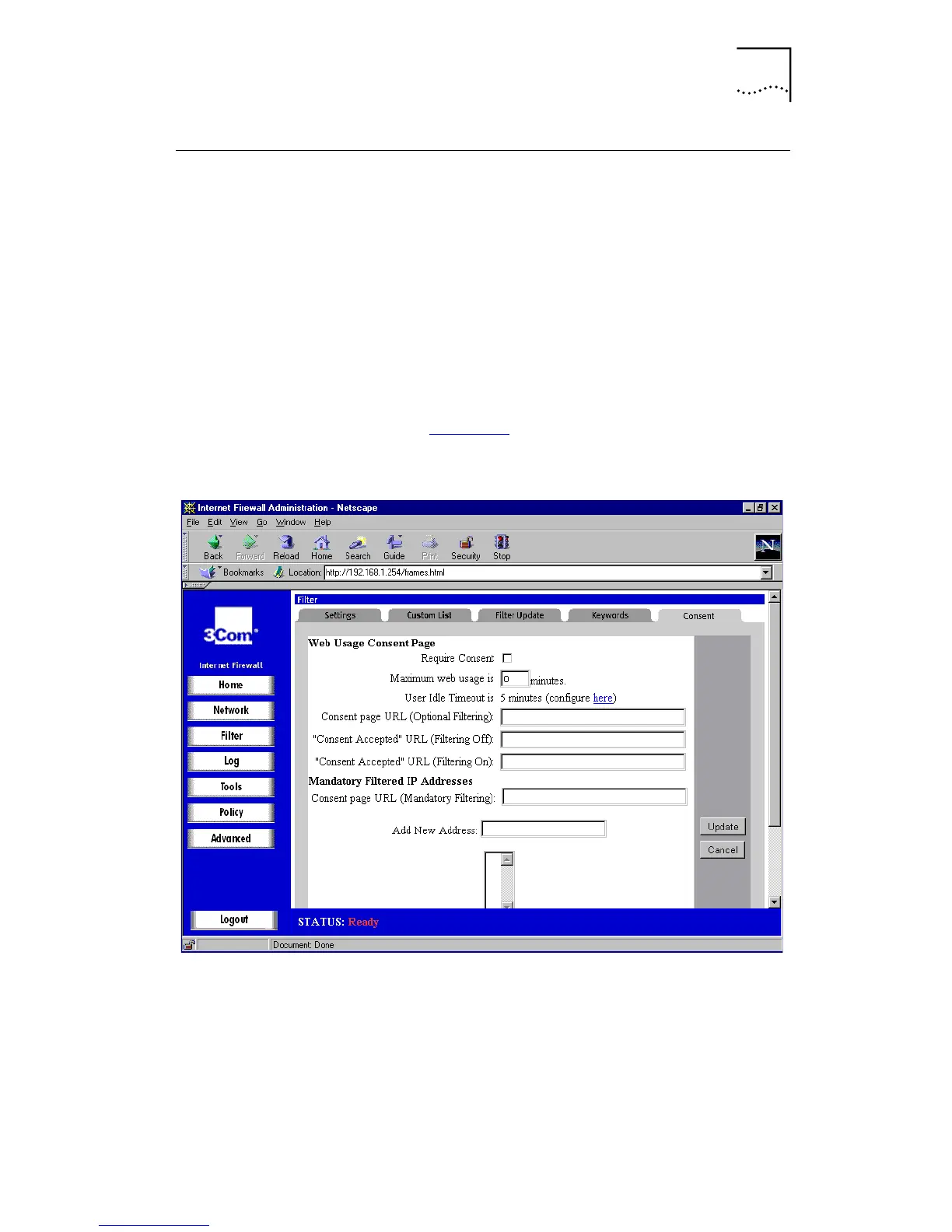
tab. A window
similar to that in Figure 32
is displayed.
Figure 32
Consent Window
■
Require Consent
Click this check box to enable the Consent
features.
■
Maximum Web usage
In an environment where there are more users than
computers, such as a classroom or library, time limits are
often imposed. You can set up the Internet Firewall to
remind users when their time has expired by displaying



 To Next Page