Network Settings
57
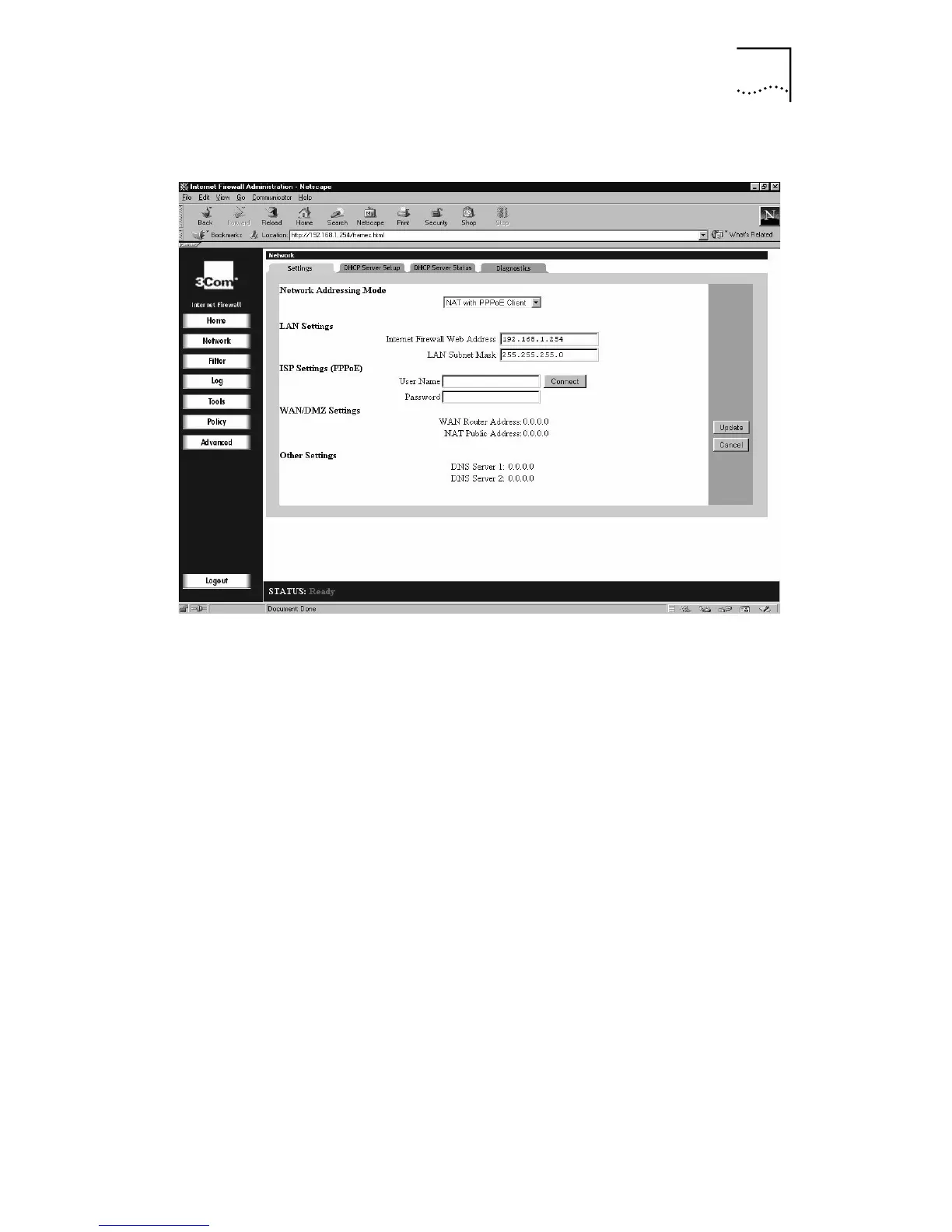
Figure 19
Network Settings Window, NAT with PPPoE Client
For the LAN settings, specify:
■
Internet Firewall Web Address
This is the IP address that is given to the Internet
Firewall LAN interface and used to access it for
configuration and monitoring. Choose a unique IP
address from the LAN address range.
■
LAN Subnet Mask
This value is used to determine what subnet an IP
address belongs to. An IP address has two components,
the network address and the host address. For example,
consider the IP address
192.168.228.17.
Assuming a
Class C subnet mask of
255.255.255.0
is used, the
first three numbers (
192.168.228.
) represent the
Class C network address, and the last number (
17
)
identifies a particular host on this network.
For the ISP settings, specify:
■
User Name
This is the the User Name provided by your ISP.
■
Password
This is the password provided by your ISP.



 To Next Page