User’s Manual
Enterprise Access Point ENGLISH
Copyright © 4IPNET, INC. All rights reserved.
Step 4: Configuring Wireless Coverage (VAP-1)
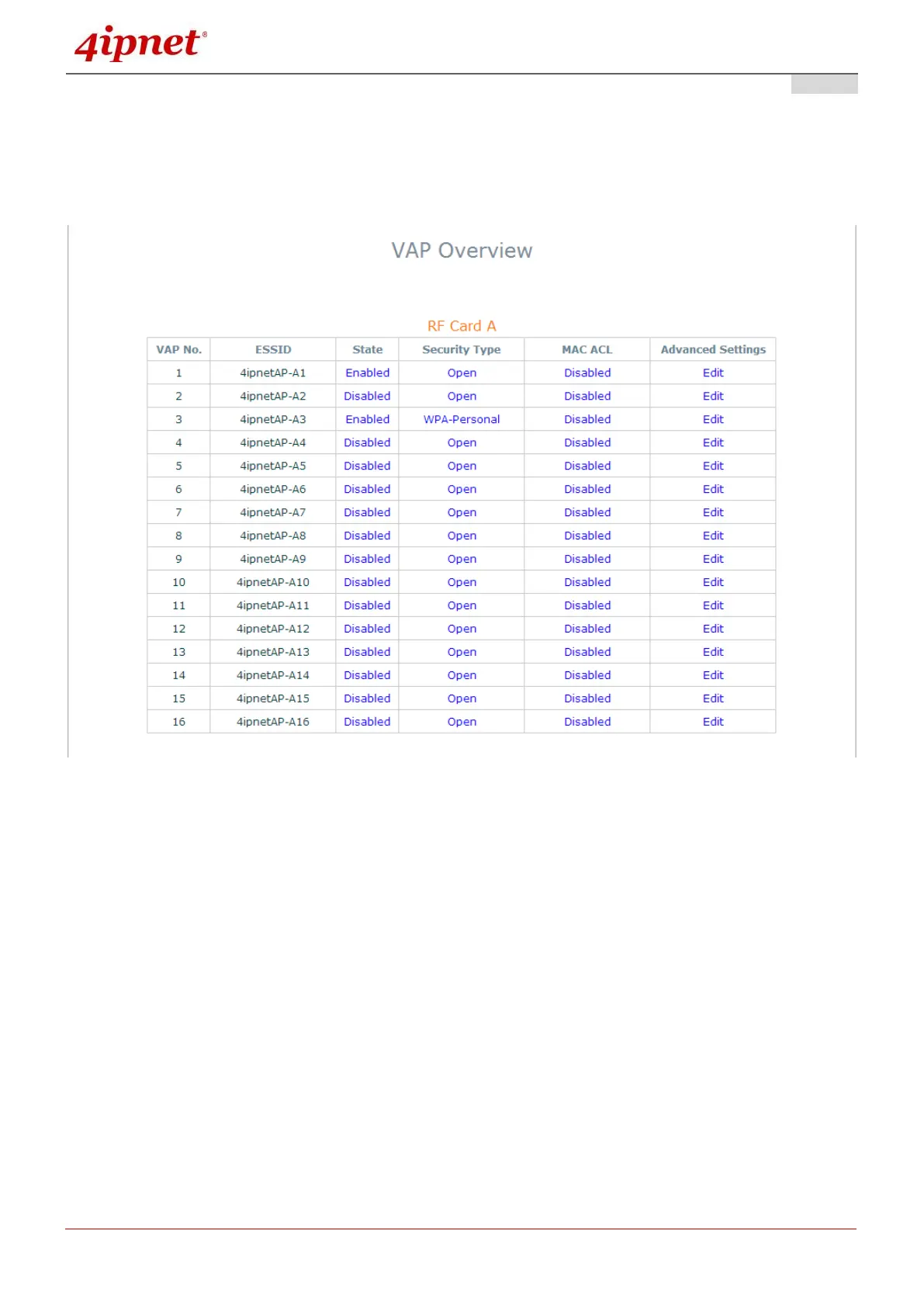
To set up the AP’s wireless access, refer to the following VAP-1 configuration (other VAP
configuration can refer to the same setup steps as done for VAP-1). Click on the Overview tab to
proceed.
Virtual AP Overview Page
On this page click the hyperlink in the row and column that corresponds with VAP-1’s State. This will
bring up the following page.



 To Next Page