Operation Manual / 4 Product description / A130-M.. - A145-M..
8 Dismantling and fitting / 8.10 Installing the cartridge group on the
service support
© Copyright 2017 ABB. All rights reserved. HZTL4031_EN Revision F August 2017
8.10 Installing the cartridge group on the service
support
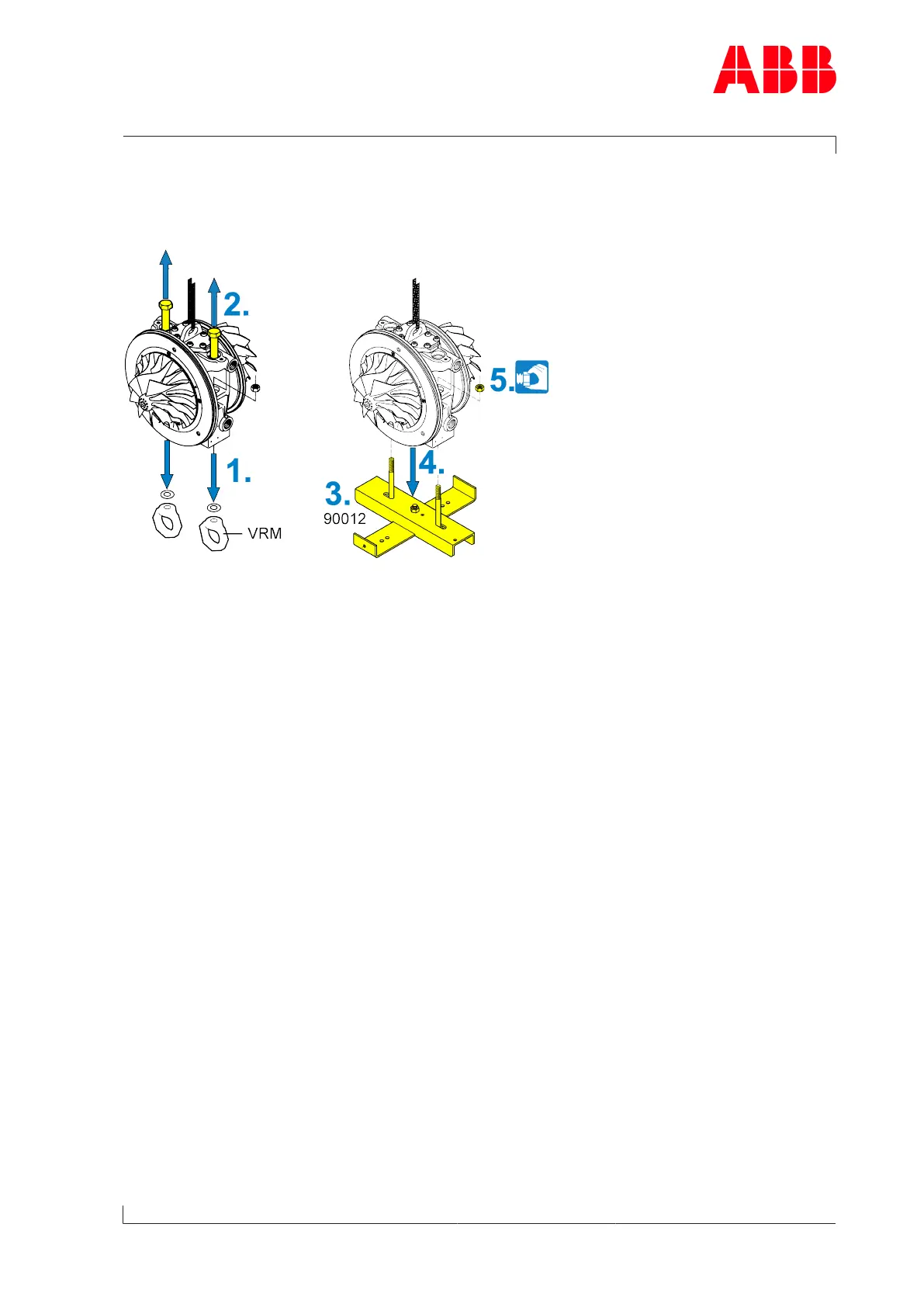
Fig.42: Installing the cartridge group on the service support
1. Remove ring nuts(VRM).
2. Remove service support screws.
3. Fit service support (90012) according to the illustration.
4. Insert the cartridge group.
5. Fit the nuts.
Page 83 / 111



 To Next Page