Operating Instructions
Busch-ComfortTouch
®
Operation
Operating Instructions | 1473-1-8041 — 23 —
Control element Status Function
Sequences
(Process with
influence from the
user)
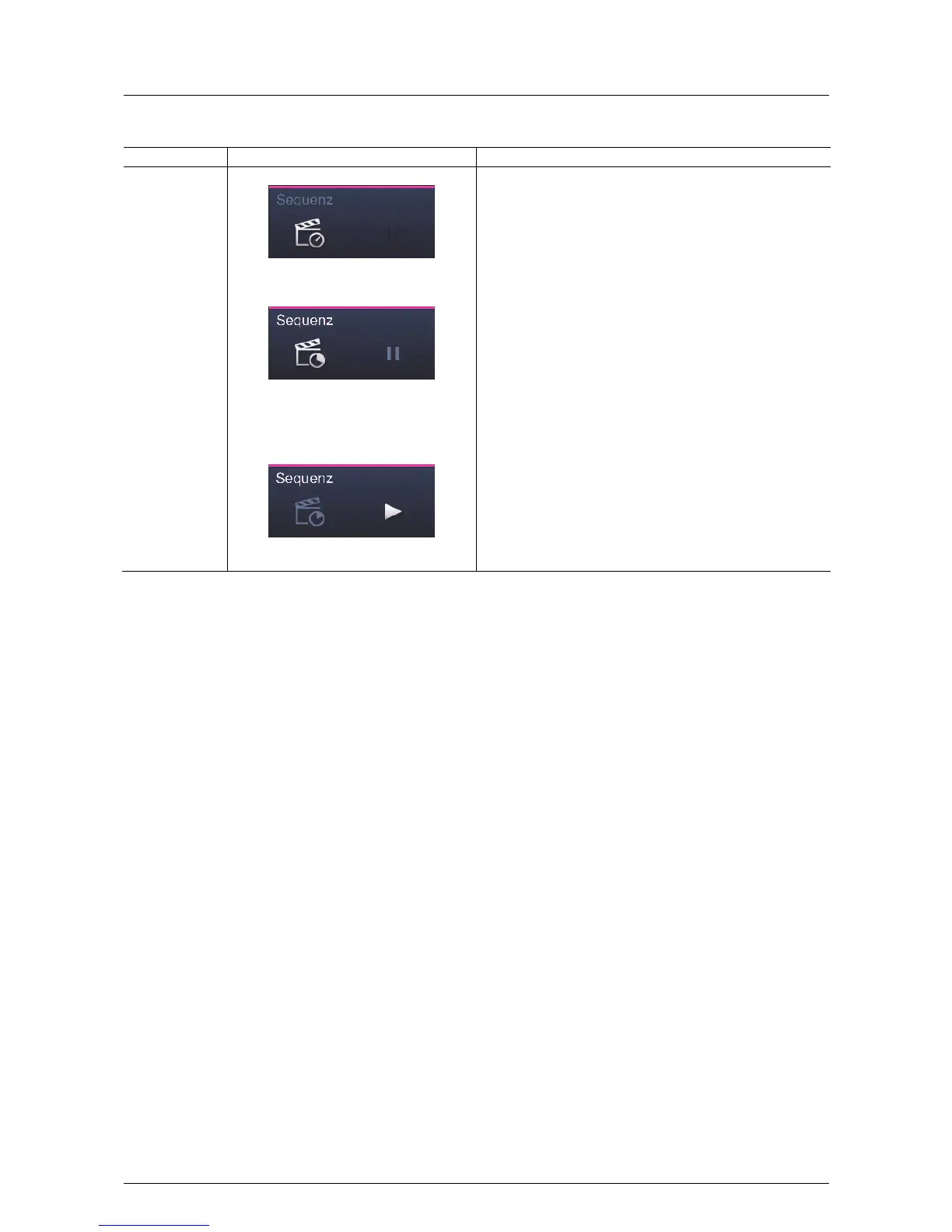
Scene can be called up:
Sequence is running (animation on left push-
button)
The sequence was stopped and can be
started again with the right push-button (start
from the position it was stopped (see right
push-button)).
The "Sequences" control element has a push-button on both the
left and right side. On the left, the user can start or stop a
sequence. The right button is used to pause a sequence and
restart it (the sequence continues from the spot where it was
stopped).
Changes to the sequence are indicated by an icon and can be
stored. This is done with a long press of the left push-button. A
progress bar is displayed. An icon is displayed after the successful
storage.
The remaining time of the sequence can be displayed at the top
right in the control element.
NOTE
The sequence to be called up must be assigned appropriately in
the project planning software of the Busch-ComfortTouch
®
. Please
contact your electrical installer who will set up the Busch-
ComfortTouch
®
for you individually and according to your wishes.



 To Next Page