Operating Instructions
Busch-ComfortTouch
®
Operation
Operating Instructions | 1473-1-8041 — 29 —
Non-adaptable control elements
These are control elements that are fixed according to the system and therefore cannot be adapted.
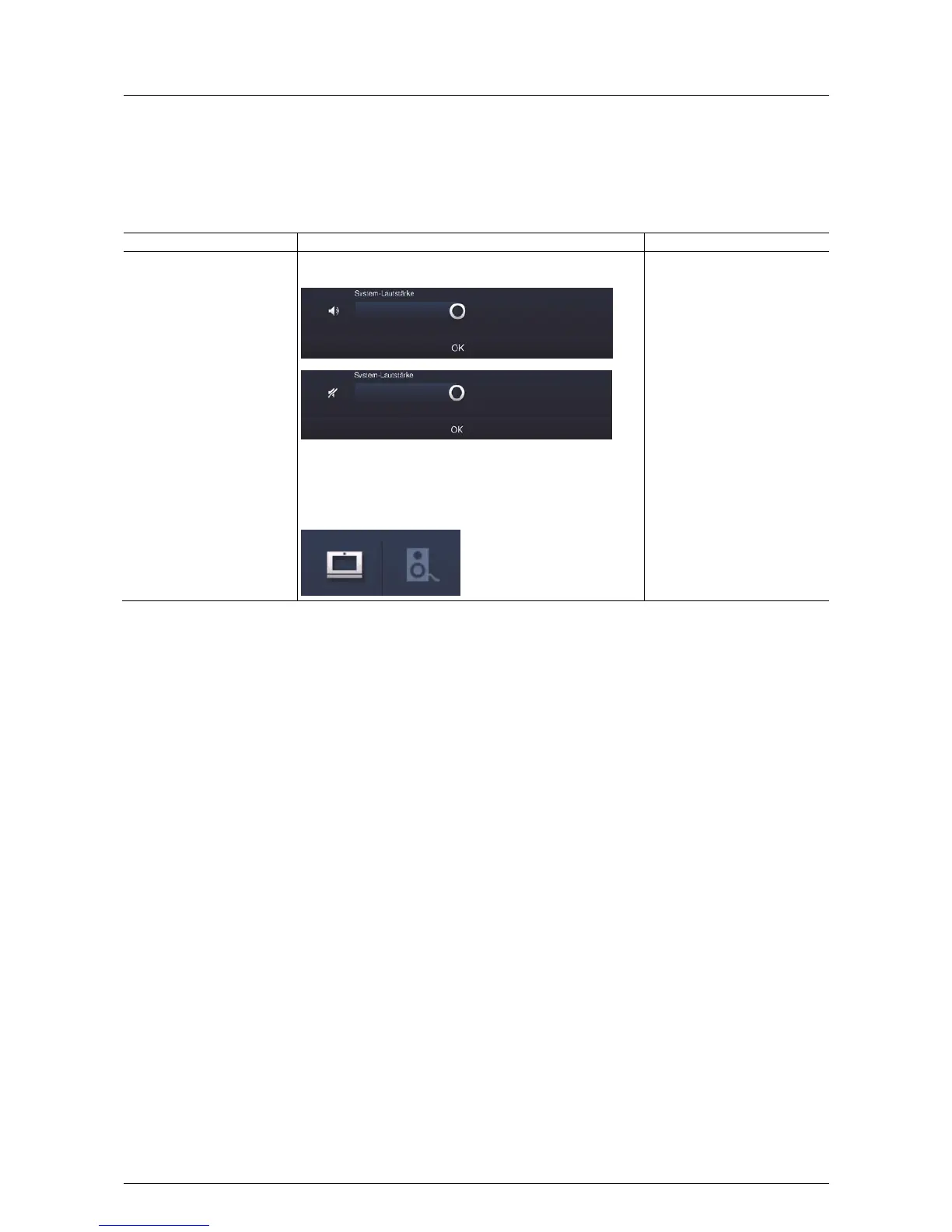
Volume control
Control element Status Function
The controller for the "System
volume" is opened via the
status bar of the start page.
Controllers for "Applications"
are each opened via the status
bar of the application page.
These always contain also the
controllers for the system
volume.
Example: System volume
Special case "Media volume": With this it can be selected
whether the setting refers to the Busch-ComfortTouch
®
and / or
to connected loudspeakers / devices.
The controller for the volume
appears with a long press on the
loudspeaker icon in the status
bar. The volume is adjusted by
sliding the controller.
With a brief press on the
loudspeaker icon on the controller
the respective volume can be set
on mute. The volume can be
activated again in reverse.
Pos: 15.4.5 / Layout bis 2014-11- 11/Online-Dok umentation (+ KNX)/Steuermodule - Online-Dokumentation (--> Für alle Dokumente <--)/++++++++++++ Seitenumbruc h +++++++++ +++ @ 9\mod_126889866809 3_0.docx @ 52149 @ @ 1



 To Next Page