1-6
Questions? Refer to Page 11-22 For Technical Support Instructions.
Meter Display Icons
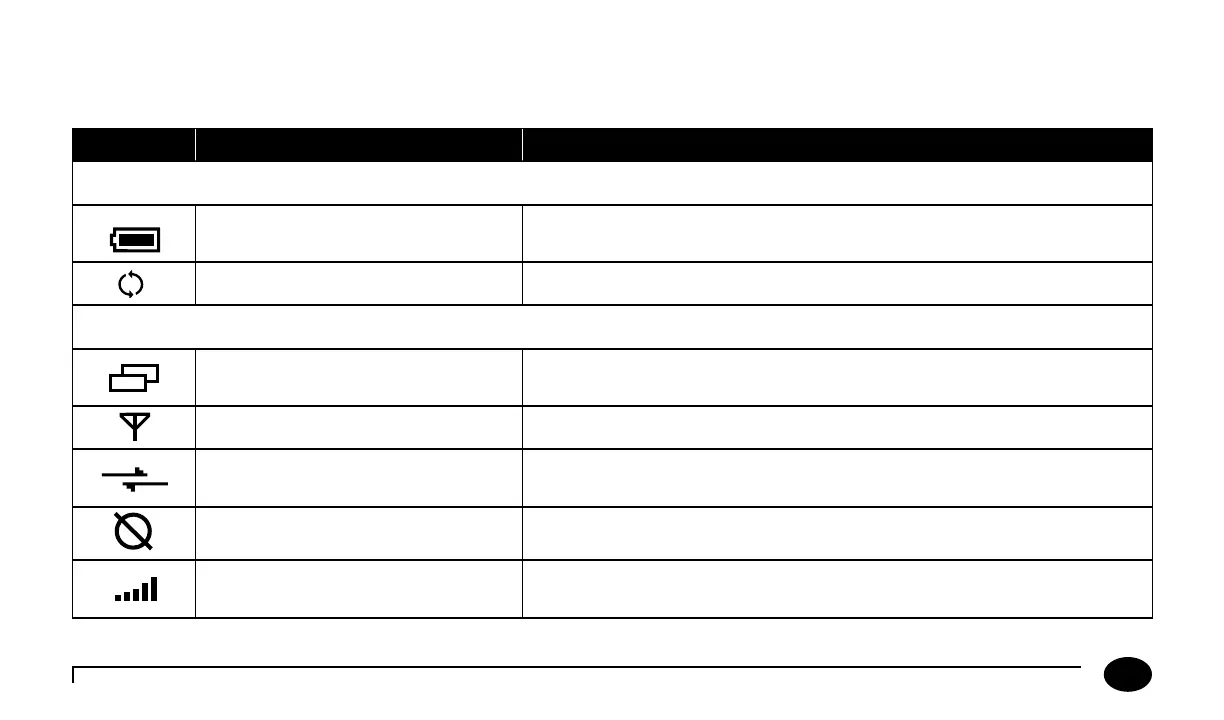
Your FreeStyle Precision Pro meter screen may reect informational icons to indicate system status. Common icons and their
meaning are listed in the table below.
Icons Indication Explanation
For All Meters
Battery Strength
Indicates current battery strength of the meter. A completely black
battery symbol indicates full battery strength.
Progress Status Bar
Indicates progress status of an active task such as a download.
For Wireless Enabled Meters Only (optional)
Data Pending Transmission
Indicates meter has stored test results that have not yet been transmitted
to the data management system.
Wireless Enabled
Indicates the meter is enabled for wireless transmission.
Wireless Transmission
Indicates active wireless data transmission. Note: e data transmission
icon is animated.
Wireless Hardware Error
Indicates a problem with the meter’s wireless hardware module.
Signal Strength
Indicates strength of wireless signal. Five vertical bars indicate maximum
signal strength.
Chapter 1: Overview












 To Next Page