12-5
Questions? Refer to Page 11-22 For Technical Support Instructions.
Replacing the Batteries
Use the following procedure to install new batteries in the FreeStyle Precision Pro meter. e
FreeStyle Precision Pro meter requires two (2) AA alkaline, lithium or nickel cadmium (NiCad)
batteries or nickel-metal hydride (NiMH) rechargeable batteries.
1. Turn the FreeStyle Precision Pro meter o by pressing the On/O button on the keypad.
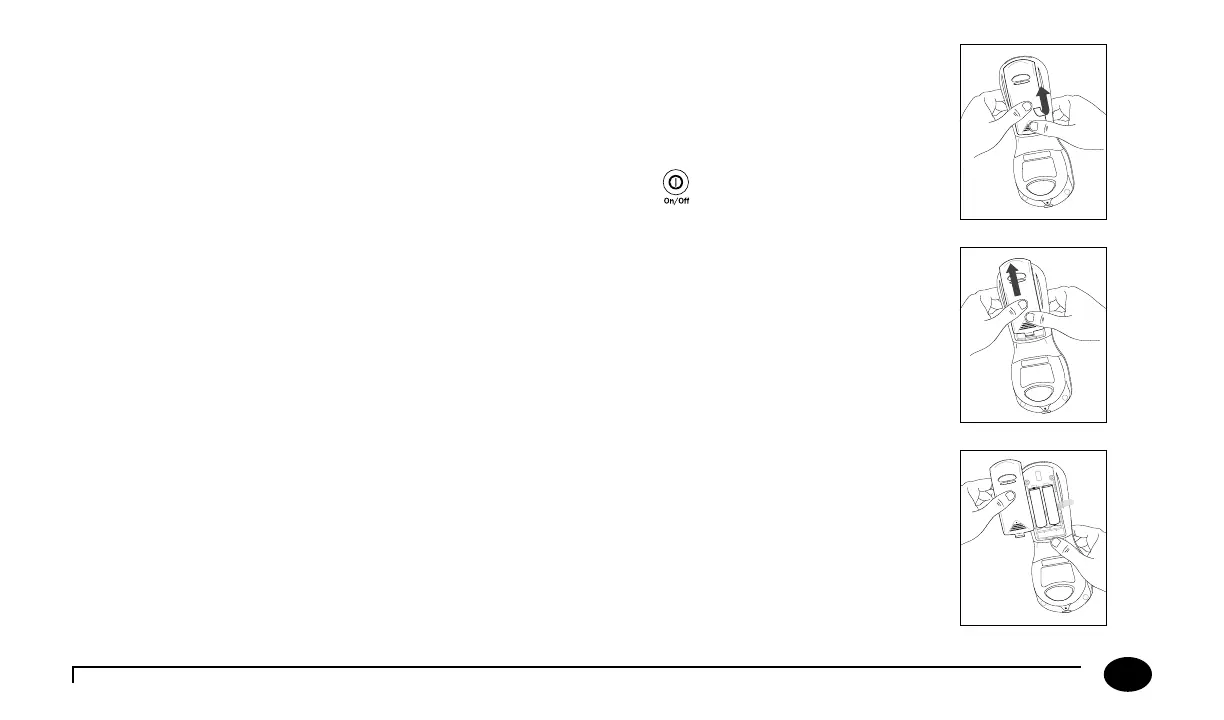
2. Turn the meter over to remove the battery compartment cover.
3. Press down the cover at the nger grip area rmly. Push to slide the cover o, as indicated by
the arrow. (Fig. 1)
4. When slid as far as possible, li the cover up and away from the meter. (Fig. 2, Fig. 3)
Figure 1
Figure 2
Figure 3
Chapter 12: Maintenance












 To Next Page