2-1
Questions? Refer to Page 11-22 For Technical Support Instructions.
Using the Meter
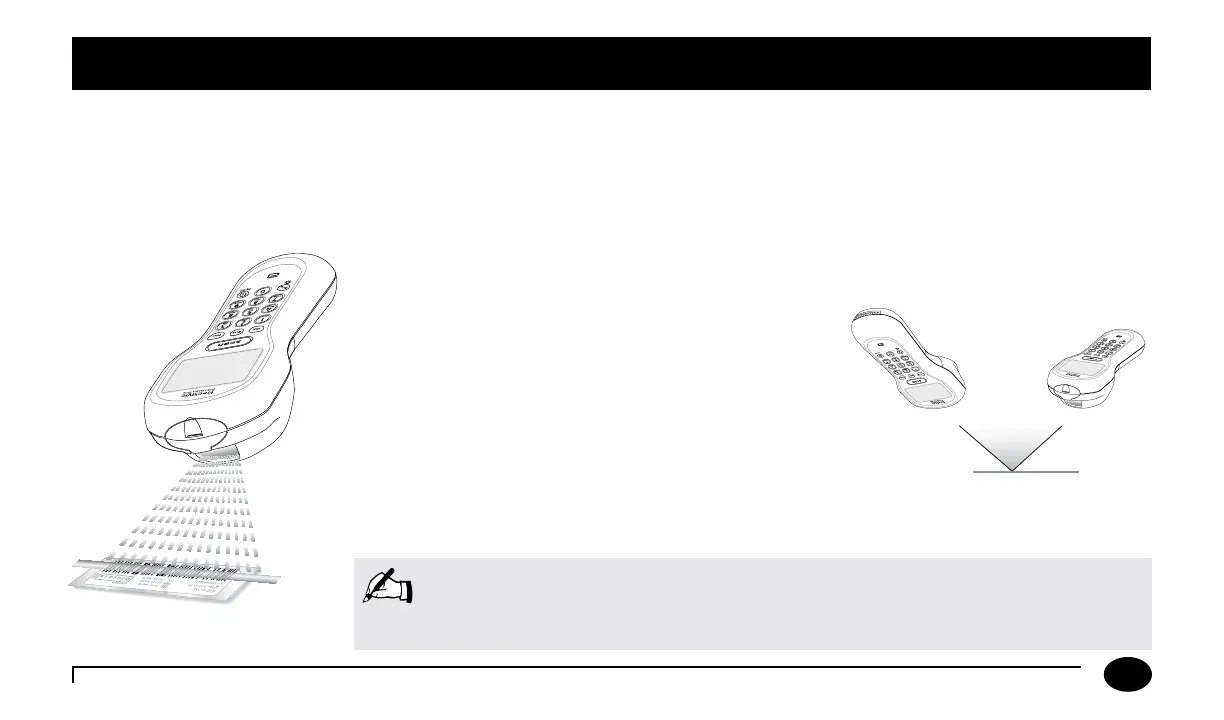
Barcode Scanner
e barcode scanner enables you to scan barcode information, using specied 1D and 2D barcode formats (please refer to
Chapter 13), into the meter instead of manually entering the data using the keypad. Scanning the barcode on the test strip foil
packet automatically enters the test strip information (calibration, control range, lot number and expiry date). e scanner may
also be used to enter Operator ID, Patient ID, control lot number and expiry date, comment code and free text elds. To operate
the meter:
Step 1: Hold the barcode scanner 6-18 cm (2.5-7 inches)
from the barcode to be scanned, and at a 50 to 130 degree
angle to the barcode.
Step 2: Press and hold down the Scan button until a visible
green beam is emitted by the meter.
130°
50°
Note: A scattered red light is emitted by the scanner along with the green beam for
illumination.
Chapter 2: Using the Meter












 To Next Page