10-4
Questions? Refer to Page 11-22 For Technical Support Instructions.
Chapter 10: Data Upload
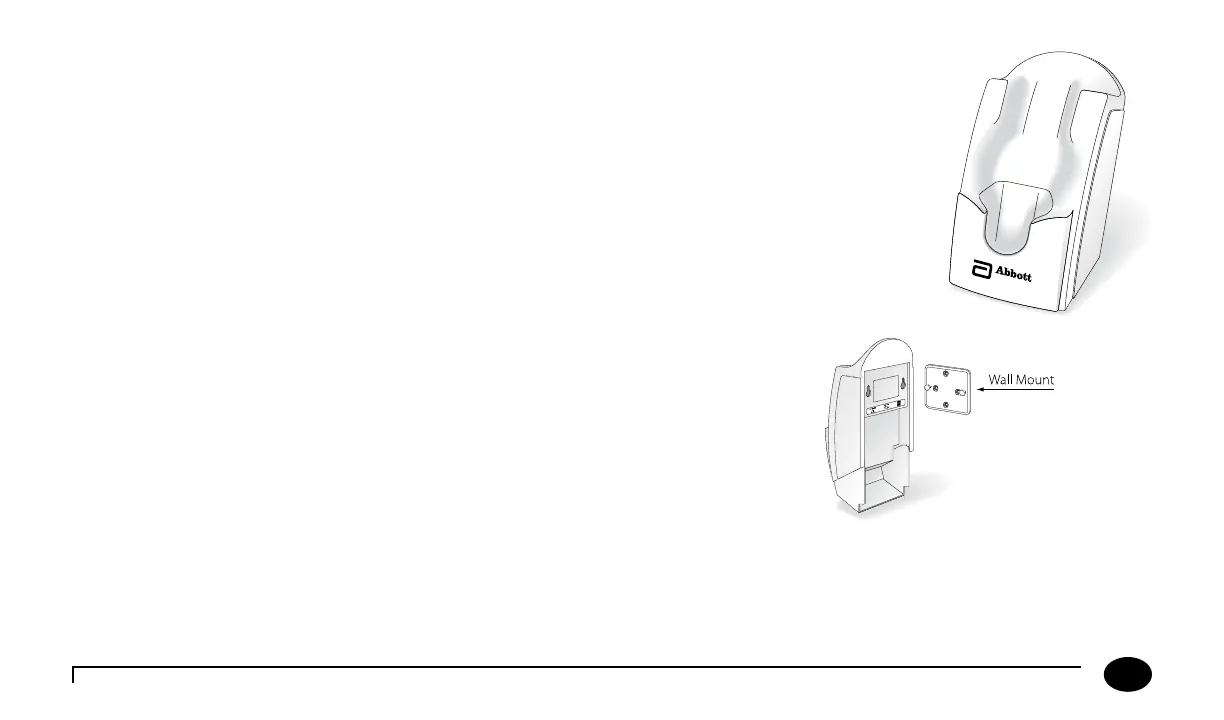
Docking Station
e FreeStyle Precision Pro System oers a docking station that provides means for hands-free,
automatic data transfer (upload/download) between the FreeStyle Precision Pro meter and a PC
running the data management application soware.
Set up the docking station outside patient vicinity. e docking station has a hinged base that allows it
to sit on a desktop or to be mounted to a wall using the included mounting plate.
Mounting Instructions
e docking station may be mounted vertically if desired. is operation is similar to
mounting a telephone on the wall.
Instructions:
1. Drill the holes to match to the wall mount.
2. Place the wall mount on the wall and insert the four enclosed screws.
3. Align the two holes in the docking station with the two mounting anchors.
4. Aer aligning the holes, press in and then down to secure the docking station.












 To Next Page