2-3
Questions? Refer to Page 11-22 For Technical Support Instructions.
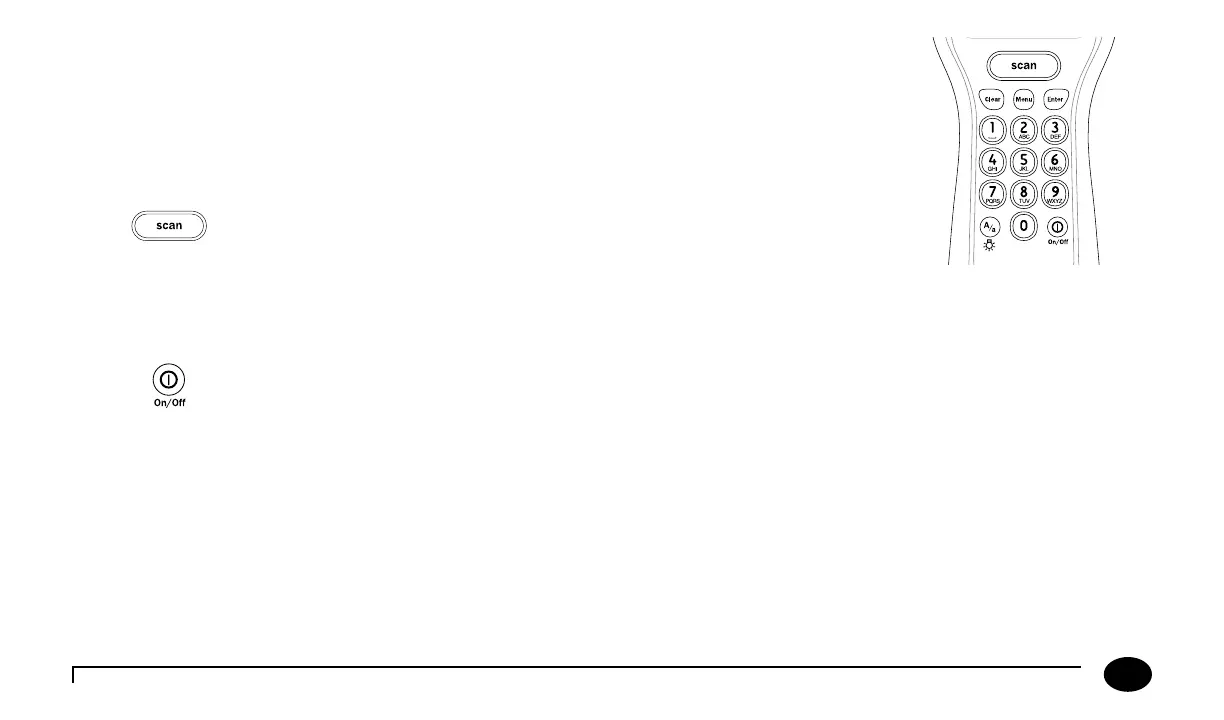
Data Entry Keypad
e data entry keypad allows you to enter identication numbers and letters (only the 26 letter
English alphabet) or to select an option that appears on the display. e keypad contains a 10 digit
telephone-style keypad with the keys for the numbers 0-9. e 2-9 keys also have letters printed
below the number. e keypad also has six special keys, including a Scan button, On/O button,
Backlight/Alphanumeric, Clear, Menu and Enter keys.
Scan
Press this button to operate the barcode scanner. If the audible indicator is enabled, the meter
will beep once a barcode has been successfully scanned. Continuing to hold the Scan button
will display the scanned barcode on the display until the button is released. If no information is
scanned after 3 seconds, the scanner will turn off.
On/Off
Press this button to turn the meter on. Each time the meter is turned on, the Abbott logo screen will appear in black for a few
seconds and then will appear in grey. is provides an opportunity to ensure that all the pixels are working correctly.
Press and hold this button for 2 seconds to turn the meter o. e meter will automatically shut itself o aer 4 minutes to
conserve battery life. e length of time for automatic shut-o can be congured from 4 to 10 minutes following patient tests
only.
Chapter 2: Using the Meter












 To Next Page