10-5
Questions? Refer to Page 11-22 For Technical Support Instructions.
Chapter 10: Data Upload
Enabling Data Upload
Data Upload Using Docking Station
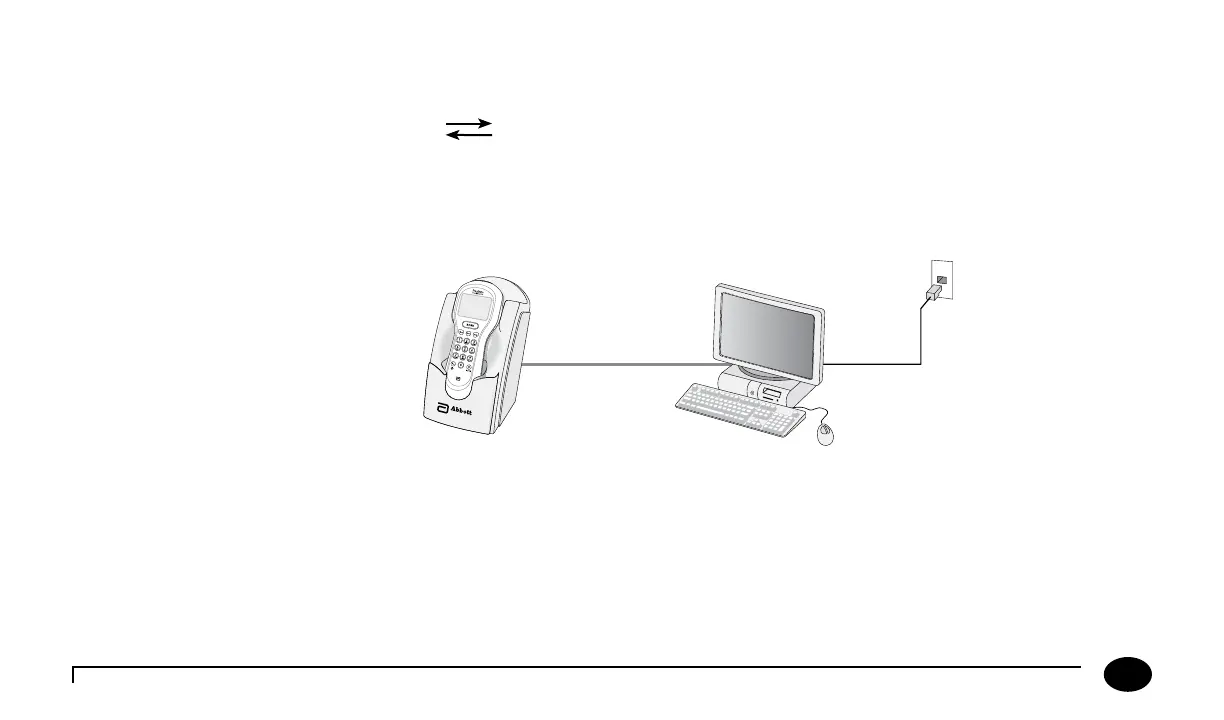
e docking station has a data transfer port located on the back. e data transfer port connects the docking station to a
variety of transfer options using the included serial cable.
A connection to the data management system may be established directly, via a networked computer or via a terminal server.
ese connections are illustrated in Figures 1 and 2.
Figure 1
Figure 1 - Data Upload via Direct Connection or Networked Computer
1. Connect the serial cable between the docking station data transfer port and the computer.
2. Ensure that the computer has power, and if desired, a working network connection.
3. Ensure that the local data management system or Abbott Data Repeater (for a networked connection) is operational and
correctly congured. is soware and its installation instructions are available separately.
Serial Cable












 To Next Page