10-6
Questions? Refer to Page 11-22 For Technical Support Instructions.
Chapter 10: Data Upload
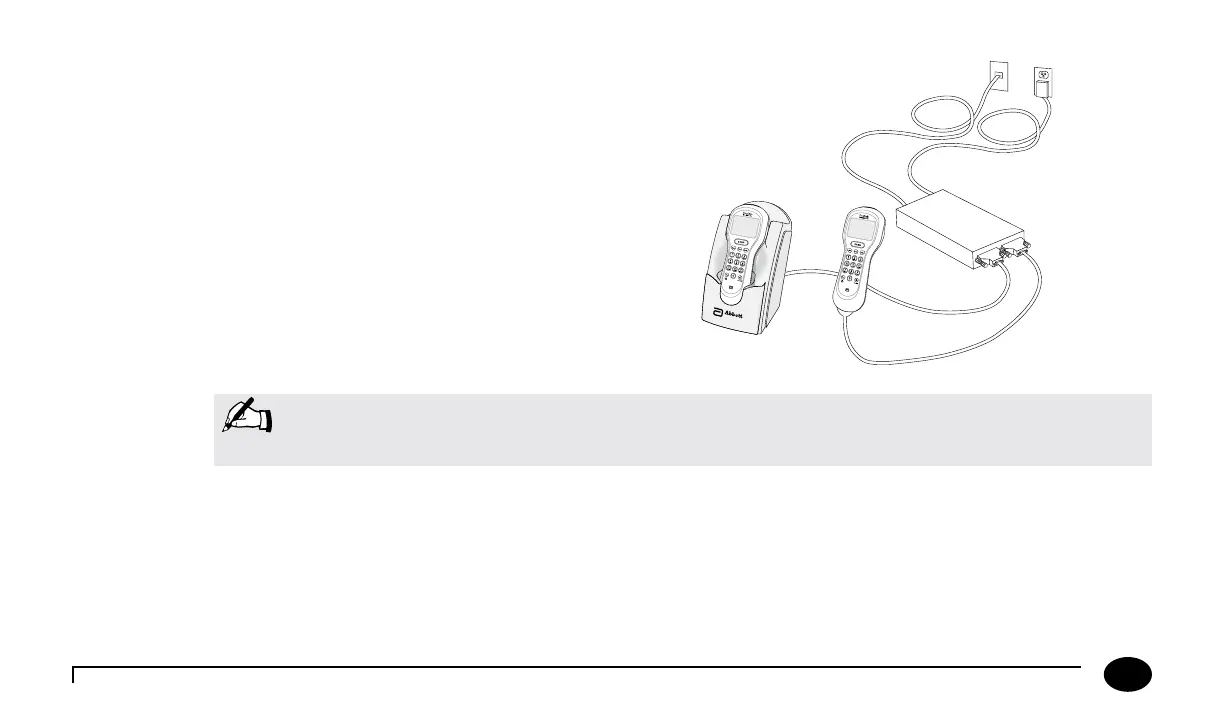
Figure 2 - Data Upload via Terminal Server
1. Connect the terminal server AC adapter to a power source.
2. Connect the serial cable to the terminal server and to the docking
station data transfer port. Alternatively, connect the data upload cable
to the terminal server and to the data port of the FreeStyle Precision
Pro meter.
3. Connect the data networking cable to the terminal server and the
network jack.
Figure 2
Data Upload Using Wireless
e optional wireless function allows for automatic data upload throughout a WiFi enabled facility when both the data
management system and meters are properly congured. Wireless function set-up is described in the Wireless Set-Up Utility CD
(optional).
AC Adapter
Terminal Server
Data Networking Cable
Data Upload Cable
Note: For plug-connected equipment where protective earthing is required, plug the equipment into a
supply outlet that has a earth connection.












 To Next Page