1-9
Questions? Refer to Page 11-22 For Technical Support Instructions.
Chapter 1: Overview
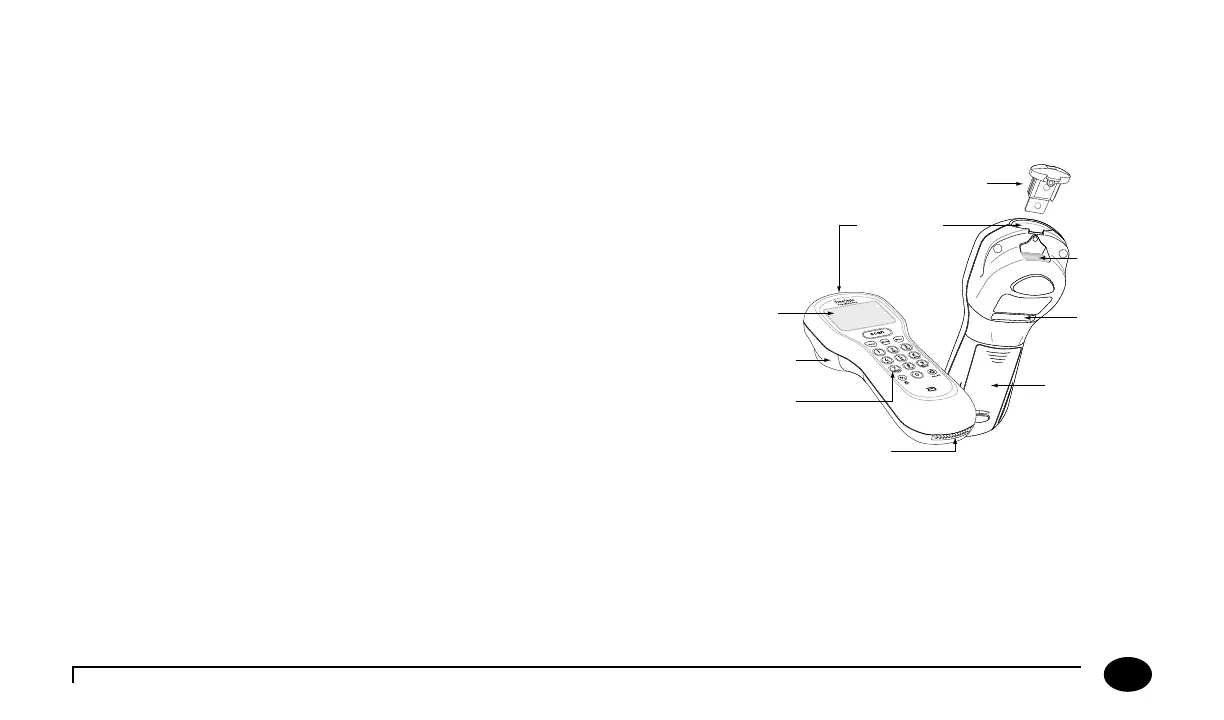
Meter
e FreeStyle Precision Pro meter has many features designed to help simplify testing. It can be used with one hand, either
the le or the right. e display has large text and is backlit to make reading easy. e keypad is similar to a telephone and
each button clicks when pressed. Use of the meter is described in Chapters 2 to 9 of this Operator’s Manual and in the Quick
Reference Guide (available separately).
At the top of the meter is the test strip port module. e strip port
module is designed to minimise liquid and other potential contaminants
entering the meter through the strip port (Chapter 12 provides
instructions for changing the strip port module). Underneath this is the
window for the barcode scanner. On the back of the meter is the battery
compartment (Chapter 12 also provides instructions for changing the
batteries). Just above the battery compartment is a label with the unique
serial number of the meter. A unique serial number label of the meter
is inside the battery compartment. On the side of the meter is the meter
identication space.
Test Strip Port
Strip Port Module
Barcode
Scanner
Serial
Number
Battery
Compartment
(Serial Number
Label Inside)
Data Port
Keypad
Display
Meter
Identication
Space












 To Next Page