3-14
Questions? Refer to Page 11-22 For Technical Support Instructions.
What You See on the Display What You Do Comments
100 mg/dL
IMPORTANT:
If the blood glucose result appears to be inconsistent (lower or higher than
expected), and you have ruled out common errors in technique, there may
be a problem with the test strip. Repeat the test using a new test strip.
Results that are incorrect may have serious medical consequences.
Consult the prescribing physician before making any changes to diabetes
medication plans.
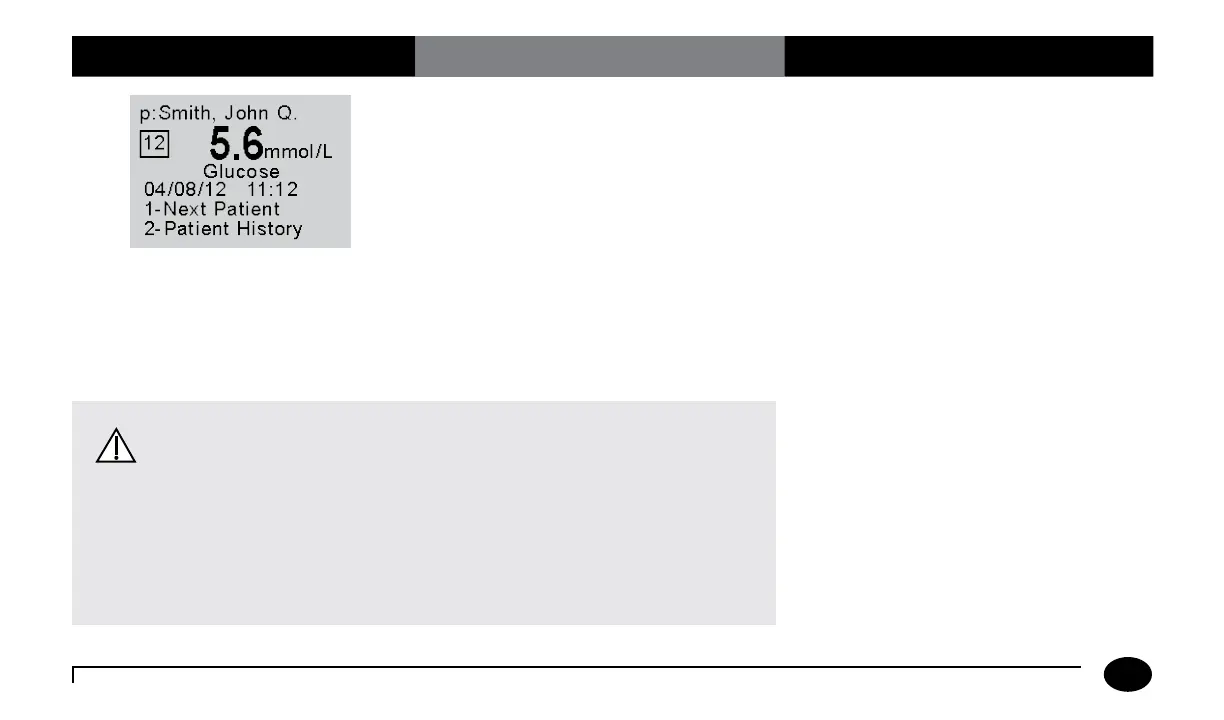
13. You can select one of the following
options:
Press 1–Next Patient.
Press 2–Patient History.
Press Menu to return to the
Menu Mode menu.
Press On/Off to turn off the meter.
Remove the test strip from the meter
and discard it when finished testing.
Follow your facility’s biohazard disposal
policy.
The display shows:
Patient ID or Name (p: prompt)
Comment Code (Number in box)
Date and Time of test
Test Type (Glucose)
If 1 is selected, the Scan Patient ID screen
will appear. Return to step 4 to continue
with testing on the next patient.
If 2 is selected, the meter will display the last
test result for this patient as well as allow
you to view previous results.
Refer to the section titled Data Review
for Patient by Patient ID in Chapter 5 for
further information.
Chapter 3: Patient Test












 To Next Page