5-15
Questions? Refer to Page 11-22 For Technical Support Instructions.
Chapter 5: Data Review
What You See on the Display What You Do Comments
100 mg/dL
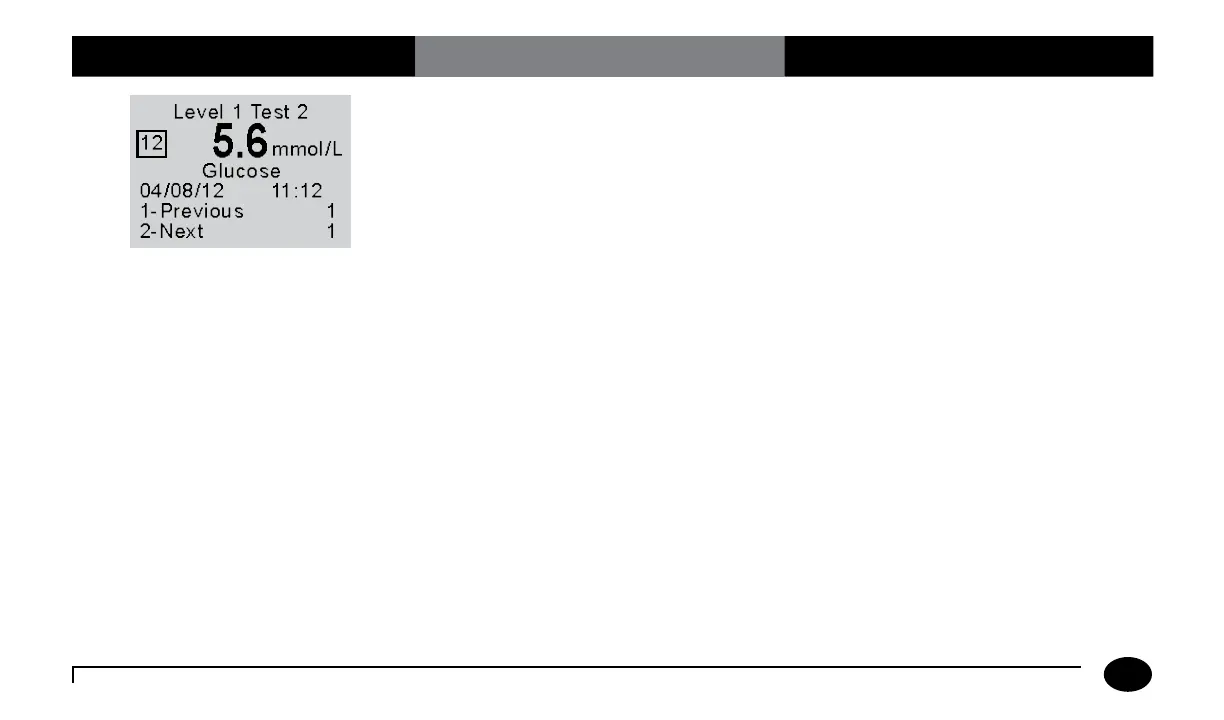
2. You can select one of the following
options:
Press 1–Previous
Press 2–Next
Selection 2-Next will be displayed only
when there is new data for review.
When finished reviewing the data,
you can:
Press Clear to return to the
Data Review screen.
Press Menu to return to the
Menu Mode menu.
Press On/Off to turn off the meter.
The number that appears to the right of
1-Previous and 2-Next on the meter
indicates the number of tests available for
review. The display also shows:
Level (1 to 5), Test replicate (1 to 4)
Comment Code (Number in box)
Test Type (Glucose or Ketone)
Operator ID (o: prompt)
Date and Time of test
Note that test date and time alternates with
Operator ID.












 To Next Page