6-3
Questions? Refer to Page 11-22 For Technical Support Instructions.
What You See on the Display What You Do Comments
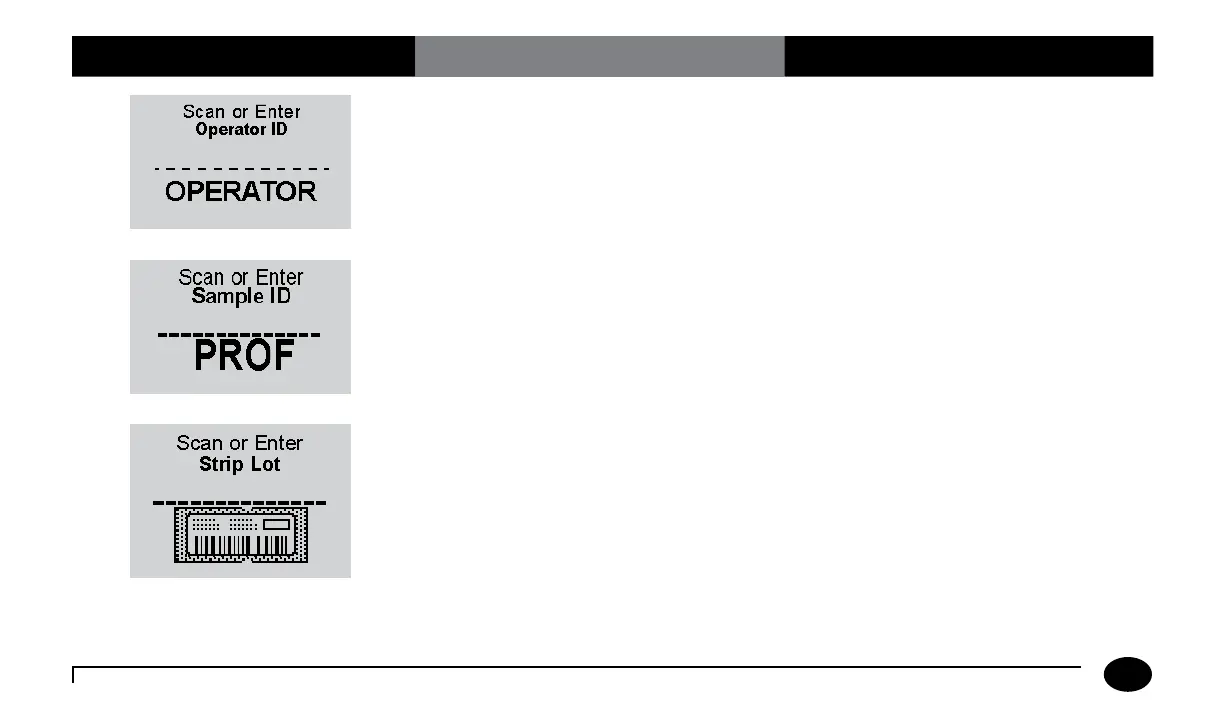
4. Press Scan to scan the Operator ID
barcode or manually enter the Operator
ID via the keypad, then press Enter.
While the Operator ID may be up to 30
digits, not all digits will fit on the display.
The meter may also be set to truncate
(ignore) leading, trailing, and/or selected
digits of the barcode.
5. Scan or manually enter the Sample ID
via the keypad, then press Enter.
The meter will prompt for the Sample ID
to be scanned or entered. PROF indicates
proficiency test.
6. Press Scan to scan the test strip barcode
or manually enter the test strip lot
number via the keypad, then press
Enter.
Scanning the barcode identifies the strip
type, calibrates the meter, ensures the
expiry date has not passed, records the strip
lot used, and checks that the lot has been
approved for use by your facility.
Chapter 6: Proficiency Test












 To Next Page