ACIST | CVi® System User's Guide 901418-003,01 2019-08 English (USA) | 53
General Cleaning Instructions7 Supplementary Procedures
5. Apply DisCide ULTRA to all surfaces, including areas that do not have
visible soil to ensure sucient uid has been applied. Allow the material
to remain moistened for a minimum of 1 minute prior to removal per the
user instructions. Specic areas for biocidal agent application are in the
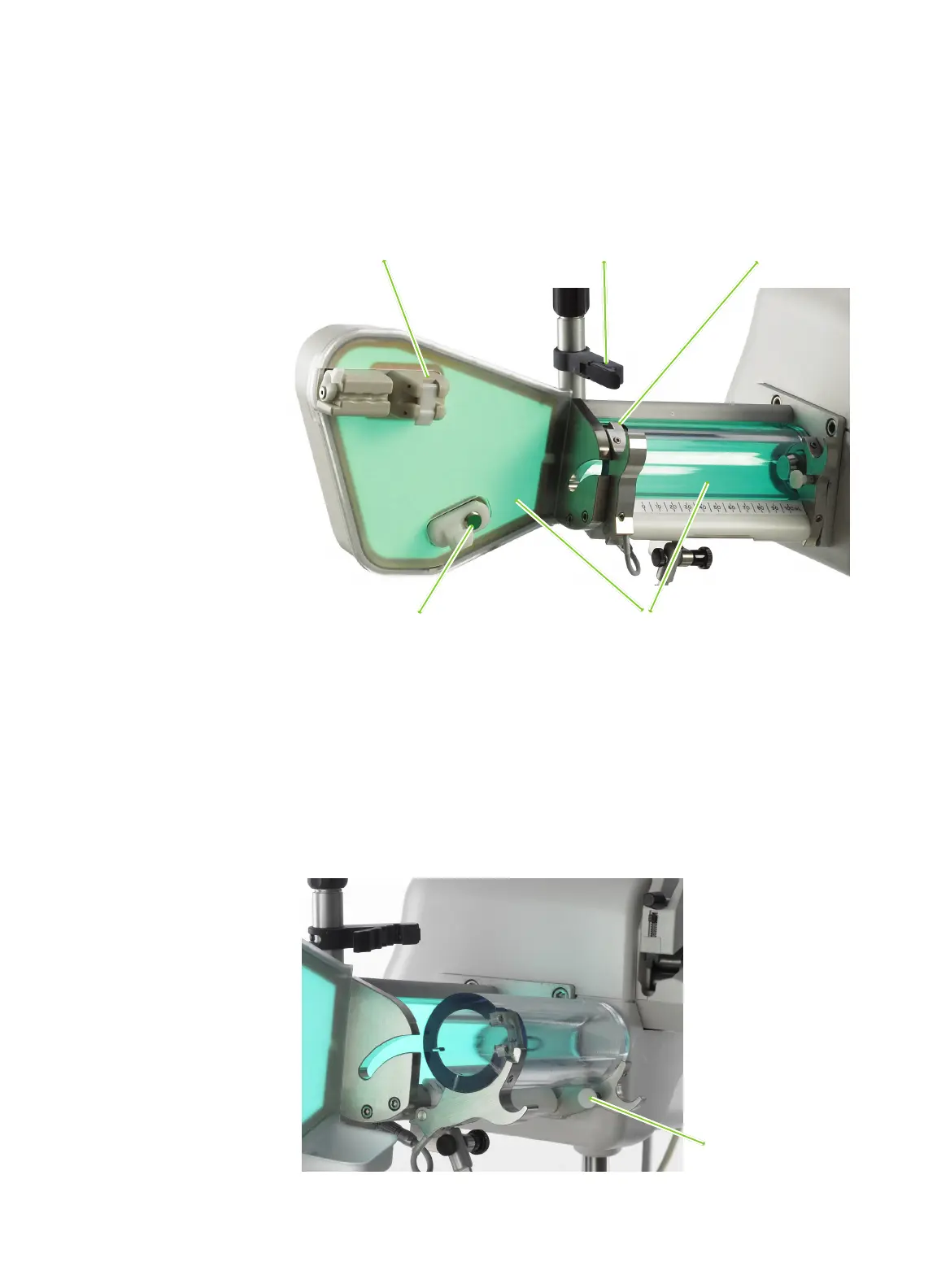
following steps.
6. Apply DisCide ULTRA to the air column detect sensor by wiping or
spraying, making sure to li the securement latches on the proximal and
distal end. Allow the material to remain moistened for a minimum of
1minute prior to removal per the user instructions.
7. Apply DisCide ULTRA to the manifold valve sensor and manifold holding
latch, making sure both sides of the sensor and latch are fully covered.
Allow the material to remain moistened for a minimum of 1minute prior
to removal per the user instructions.
Air column detect sensor
Contrast sensor Syringe valve sensor
Manifold valve sensor Luminescent backlight
Syringe door pin



 To Next Page