Audible Indicators
24 | English (USA) 2019-08 901418-003,01 ACIST | CVi® System User's Guide
3 System Description
e speaker on the control panel produces audible indicators to signal certain
events, as follows:
Event Audible Indicator
Pressing a button on the touchscreen Click
Filling the syringe Series of tones
Alert messages Beep
Injecting contrast Repeating beep
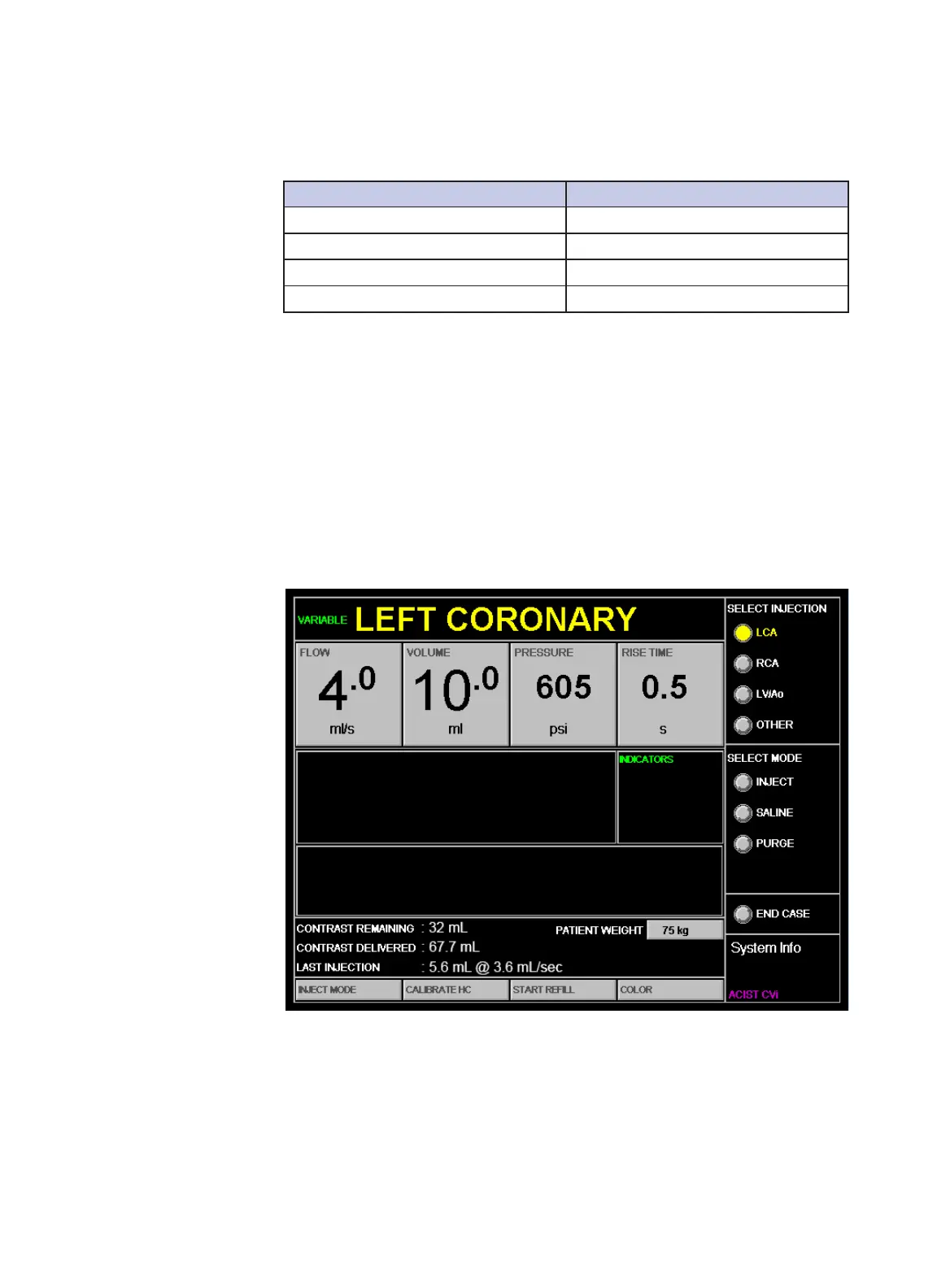
e major functional areas of the touchscreen are shown in the following
sample injection image:
Flow
Allows setting the contrast ow rate parameter, which is either:
• In variable rate mode, the highest ow rate attainable if the contrast (C)
button on the hand controller is fully depressed.
• In xed rate mode, the constant ow rate for each injection.
Volume
Allows setting the volume parameter, which is the maximum amount of
contrast media that may be injected.
Pressure
Allows setting the pressure parameter, which is the maximum allowable
injection pressure. If the injection pressure approaches this limit, the CVi
system will either adjust the ow rate or stop the injection.
Audible
Indicators
Touchscreen
Functions and
Sample Injection
Images



 To Next Page