Chapter 3: Building Your Storage Space ● 36
5 Click Apply, then click Ye s .
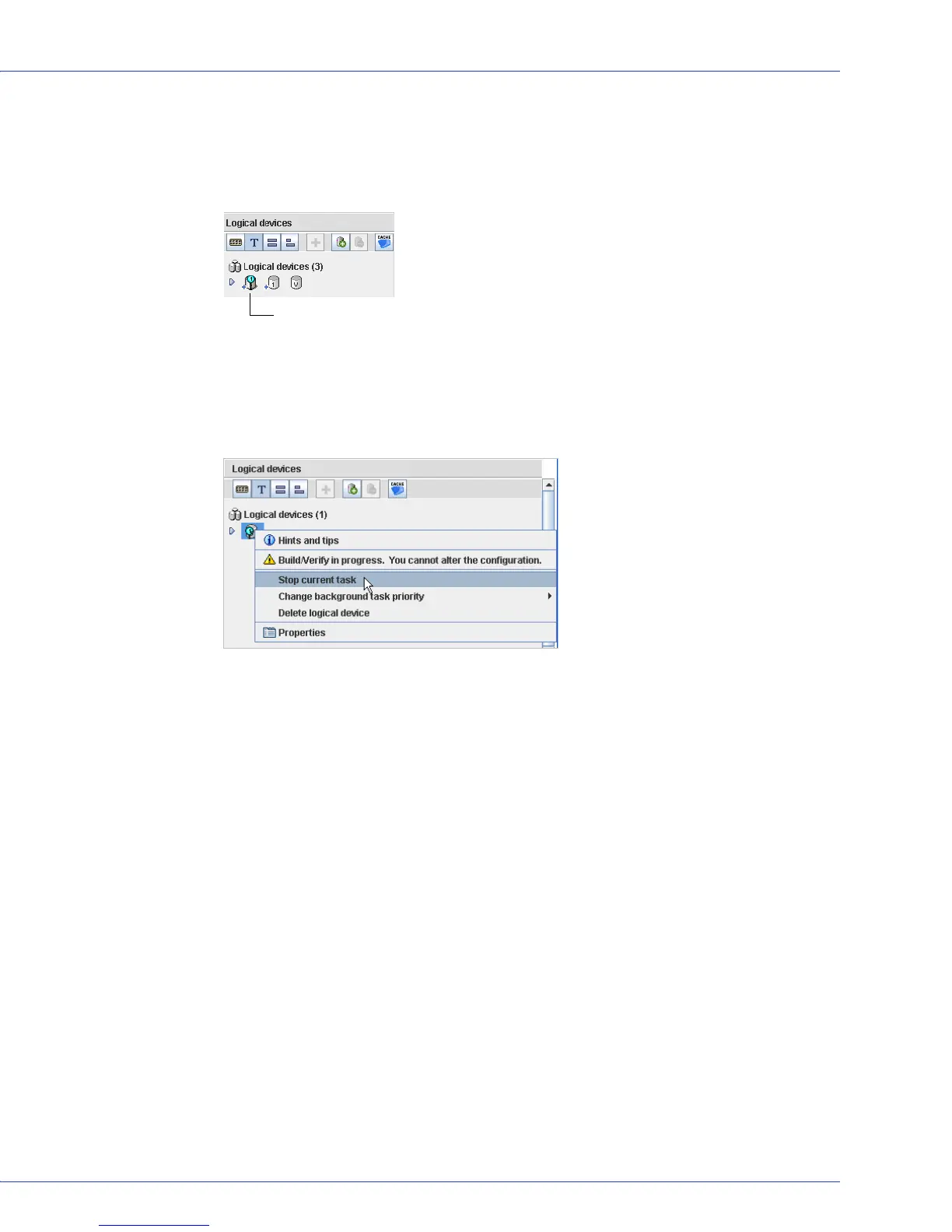
Adaptec Storage Manager builds the logical drive(s), indicated by a magnifying glass
moving across the new logical drive icon in the Logical Devices View. The configuration is
saved on the Adaptec controller and on the physical drives.
Note:
To stop the creation of a new logical drive, right-click on the magnifying glass icon
(shown in the figure above), then select Stop current task. You can also change the priority of
the build task to High, Medium, or Low by selecting Change background task priority from the
same right-click menu.
6
Repeat Steps 1 to 5 for each controller in your storage space, as required.
7 Continue with Partitioning and Formatting Your Logical Drives on page 36.
Partitioning and Formatting Your Logical Drives
The logical drives you create appear as physical disk drives on your operating system. You must
partition and format these logical drives before you can use them to store data.
Note:
Logical drives that have not been partitioned and formatted cannot be used to store data.
Refer to your operating system documentation for more information.
Including More Systems in Your Storage Space
Note:
Adaptec Storage Manager must be installed on every system that will be part of your storage
space.
If you have installed Adaptec RAID controllers on more than one system, to continue building
your storage space:
● From each individual system, log in to Adaptec Storage Manager and repeat Steps 1 to 7 to
continue building your storage space, or
● From your local system (the system you’re working on), log in to all other systems in your
storage space as remote systems (see page 26), then repeat Steps 1 to 7 to continue building
your storage space.
A magnifying glass means that a logical drive is being built.
It disappears once the logical drive has been created.



 To Next Page