Chapter 3: Building Your Storage Space ● 38
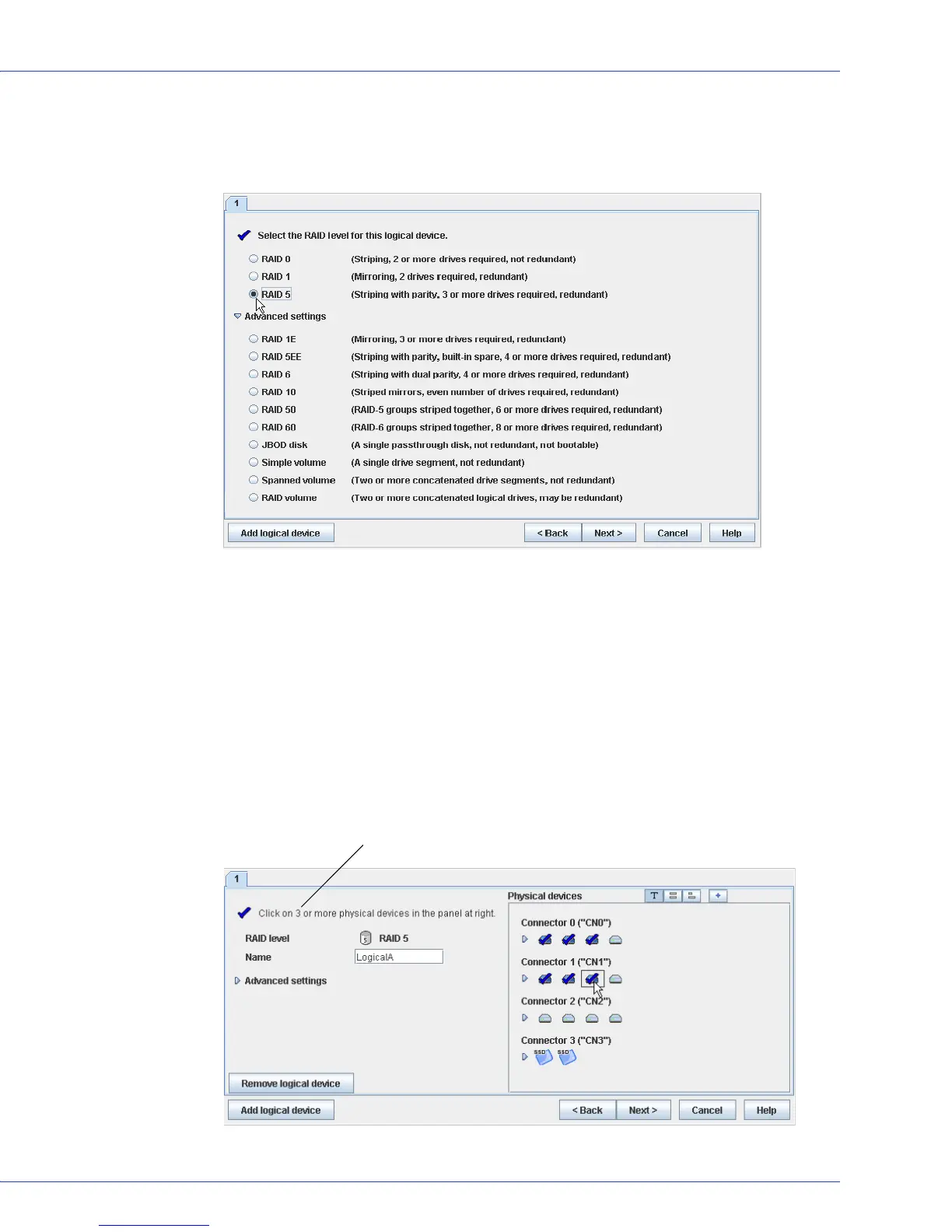
4 Select a RAID level.
The most common RAID levels are listed first; advanced RAID levels are available by
clicking Advanced settings.
Note:
To build a RAID Volume, see page 71. To build a JBOD disk, see page 73. See Selecting
the Best RAID Level on page 152 for more information about RAID levels.
5
Click Next.
6 On the left side of the window, enter a name for the logical drive. Names can include any
combination of letters and numbers, but cannot include spaces.
7 On the right side of the window, select the disk drives you want to use in the logical drive.
Adaptec Storage Manager prompts you to select the correct number of disk drives.
Note:
Adaptec recommends that you not combine SAS and SATA disk drives within the same
logical drive. Adaptec Storage Manager generates a warning if you try to create a logical drive
using a combination of SAS and SATA disk drives.
Number of disk drives required



 To Next Page