Chapter 4: Exploring Adaptec Storage Manager ● 47
What do the icons in the Physical Devices View mean?
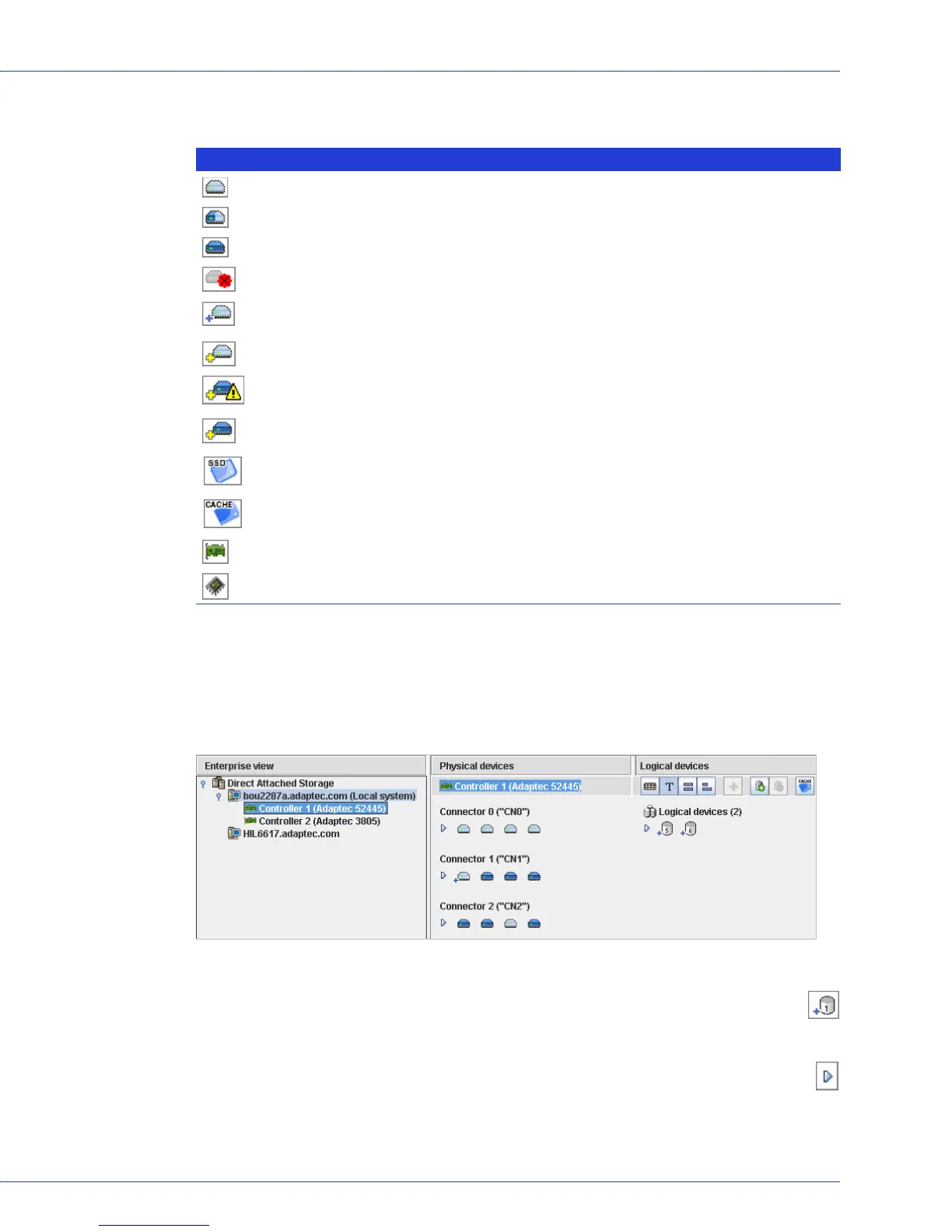
The Logical Devices View
When you select a controller in the Enterprise View, information about the logical drives and
arrays associated with that controller appear in the Logical Devices View. (A logical drive is a
group of physical disk drives that your operating system recognizes as a single drive. For more
information, see Understanding Logical Drives on page 59.)
The RAID level of a logical drive is indicated by the number inside the logical drive’s
icon. For instance, the logical drive shown at right has RAID 1. Logical drives protected
by hot spares have plus signs (+) beside them, as shown at right.
Hold your cursor over any logical drive to see its name, status, and size. You can also click
the arrow, shown at right, to view this same information for all the logical drives at once.
Icon Description
Ready disk drive, not part of any logical drive
Disk drive with some space allocated to a logical drive, and some space available
Disk drive with no free space
Failed disk drive
Healthy global or dedicated hot spare protecting at least one logical drive (See Creating and
Managing Hot Spares on page 54 for more information.)
Hot spare with error (see page 55 for more information)
Hot spare being built into logical drive after disk drive failure
Hot spare built into logical drive after disk drive failure
Ready Solid State Drive (SSD), not part of any logical drive or MaxIQ pool
Solid State Drive assigned to MaxIQ pool
Controller
Enclosure Management Device (represents an enclosure connected to your controller)
...28 disk drives (some not shown
here)...
...from which two logical
drives have been created.
Controller 1 is connected to...



 To Next Page