158
ADOBE ILLUSTRATOR CS2
User Guide
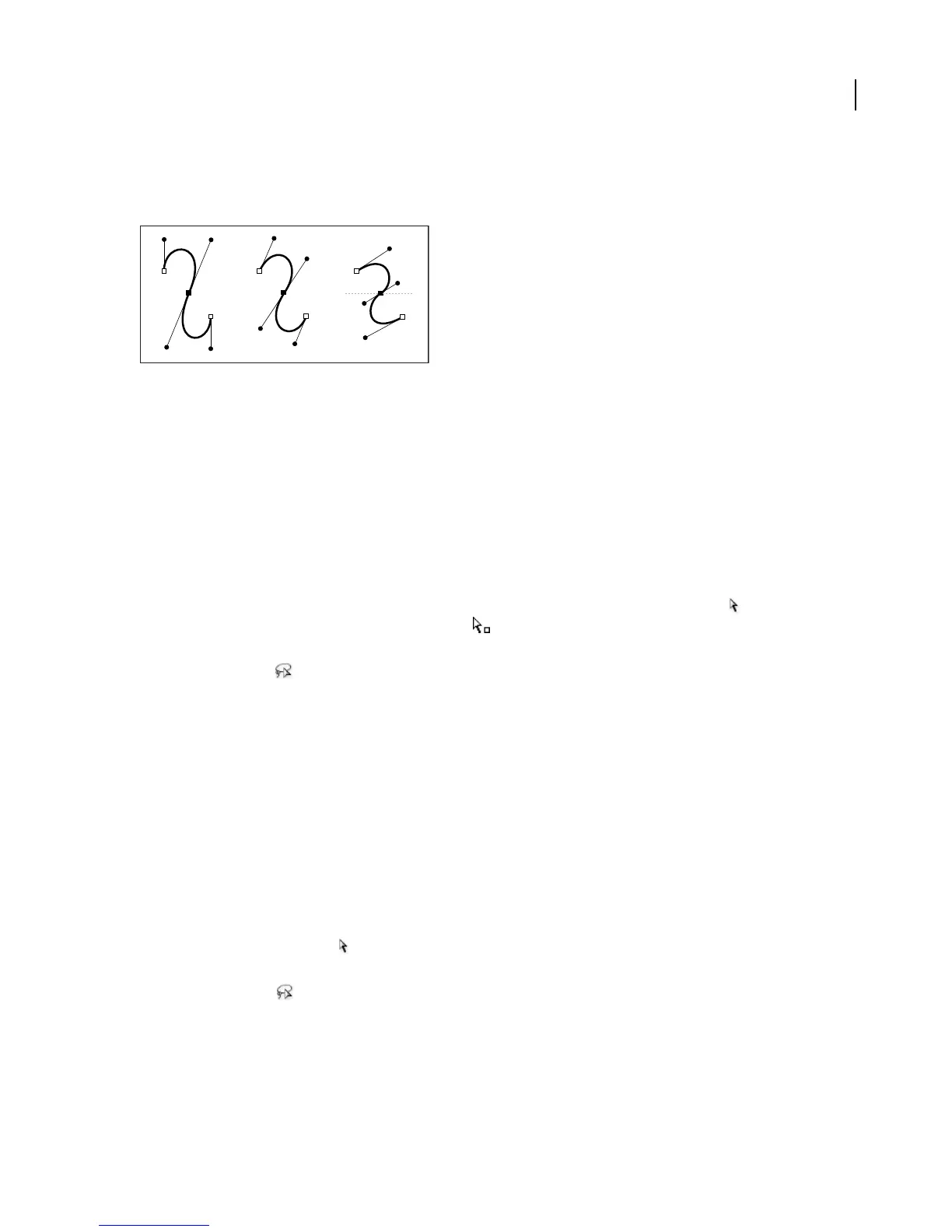
Direction lines are always tangent to (perpendicular to the radius of) the curve at the anchor points. The angle of
each direction line determines the slope of the curve, and the length of each direction line determines the height, or
depth, of the curve.
Moving and resizing direction lines changes the slopes of curves.
You can show or hide anchor points, direction lines, and direction points by choosing View > Show Edges or View >
Hide Edges.
See also
“About paths” on page 144
To select anchor points
Do any of the following:
• Make sure the path that contains the anchor points is not selected. Move the Direct Selection tool over the
anchor point until the pointer displays a hollow square , and then click the anchor point. Shift+click additional
anchor points to select them.
• Select the Lasso tool , and drag around the anchor points. Shift+drag around additional anchor points to select
them.
See also
“About paths” on page 144
“Selection tool gallery” on page 262
“Keys for selecting” on page 528
To select path segments
Do any of the following:
• Select the Direct Selection tool , and click within 2 pixels of the segment or drag a marquee over part of the
segment. Shift+click or Shift+drag around additional path segments to select them.
• Select the Lasso tool , and drag around part of the path segment. Shift+drag around additional path segments
to select them.



 To Next Page