ADOBE ILLUSTRATOR CS2
367
User Guide
Em Box Height The top of the em box in Asian fonts touches the top of the type object. This option is available only
when the Show Asian Options preference is selected.
Fixed Specifies the distance between the baseline of the first line of text and the top of the type object in the Min text
box.
4 For Min, specify the minimum value for the baseline offset.
For example, if you select Leading for First Baseline and specify a minimum value of 1p, Illustrator uses the leading
value only when it’s greater than 1 pica.
5 Click OK.
See also
“To shift the baseline” on page 385
“To display Asian type options” on page 406
To create rows and columns of text
1 Select an area type object.
2 Choose Type > Area Type Options.
3 In the Rows and Columns sections of the dialog box, set the following options:
Number to specify the number of rows and columns you want the object to contain.
Span to specify the height of individual rows and the width of individual columns.
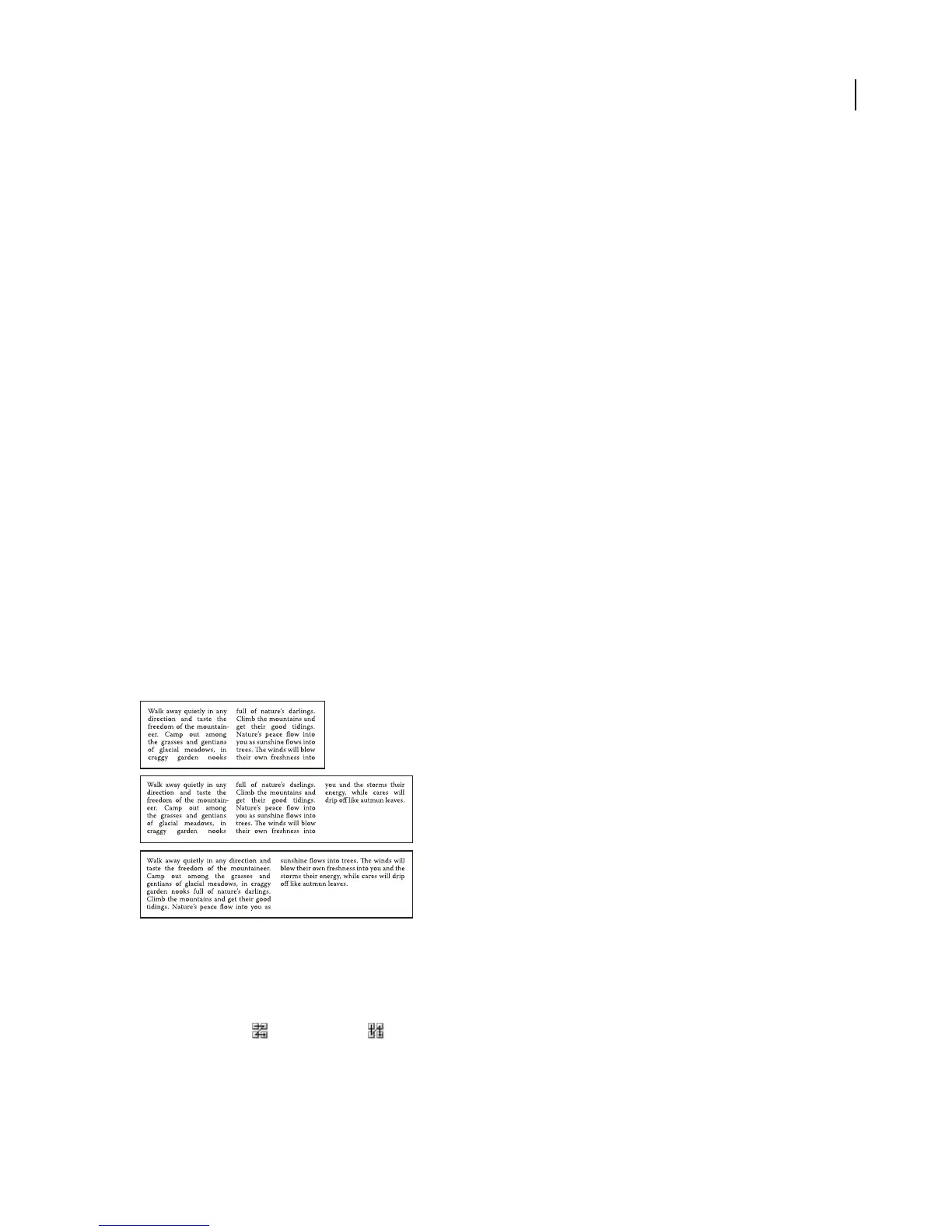
Fixed to determine what happens to the span of rows and columns if you resize the type area. When this option is
selected, resizing the area can change the number of rows and columns, but not their width. Leave this option
deselected if you want row and column widths to change when you resize the type area.
A
B
C
Options for resizing rows and columns
A. Original columns B. Columns resized with Fixed selected C. Columns resized with Fixed deselected
Gutter to specify the distance between rows or columns.
4 In theOptions sectionofthe dialog box, select aTextFlowoptiontodetermine howtextflows betweenrowsand
columns: By Rows or By Columns .
5 Click OK.



 To Next Page