408
ADOBE ILLUSTRATOR CS2
User Guide
Select with the Type tool any characters you want to adjust, and do any of the following in the Character palette:
• To addaki before or afteracharacter, choose theamountofaki youwanttoadd from theInsertAki (Left) or
Insert Aki (Right) menu in the Character palette. For example, if you specify 2bu, half a full-width space is
added, and if you specify 4bu, a quarter of a full-width space is added.
• To compress the aki between characters, specify a percentage for Tsume . The higher the percentage, the
narrower the aki between characters.
If you don’t see the Insert Aki or Tsume options, select Show Asian Options in the Type preferences.
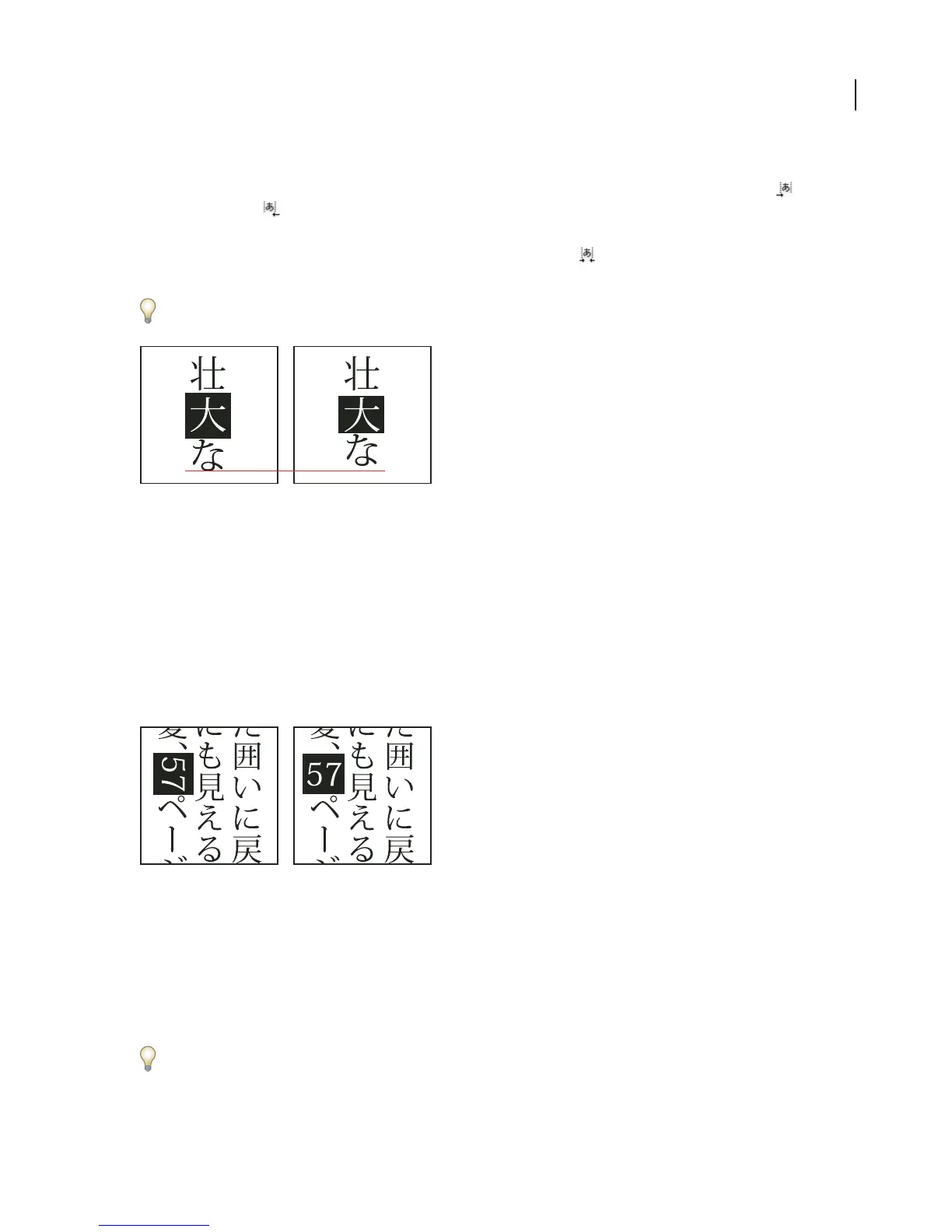
Character without tsume (left) compared to character with tsume (right)
See also
“To display Asian type options” on page 406
“To select a mojikumi set for a paragraph” on page 411
Tate-chu-yoko
Tate-chu-yoko (also called kumimoji and renmoji) is a block of horizontal type laid out within vertical type lines.
Using tate-chu-yoko makes it easier to read half-width characters such as numbers, dates, and short foreign words
in vertical text.
Numerals without tate-chu-yoko (left) compared to numerals rotated with tate-chu-yoko (right)
You can apply tate-chu-yoko to selected characters by choosing Tate-chu-yoko from the Character palette menu. (To
cancel, choose Tate-chu-yoko again.)
Select Tate-chu-yoko Settings from the Character palette menu to set the following options:
Up/Down Specifies a positive value to move the text up and a negative value to move it down.
Left/Right Specifies a positive value to move the text to the right and a negative value to move it to the left.
Use tsume or tracking in the Character palette to adjust the character spacing for Tate-chu-yoko.
Note: If the Tate-chu-yoko option isn’t showing, you need to select Show Asian Options in the Type preferences.



 To Next Page