461
ADOBE ILLUSTRATOR CS2
User Guide
Interlace Creates an image that displays as a low-resolution version in a browser while the full image file is
downloading. Interlacing can make downloading time seem shorter and can assure viewers that downloading is in
progress. However, interlacing also increases file size.
See also
“About the Save For Web dialog box” on page 452
“To optimize and save web graphics” on page 452
Optimization options for SWF format
A
B
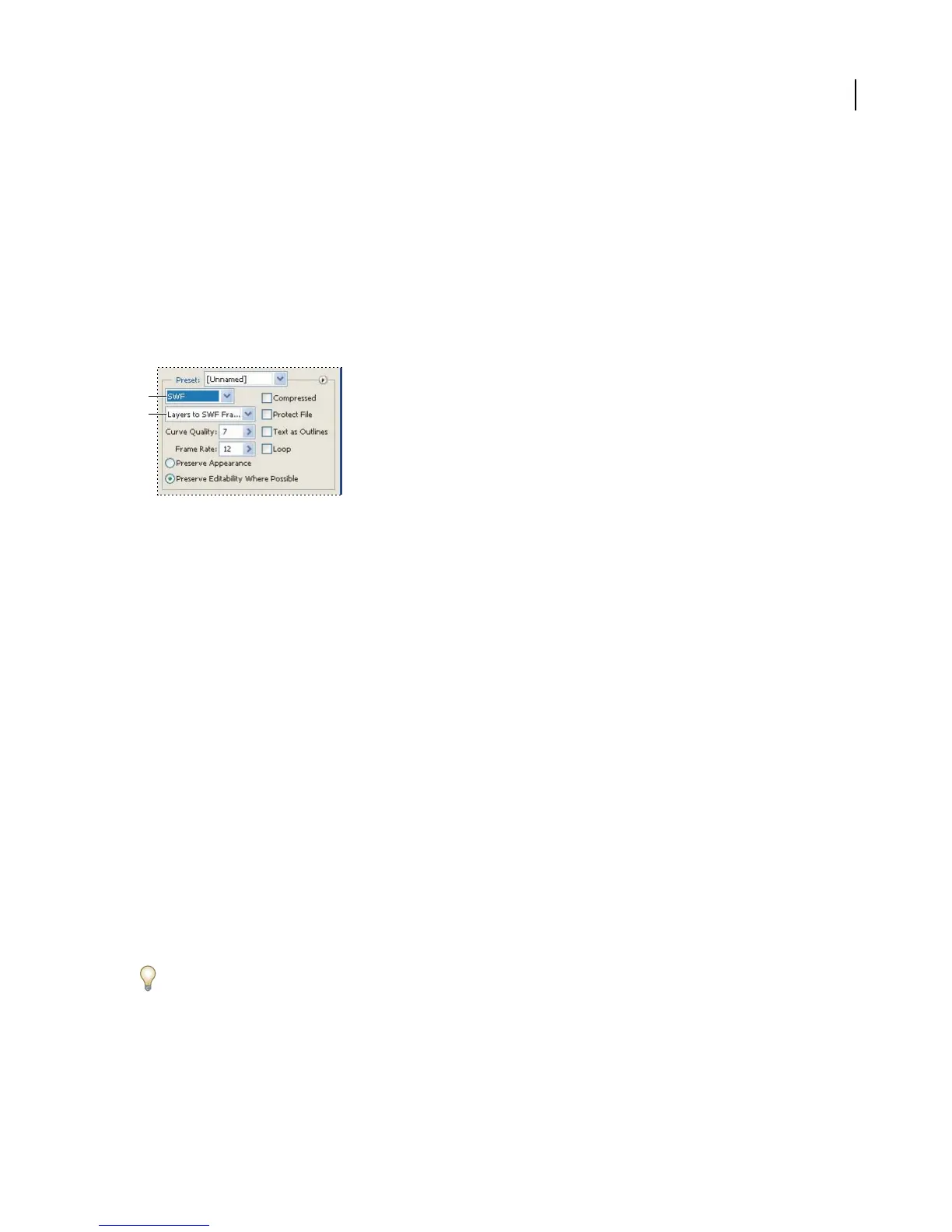
Optimization settings for SWF
A. File format menu B. Export menu
Read Only Prohibits users from modifying the exported SWF file.
Export As Determines how layers are exported. Select AI File To SWF File to export the artwork to a single frame.
Select AI Layers To SWF Frames to export the artwork on each layer to a separate SWF frame, creating an animated
SWF.
Note: Select AI File To SWF File to preserve layer clipping masks.
Curve Quality Specifies the accuracy of the bezier curves. A low number decreases the exported file size with a slight
loss of curve quality. A higher number increases the accuracy of the bezier curve reproduction, but results in a larger
file size.
Frame Rate Specifies the rate at which the animation will be played in a Macromedia Flash viewer. (This option is
only available for AI Layers To SWF Frames.)
Loop Causes the animation to loop continuously, rather than play once and then stop, when played in a Macromedia
Flash viewer. (This option is only available for AI Layers To SWF Frames.)
Preserve Appearance Expands strokes into stroke-shaped fills and flattens any blending modes and transparency
that aren’t supported by the SWF format.
Preserve Editability Where Possible Converts strokes to SWF strokes, and approximates or ignores transparency
that isn’t supported by the SWF format.
Note: SWF format only supports object-level opacity.
Use the Export command instead of the Save For Web command to maintain your artwork’s stacking order by
exporting each layer to a separate SWF file. You can then import the exported SWF files into Macromedia Flash
simultaneously.



 To Next Page