ADPRO iFT Series Hardware Installation Manual
27817_08 11
3 Hard Disks
3.1 Required Hard Disk Capacity
Astherearemanyconfigurationpossibilities,Honeywellhasaharddiskspacecalculatoravailable.Youcanfind
thisharddiskspacecalculatorontheSecuritySolutionsSupportsitewww.xtralissecurity.com(logonrequired).
Searchforkeyword‘calculator’.
Note
Thecalculatorisanestimatingtoolonly.Figuresarepurelyindicative.Therealrequirementsofthe
harddiskcapacitydependonscenecontent.
WithfirmwareXO4andabove,youcanspecifyaminimumnumberofdaystokeeprecordingsonthe
harddisks.ThesystemwillcalculateifthereissufficientspaceontheharddisksintheXOdevice,
anditwillactivatesysteminput0050–[SYST]–STORAGEINSUFFICIENTifthisisnotthecase.
Thesystemcalculatestherequiredharddiskspacebasedonthepastrecordings.Fordetails,seethe
XO Client Software User Manual(21796).
TheiFTSeriesdevicesarestandarddeliveredwithout,orwith1harddiskinside.Youcaninstall:
l IntheiFTmodel:
o
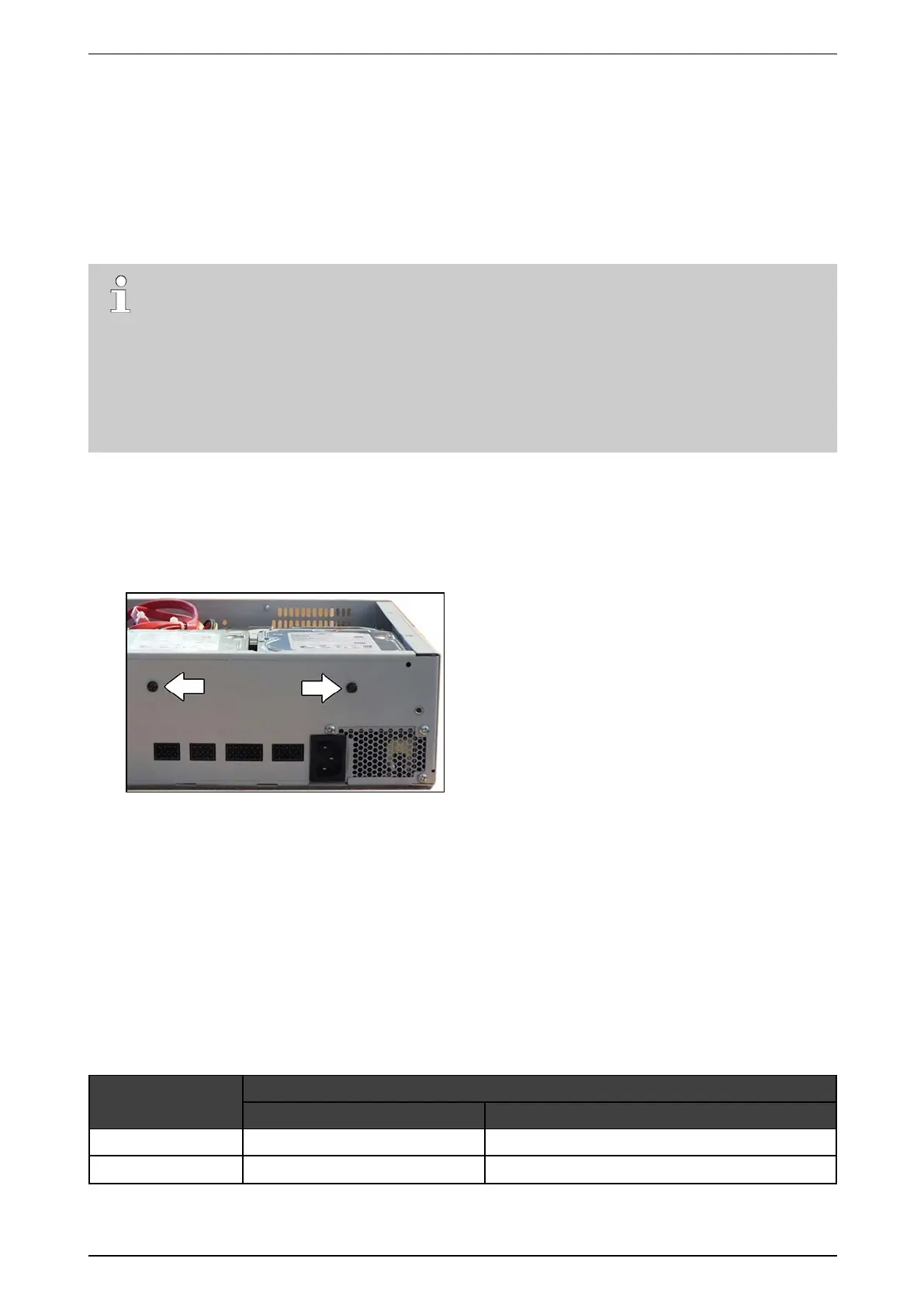
maximum2harddisksinmodelswithoutextramountingholesintherear
o
maximum3harddisksinmodelswithtwoextramountingholesintherear.ThelabelsonthesuitableiFT
devicesindicate‘3HDDReady’.
l IntheiFT-Emodel:
o
Modelnumbers61xxxxxx:maximum2harddisks.
o
Modelnumbers63xxxxxx:maximum4harddisks.
3.2 Adding/Replacing a Hard Disk
Ifthesystemisrunningoutofdiskspace,youcanaddanewharddiskwithoutremovinganyoftheharddisksin
use.
IfyoureceiveerrormessagesfromyourharddiskintheStatus screenoftheXOclient,youmayneedtoreplace
thefaultyharddisk.
UsethesereferencenumberstoplaceyourorderwithHoneywell:
HDD capacity
Reference number
Disk only Disk with mounting kit for ADPRO device
1TB 19150240 39544250
2TB 19150250 39544260



 To Next Page