ADPRO iFT Series Hardware Installation Manual
27817_08 47
13 Audio
YoucanusenotonlyvideoimagesontheXOdevice,butalsoaudio–bothinandout.
13.1 Audio IN
Audioinputisavailablefromthecameras'audioinputs,orfromIPaudiodevicessuchastheAxishornspeaker.
TheiFTSeriesdoesnotsupportanalogueaudioin.
Youcanchoosetorecordaudio,andlistentoaudiointheliveview.ForanoverviewofIPcamerasthatsupport
audioin,seetheSupported IP Camera List(26742).UsageofIPaudiomodulesissimilartoIPcameraswith
audioincapabilities.Fordetails,seeUsing IP Audio Devicesonpage52.
Note
l Iftheconnectionbandwidthislow,itisrecommendedtodisableliveaudiostreaming.
l AudioINisunbalancedaudio.
l Changingtheaudiosettingsrequiresasystemrestart.
IntheXOclient,youhavetoenabletheaudioinputsforrecordingandlisteningintheliveview.Formore
information,seetheXO Client Software User Manual(21796).
13.2 Audio OUT (Talkback)
13.2.1 Options
TalkbacktothesiteworksviatheLive Video windowintheXOclientsoftware.Youselectacamera,andthen
usethemicrophone(typicallyconnectedtotheclientPC)totalktothesiteviathespeakerthatisassociatedwith
thatcamera.
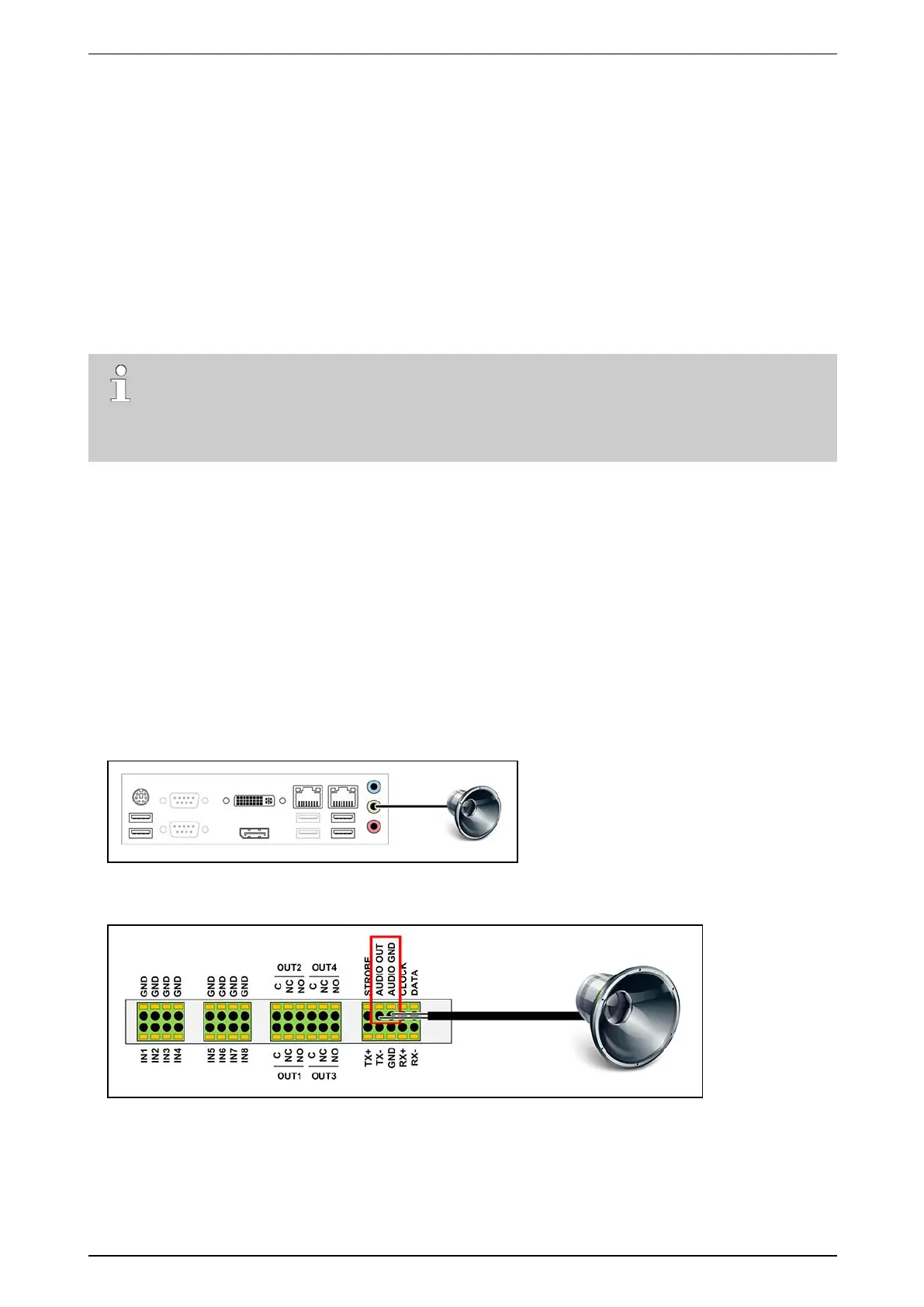
Ifyouneedonly one speaker onyoursite,youhavethefollowingoptions:
l Connectanamplifiedloudspeakertotheaudiooutplugofthemotherboard(=green3.5mmjack).
l ConnectanamplifiedloudspeakertotheaudiooutputontheMIOcard(withbuilt-inMIOcardonly,not
availableonanexternalXOI/OInterfaceUSBmodule).
Inthiscase,allcamerasareautomaticallyassociatedwiththatonespeaker.



 To Next Page