iFT Series Hardware Installation Manual ADPRO
50 27817_08
13.2.3 Setup for VM22E
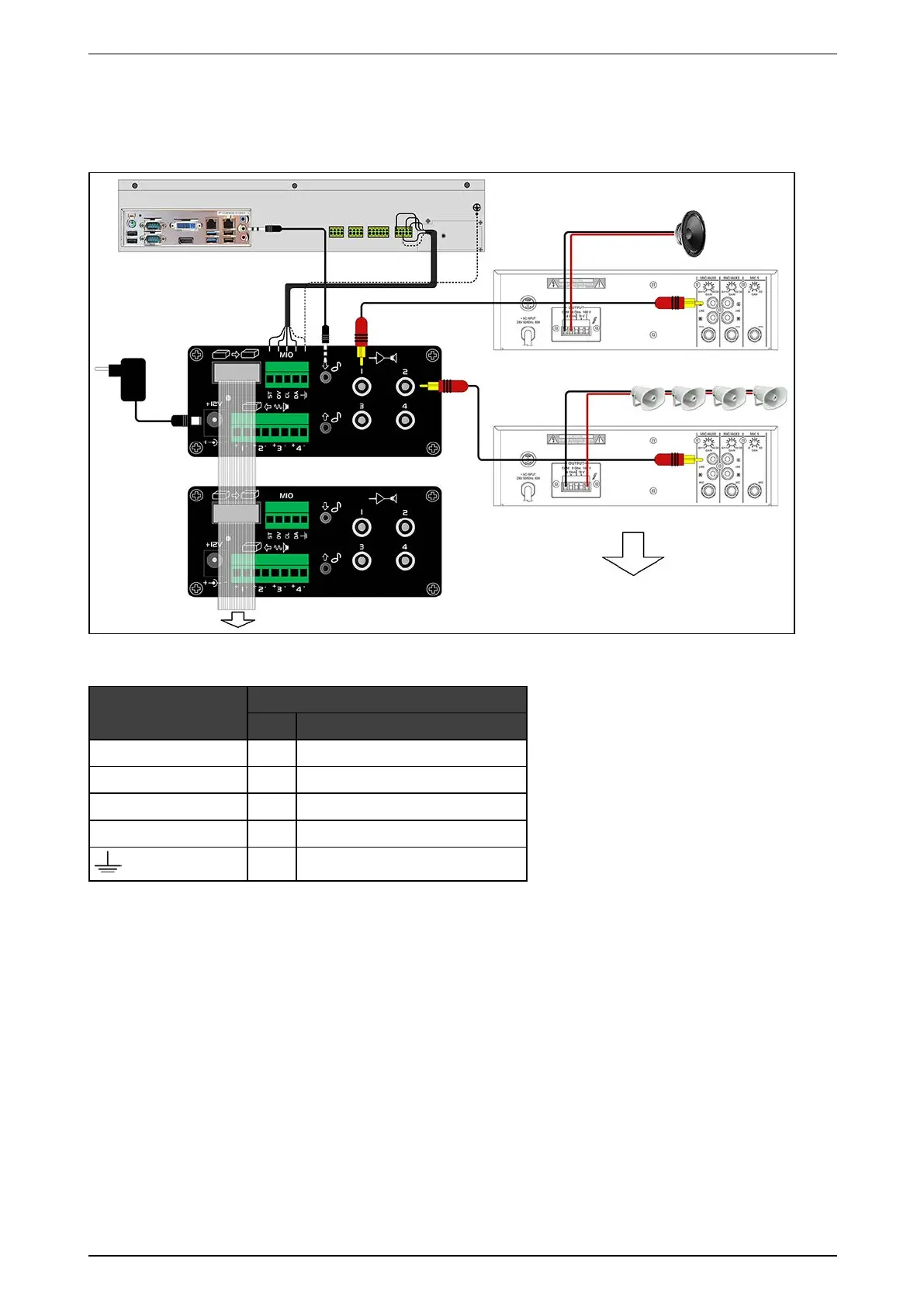
ForthehardwareinstallationoftheVM22E,seetheconnectionschemebelow.Theillustrationsbelowshow
connectionstothebuilt-inMIOcard,butyoucanalsoconnecttoaMIOcardinanXOI/OInterfaceUSBmodule.
ThetablebelowliststhecorrectconnectionsbetweentheVM22EmoduleandtheMIOcard(built-inorexternal):
VM22E terminal
MIO card Next Generation
No. Name
ST 30 STROBE
0V 33 GND
CL 36 CLOCK
DA 38 DATA
33 GND
Formoreinformation,seetheVM22E Technical Manual (29541).
13.2.4 Troubleshooting Talkback
YoucantesttalkbackusingtheXOclient(asoffirmwareversionXO4.3).Theaudiooutsetupscreenprovidesa
testbuttontoplayasoundclip.Fordetails,seetheXO Client Software User Manual(21796).
Iftalkbackdoesnotwork,checkthefollowing:
l IntheXOclientsoftware,checktheaccessrightsoftheuser:Audio talk mustbeallowed.
l RoutersmayblockUDPpackets.IntheaudiosetupintheXOclient,specifyTCP,orconfiguretherouterto
allowUDPpackets.
l UsethePCheadphonespluginsteadofthePCmicrophoneplug.
l Checktheconfigurationofthemicrophoneonyourcomputer.Fordetails,seebelow.



 To Next Page