iFT Series Hardware Installation Manual ADPRO
40 27817_08
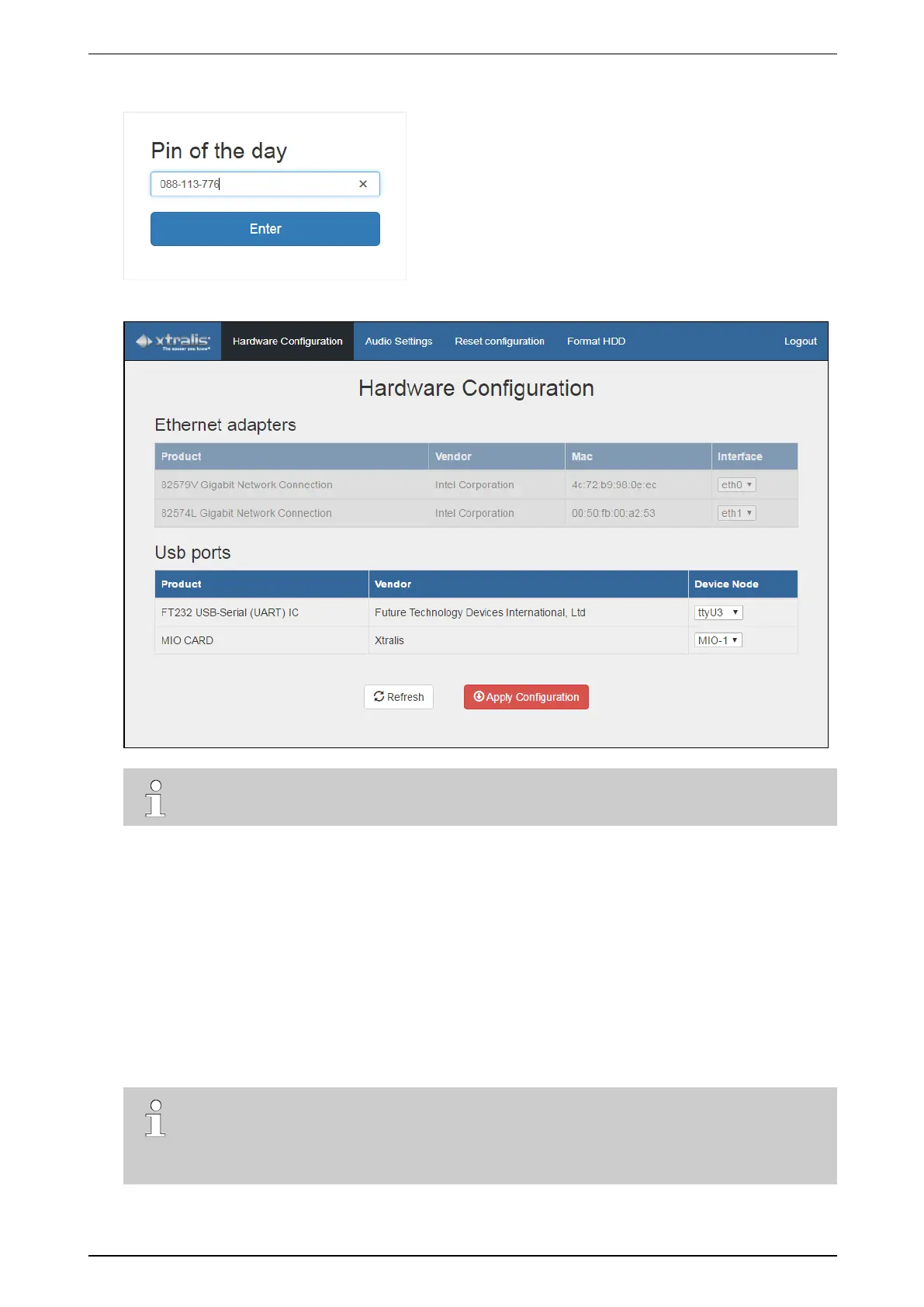
10. InthePin of the day box,typethecodethatyounoteddowninstep7.Includethedashes.
11. ClickEnter.Thehardwareconfigurationscreenappears:
Note
IfthePin of the day windowappearsagain,youhaveenteredaninvalidPINcode.
TheUsb ports listshowsthecurrentlyconfiguredUSBports(Device node column):MIO-1isthefirstMIOcard
(orsetofMIO+EIOcard).
YoucannowconnecttheXOI/OInterfaceUSBmoduleandmapit.
8.3 Mapping the XO I/O Interface USB Modules
ToconnectandmaptheXOI/OInterfaceUSBmodules,proceedasfollows:
1. Ifyouhavenotdonesoalready,logontothehardwareconfigurationtool.
2. ConnecttheXOI/OInterfaceUSBmoduletotheXOdeviceusingtheprovidedUSBcable:insertoneend
intothemodule,andtheotherendintoafreeUSBportontheXOdevice.
Note
Ifyouareusingadoublemodule,Honeywellrecommendstoconnectandmapeachmodule
separately.BecausethemodulesallappearwiththesamenameintheProduct column
(MIO CARD),thiswillpreventincorrectmapping.



 To Next Page