ADPRO iFT Series Hardware Installation Manual
27817_08 41
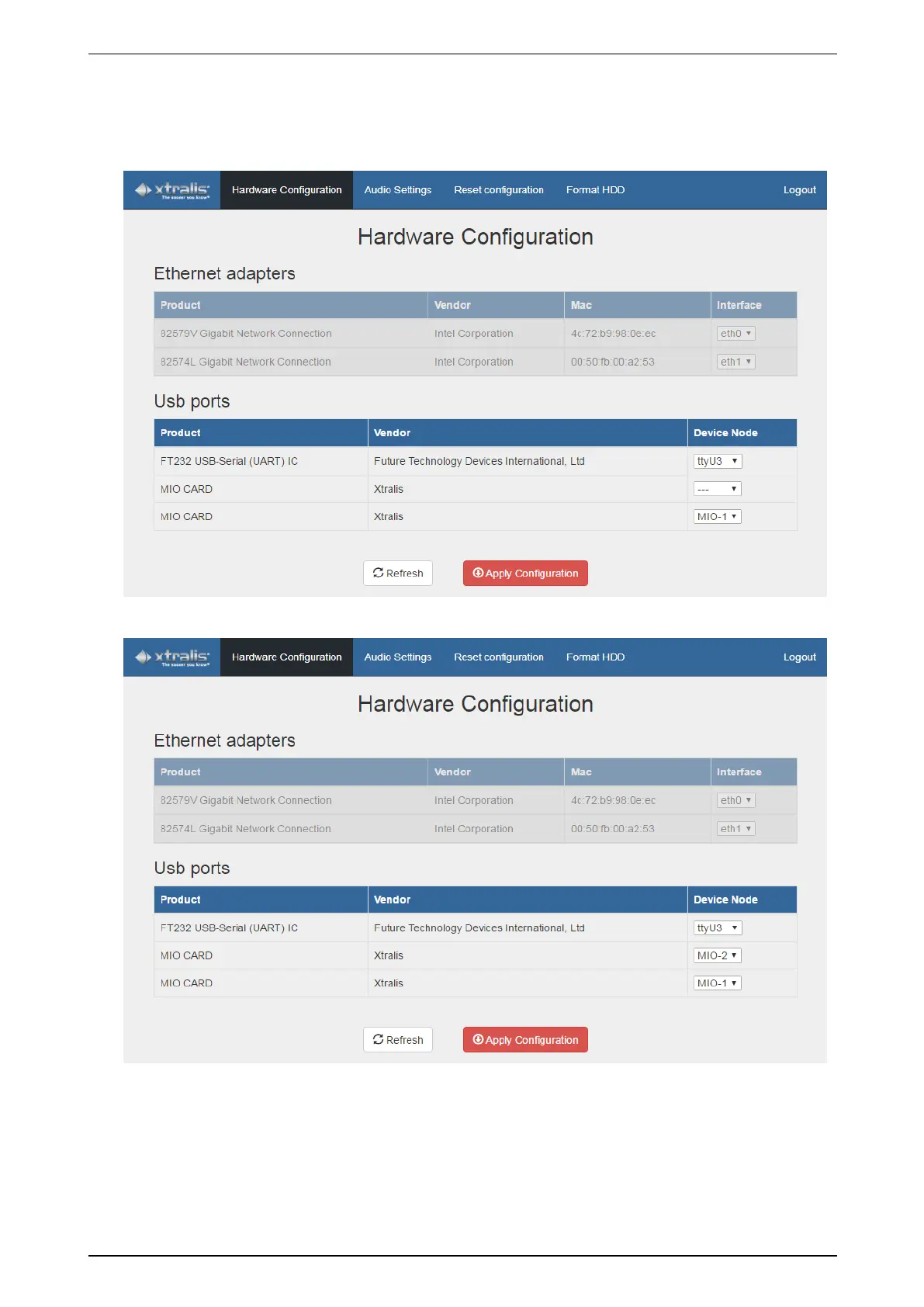
3. Inthehardwareconfigurationtool,clickRefresh.Themodulewillnowappearinthelist,withtheDevice
Node columnempty.
TheexamplebelowshowsadevicethatalreadyhasafirstsetofMIO/EIOcards:MIO-1isalready
configured.Therowabove(- - -)indicatesthenewlyconnectedmodulethatneedstobemapped.
4. SelectthedesiredsetnumberforthemoduleintheDevice Node column.
5. ClickApply Configuration.
ThemessageAre you sure to apply your configuration? appears.
6. ClickApply.
TheWaiting to apply… messageappears.
7. Waitforthemessagetodisappear.



 To Next Page