iFT Series Hardware Installation Manual ADPRO
22 27817_08
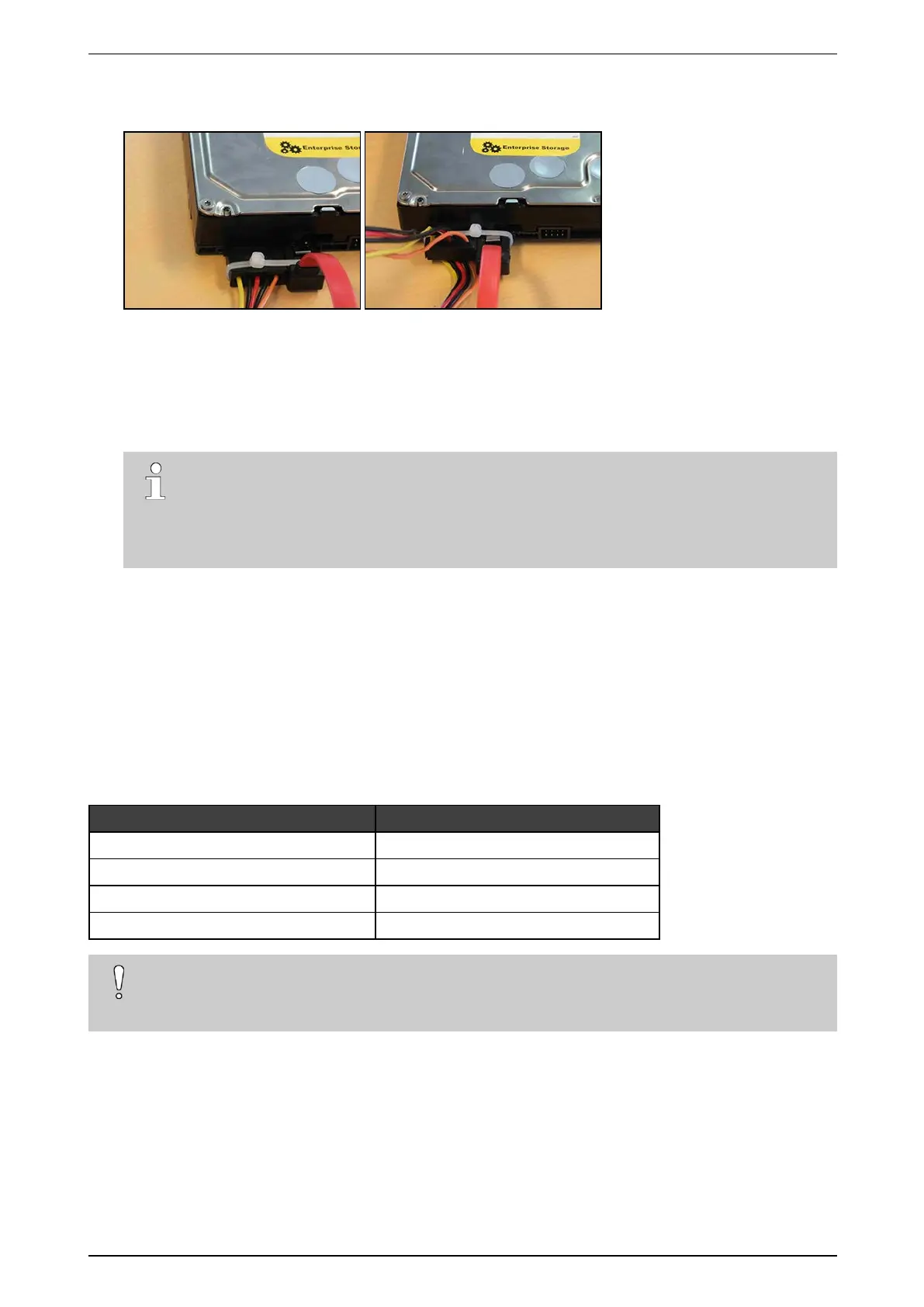
8. IftheSATAcablesdonothavealockingmechanism,usetie-wrapstosecurethecablesonthedisk(s)in
thefollowingway:
9. Ifthereareunusedcablesleft,bundlethemwithtie-wraps.
10. Placethetopcoverback:fixitwith2screwsatthefront,4atthetop,and3attheback.
11. Connectamonitor/screenandkeyboardtothedevice.Switchonthepowersupplyandwaitfortheboot
windowtoappear.
12. SelectXO Installer andpressEnter.
Note
Thebootwindowonlyappearsforafewseconds,thenthedevicecontinuesbooting.Tomake
surethatyoudonotmissit,pressthearrowkeysonthekeyboardrepeatedlywhilethedeviceis
booting.Thedevicewillthenstopatthebootwindow,andthisgivesyoutimetoselectandopen
theXO Installer menu.
13. ChooseUpdate current system >Manage recording disks.
14. Selectthenewlyinstalledharddisk(s)inthelistandpressEnter.
15. ChooseFormat and use selected disks (usingthetabkey).Thesystemformatstheselectedharddisks.
16. Whenformattingisfinished,chooseMain Menu,andthenchooseReboot.
Thedevicenowrestarts.Afterrestarting,theinstalledharddisksarereadyforuse.
3.8 Installing a Third and Fourth Disk in an iFT-E Device
Materialrequiredforthethirdandfourthharddisk:
Part Amount + reference number
Diskscrews 8x#17434080(4perdisk)
SATAcable 2x#16520877(1perdisk)
iFT(-E)HDD3+4bracket 1x#17011920
Self-tappingscrews3.5x6.5mm 3x#17362010
Caution!
InstallingathirdandfourthdiskisonlypossibleiniFT-Edeviceswithmodelnumbers63xxxxxx.The
61xxxxxxmodelsarenot suitable.



 To Next Page