iFT Series Hardware Installation Manual ADPRO
66 27817_08
17 Diagnostics
17.1 Log Files and Reports
IncaseofmajortroubleswiththeXOdevice,thesystemallowstogenerateanumberoflogfilesandreports.In
somecases,theHoneywellSupportDivisionmayaskyoutoactivateandcapturesomelogfilesandreportsthat
canbehelpfultoresolvetechnicalissues.
17.2 Retrieving Log Files
TheXOdevicecanoutputitsinternaltracebuffertoharddisktoallowloggingforlongerperiodswithoutlosingthe
data.Youneedtoenableloggingfirst.
Toenableloggingandretrievelogfiles,proceedasfollows:
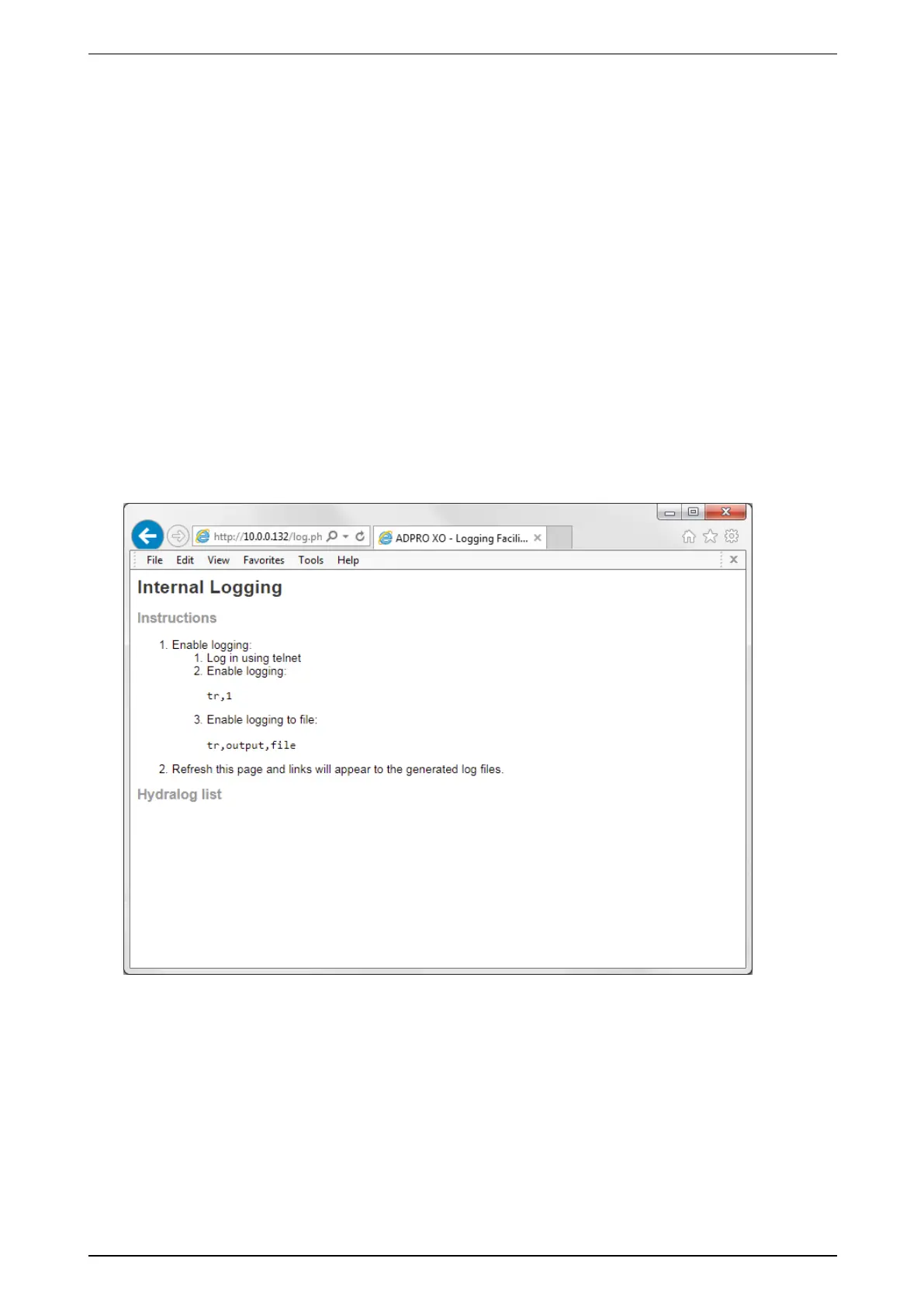
1. Typethedevice’sIPaddressintheaddressbarofyourinternetbrowser,andadd/log.phptotheaddress.
Forexample:
http://10.0.0.10/log.php.
TheInternal Logging pageappears.Itdisplaysinstructionstoenablelogging.Ifloggingisnotyetenabled,
theLog list atthebottomofthepageisempty.



 To Next Page