iFT Series Hardware Installation Manual ADPRO
30 27817_08
5 Motherboards
5.1 Overview
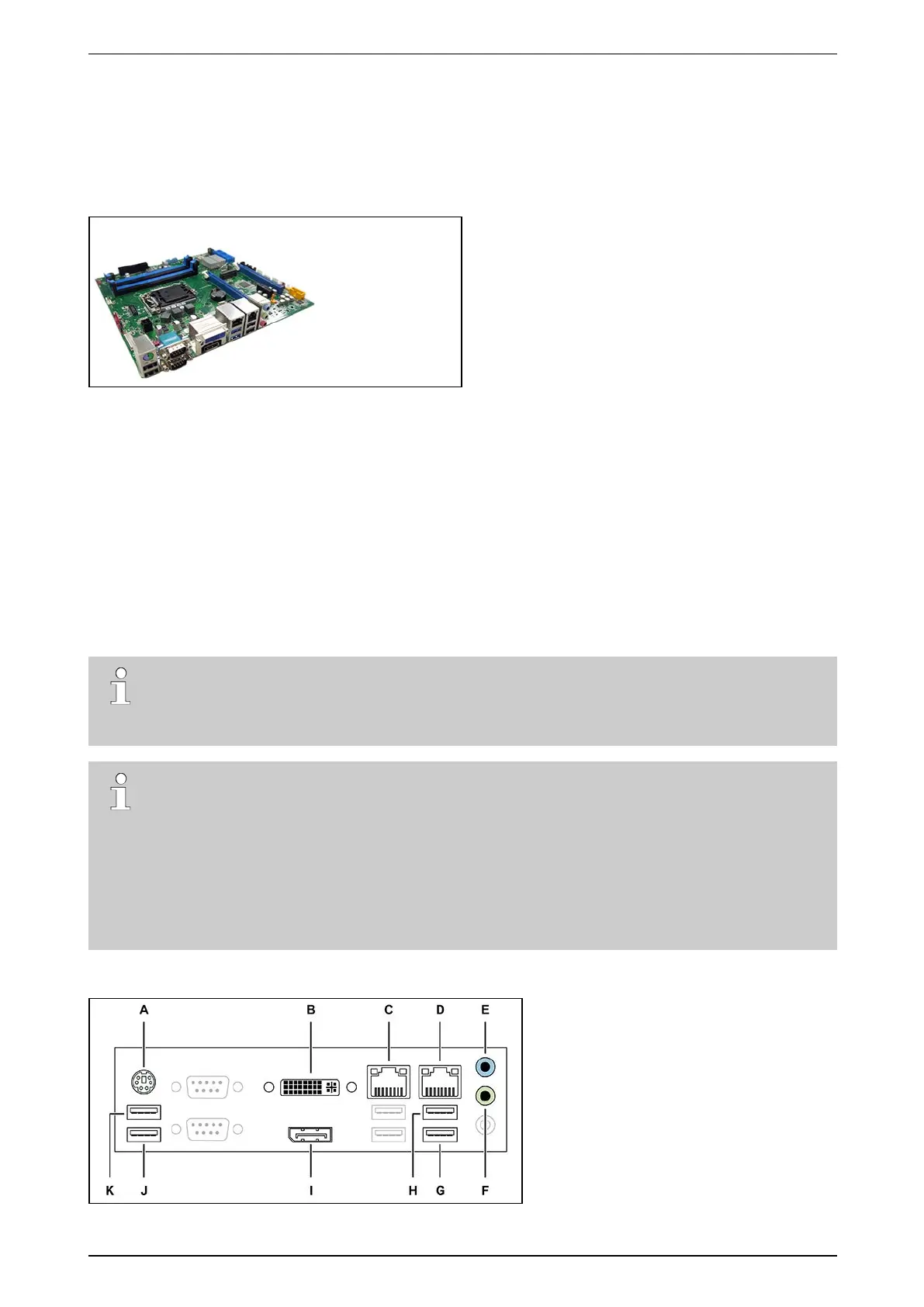
TheiFTSeriesoperateswithaPH10LUmotherboard.
PH10LUmotherboard
5.2 BIOS Settings
ChooseMain >System Time tosetthesystemtime.
ChooseMain >System Date tosetthesystemdate.
ChooseChipset >PCH-IO Configuration >Front Panel Audio andselectLegacy Front Panel.
ChooseBoot >CSM parameters >Launch PXE OPROM policy andselectLegacy only.
ChooseSave & Exit >Exit and Reset andpressEnter.
Leaveallotherparameterstothedefaultsettings.
5.3 Connectors
Note
YoumustrestarttheXOclientsoftwareafterconnectingdevicestoaUSBport.
USBinput1(/dev/ttyU1)isreservedforanexternalmodem.
Note
TheillustrationsbelowshowthedefaultnumberingfortheUSBports.IfyouuseexternalXOI/O
InterfaceUSBmodules,thesystemadjuststheinternalnumberingoftheUSBports,andthevalues
intheimagesbelowarenolongervalid.
Makesuretomapalldevicesusingthehardwareconfigurationtool,andassignnewUSBport
numberstoexistingdevicesontheUSBports.Also,afterremovingtheXOI/OInterfaceUSB
modules,youcanresettheUSBportnumberingbacktothedefaultvaluesasshownintheimages
below.Fordetails,seetheXO I/O Interface USB Module Technical Manual (32688).
Theimagebelowindicatestheavailablemotherboardconnectorsattherearofthedevice.



 To Next Page