iFT Series Hardware Installation Manual ADPRO
38 27817_08
8.2 Logging on to the Hardware Configuration Tool
YouneedtologontothehardwareconfigurationtoolusingtheXOTechnicianuser.Forthis,youneedto:
1. EnabletheTechnicianuserusingtheXOclientsoftware.
2. Generateaspecial,temporaryaccesscode(PINoftheday)fortheTechnicianuser.ThePINlimitsthetime
thattheTechnicianuserhasaccesstotheconfigurationtool.
Note
YoucannotlogontothehardwareconfigurationtoolwhiletheXOdeviceisrestarting.
Tologontothehardwareconfigurationtool,proceedasfollows:
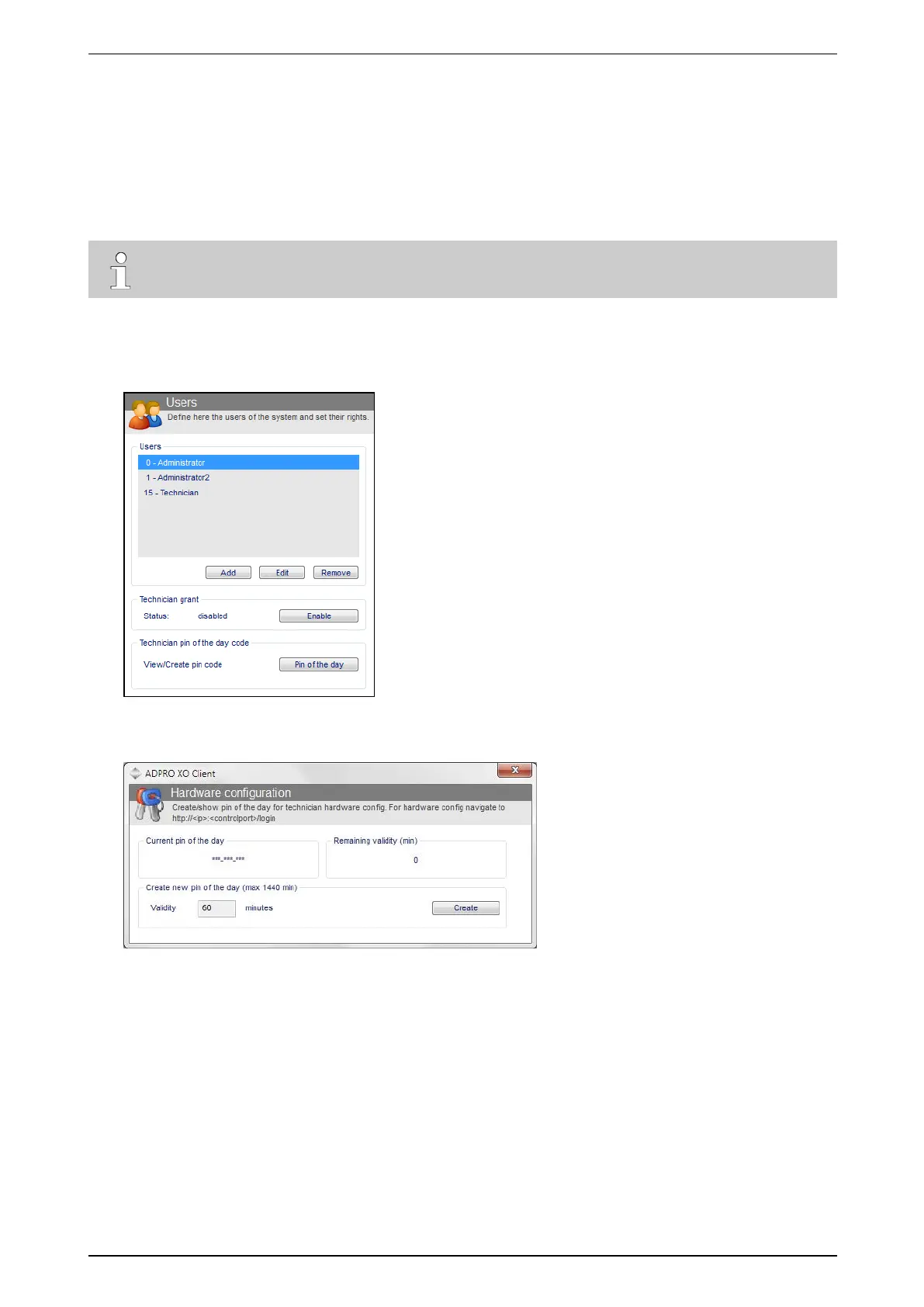
1. OpentheXOclient,andlogontothedesiredXOdeviceasanAdministrator.
2. ChooseSystem>General >Users.
3. UnderTechnician grant,clickEnable.
4. UnderTechnician pin of the day code,clickPin of the day.Thefollowingwindowappears:
5. IntheValidity box,enterthetime(inminutes)thatthePINhastoremainvalid.Themaximumtimeis
1440minutes=24h.



 To Next Page