ADPRO iFT Series Hardware Installation Manual
27817_08 39
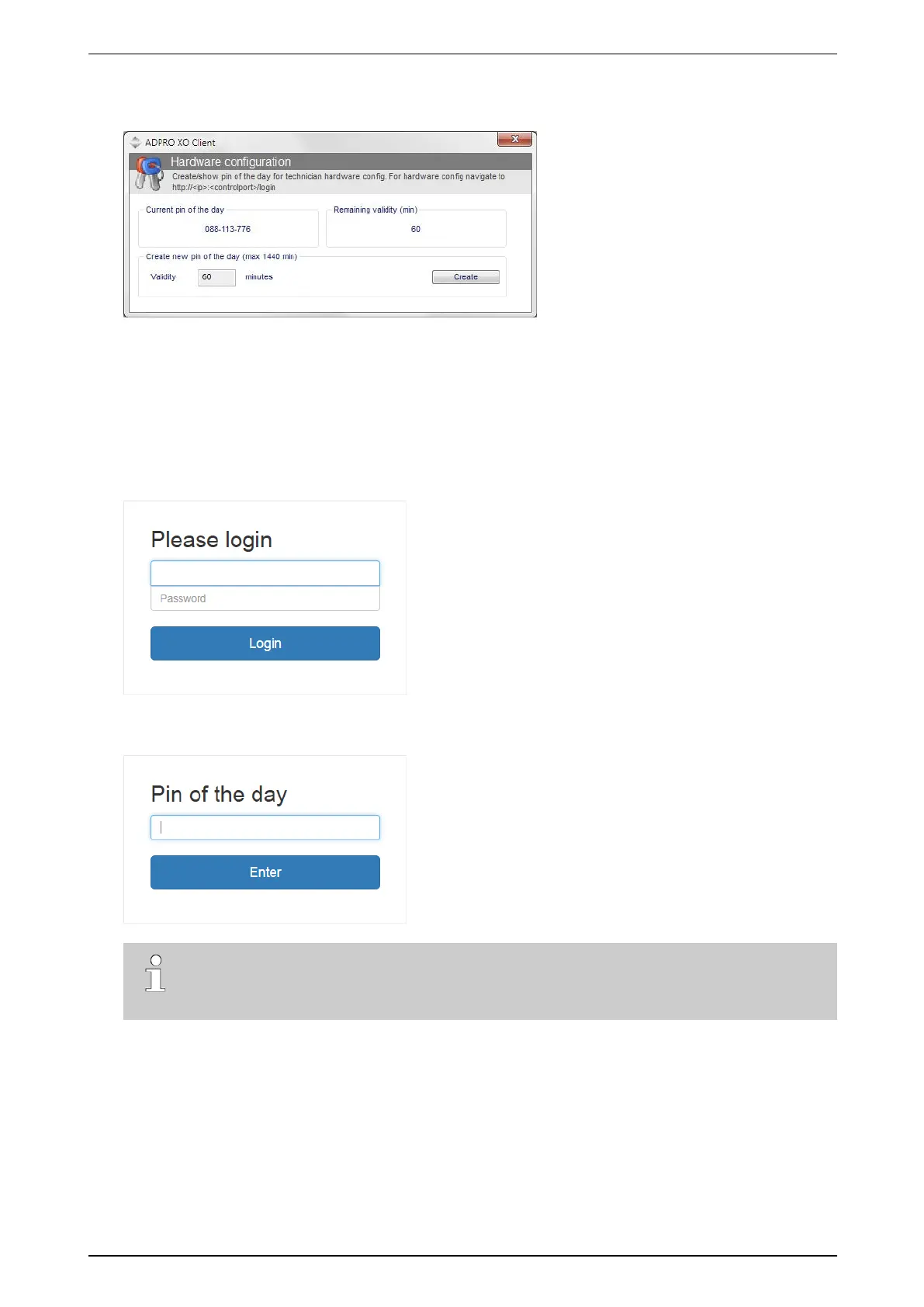
6. ClickCreate.AnewPINappearsunderCurrent pin of the day.ThecounterintheRemaining Validity
(min) boxdisplaysforhowlong(inminutes)thenewcodeisstillvalid.
7. Writedownthecode(includingthedashes),orkeepthewindowopenandmoveittowhereyouwillbeable
toseeitwhileloggingontothehardwareconfigurationtool.
8. OpenInternetExplorer,andtypethefollowingurlintheaddressbar:
http://ipaddress:controlport/login
whereipaddress istheXOdevice’sIPaddressandcontrolport isthecontrolportnumber.Forexample,with
thedefaultIPaddressandcontrolport:
http://10.0.0.10:2000/login
Thefollowingscreenappears:
9. Typetheusername(15)andpassword(defaultis666777)fortheTechnicianuser,andclickLogin.The
followingscreenappears:
Note
IftheLogin windowappearsagain,checkintheXOclientsoftwareiftheTechnicianuseris
enabled.



 To Next Page