iFT Series Hardware Installation Manual ADPRO
48 27817_08
Ifyouneedmore than one speaker (audiozoning)onyoursite,youhavethefollowingoptions:
l UseVM22A audiounits(withbuilt-inMIOcardonly)toconnectupto20loudspeakers.Installoneortwo
VM22Aunitsconnectedincascade:
o
Unit0iscontrolledbytheMIOcard,anddrivesloudspeakers1to10.
o
Unit1connectstounit0viatheloopconnectorontheVM22A,anddrivesloudspeakers11to20.
l UseVM22E audiounitstoconnectupto32loudspeakers.Installupto8VM22Eunitsincascade:
o
Unit0drivesspeakers1to4.
o
Unit1drivesspeakers5to8…
l UsetheIPaudiooutputsonyourIPcameraswith(built-in)speakers.Thisfeatureisavailablewithfirmware
versionXOa3.02andabove;andforspecificcameramodelsonly.Formoreinformation,seetheSupported IP
Camera List(26742).
l UseanIPaudiodevicesuchastheAxisNetworkHornSpeaker(C3003-E).UsageissimilartoIPcameras
withaudiooutcapabilities.Fordetails,seeUsing IP Audio Devicesonpage52.
YouusetheXOclientsoftwaretoassignthedifferentspeakerstothecameras.Foreachcamera,youcan
choose:
l OneoutputonaVM22outputswitcher
l OneormoreoutputsonIPcameras.
13.2.2 Setup for VM22A
Note
TheVM22Aaudioswitcherisonlycompatiblewithbuilt-inMIOcards,notwiththeMIOcardsinthe
externalXOI/OInterfaceUSBmodules.
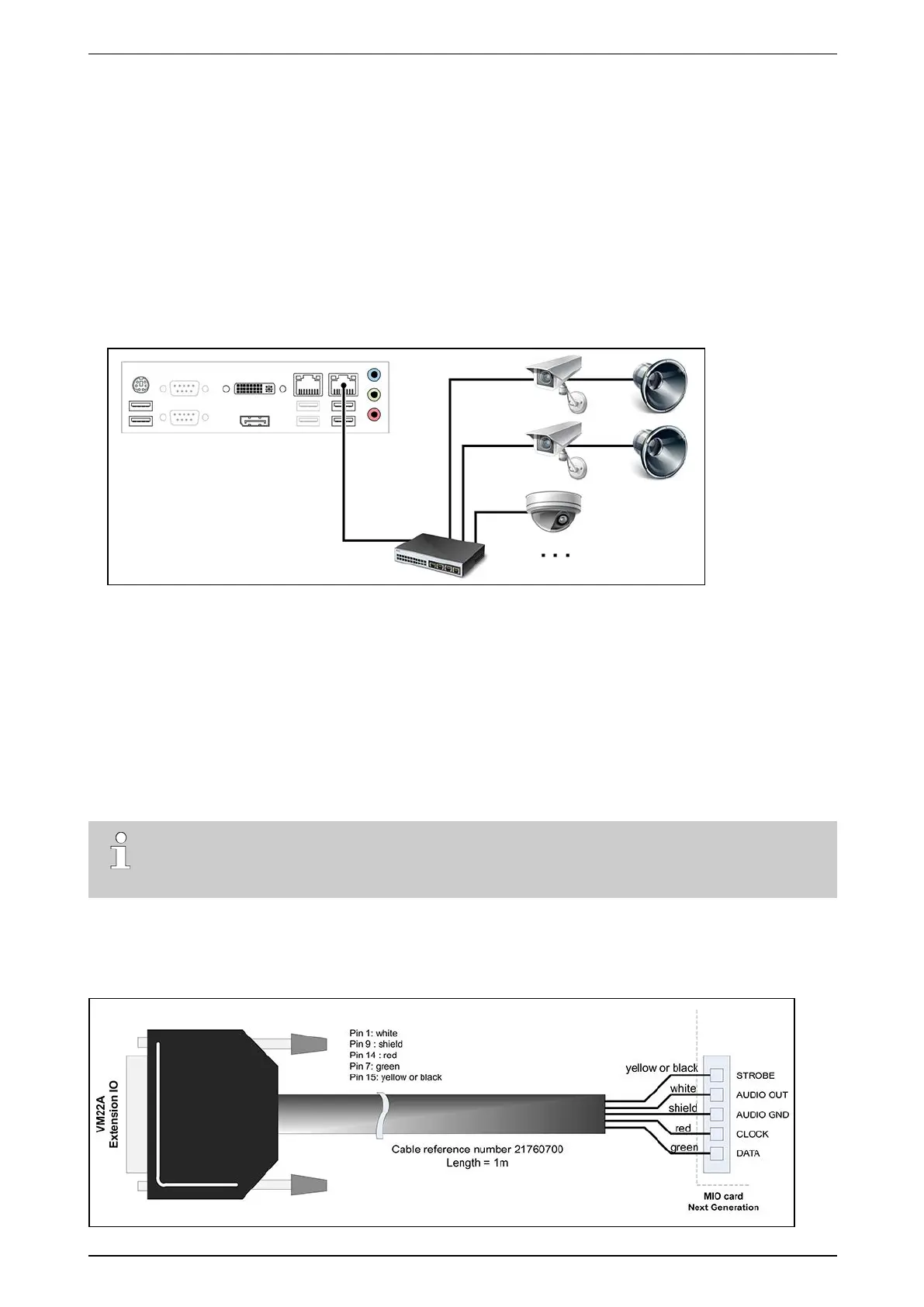
YouneedaspecificcabletoconnecttheVM22AtotheXOdevice.
Connectthecabletothebackofthedeviceasillustratedbelow.Respectthecolourcode(yellow=STROBE;
white=AUDIOOUT,shield=AUDIOGND,red=CLOCK,andgreen=DATA).



 To Next Page