ADPRO iFT Series Hardware Installation Manual
27817_08 57
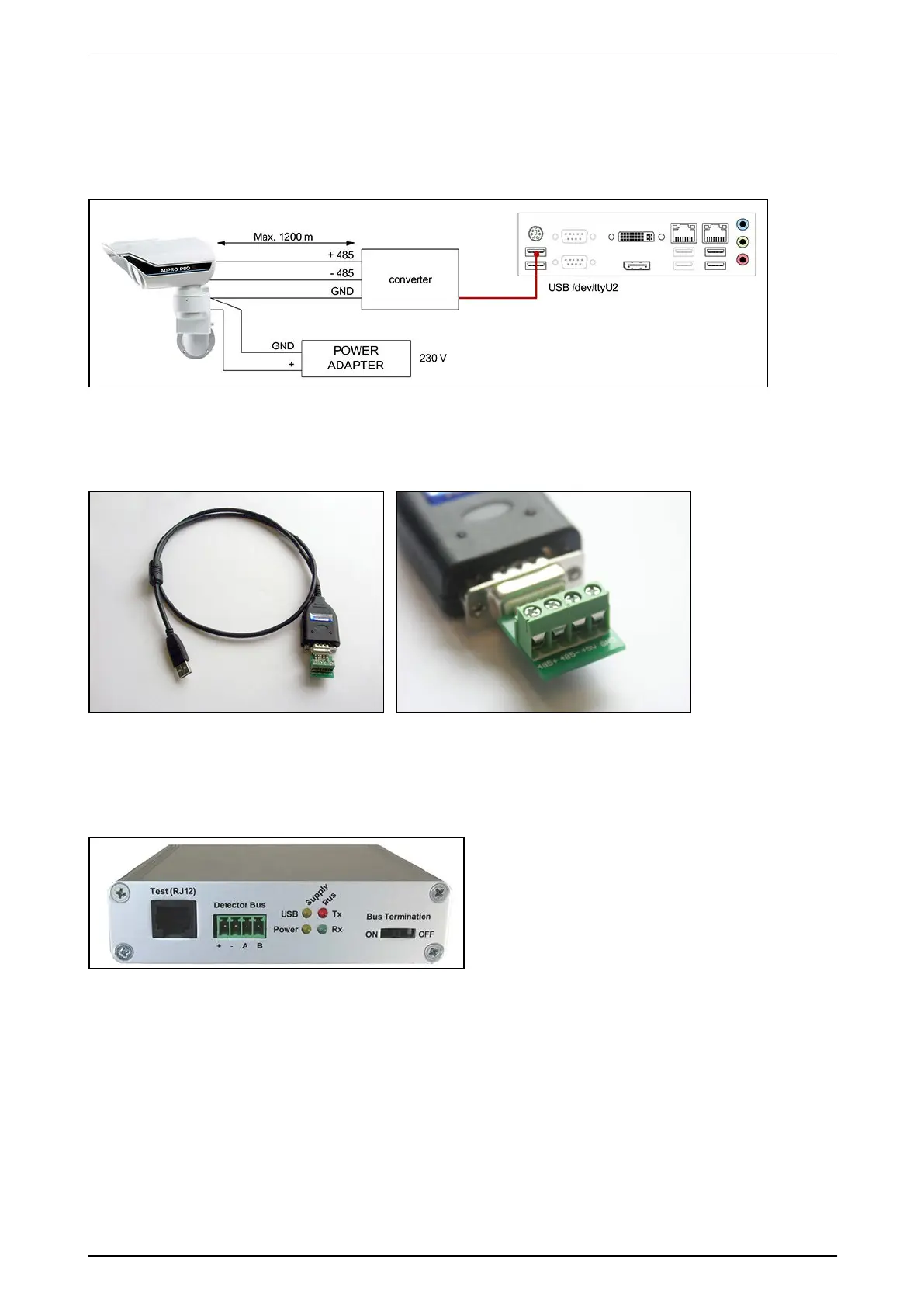
14.6 Connection via the USB-to-Serial-Port RS-485 Converter
ConnectthePIRdetectortotheconverterandplugtheUSBcableoftheconverterinthe/dev/ttyU2USBportof
theXOdevice.
RestarttheXOclientsoftwareafterconnectingthePIRdetectorstotheUSBport.
YoucanplacelocallypoweredPIRdetectorsatamaximumdistanceof1200mwithRS-485cables.Makesure
thatthereisnodifferenceinearthpotentialbetweentheXOdeviceandthePIRdetector.
YouneedtoordertheUSBtoserialportRS-485converterseparately(referencenumber20415490).
14.7 Connection via the IFM-485-ST Interface Module
TheIFM-485-STisaninterfacemodulewhichallowstoconvenientlyconnecttheRS-485busofthePIRdetector
tothe/dev/ttyU2USBportofyourXOdevice.
Fordetailedinstallationinstructions,seetheADPRO IFM-485-ST Legal Disclaimer & Intended Use of Product
(27178),andtheADPRO PRO E PIR System Setup Manual(26571).



 To Next Page