ADPRO iFT Series Hardware Installation Manual
27817_08 13
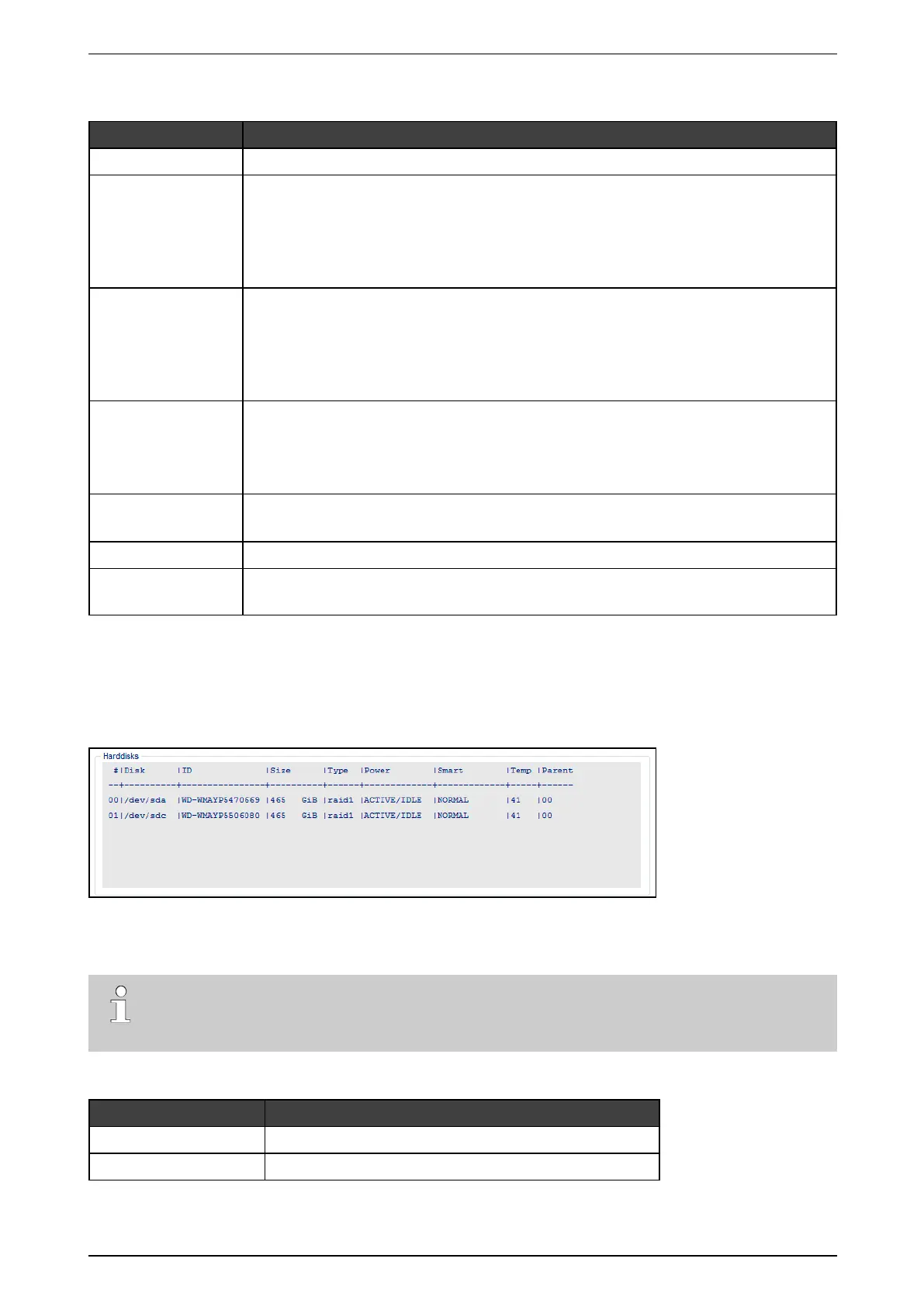
Thescreendisplaysthefollowinginformation:
Item Description
Device Devicenameoftheharddisk(Linux).
Power status Thepowerstatuscolumndisplaysoneofthefollowingstatuses:
l ERROR:thereisaproblemretrievingthepowerstatusofthedrive
l ACTIVE/IDLE:driveoperatesnormally
l STANDBY:driveisinlowpowermode(driveisinspin-downstatus)
l SLEEPING:driveisinlowestpowermode(driveiscompletelyshutdown).
Smart status Thesmartstatuscolumndisplaysoneofthefollowingstatutes:
l ERROR:driveisfailing
l ALERT:thereisaproblemretrievingSMARTinfofromthedrive,orthedrivemaybe
intheprocessoffailing
l NORMAL:noproblemsfoundwiththedrive.
Temperature Thetemperaturecolumndisplaysfromlefttoright:
l theminimumtemperatureofthedisk
l thecurrenttemperatureofthedisk
l themaximumtemperatureofthedisk.
Force l ON:SMARTischeckedondiskinSTANDBYorSLEEPINGmode.
l OFF:SMARTisonlycheckedondisksinACTIVE/IDLEmode.
Interval Indicatestheinterval(inminutes)betweenSMARTchecks.
Temperature
threshold
Ifthedisktemperatureishigherthanthetemperaturethreshold,thesystemactivates
systeminput0102–[SYST]–SMARTHDDALERTTEMP.
3.4.2 Using the XO Client Software
Toobtaintoobtainthe(SMART)informationforallharddisksintheXOdeviceintheXOclient,chooseSystem
>Maintenance >Harddisks.TheSmart columnshowstheoperationalstatusoftheharddisks;theTemp
columnindicatesthetemperature.
3.5 Installing the First Hard Disk
Note
Ifyouneedtoinstall2ormoreharddisks,followtheinstructionsinInstalling a Second Hard Diskon
page16instead.
Materialrequiredforthefirstharddisk:
Part Amount + reference number
Diskscrews 4x#17434080
SATAcable 1x#16520877



 To Next Page