ADPRO iFT Series Hardware Installation Manual
27817_08 23
Caution!
l Beforeinstallingharddisks,stopthedevice.Switchitoffandunplugthepowercord.
l Takeallnecessaryprecautionstopreventstaticdischargesthatmaydamagethedevice:usean
anti-staticwristband,ananti-staticmat…
l Theprocedurebelowassumesthatyouareusinganew disk,or,incaseofauseddisk,thatyou
willformat the used disk anderaseallrecordingsonit.Ifyouwanttoinstallausedharddisk
whilekeepingtherecordingsonit,followtheinstructionsintheTechTipRecovering Recordings
from Used HDDs(29160).
ToinstallathirdandfourthharddiskinaniFT-Edevice,proceedasfollows:
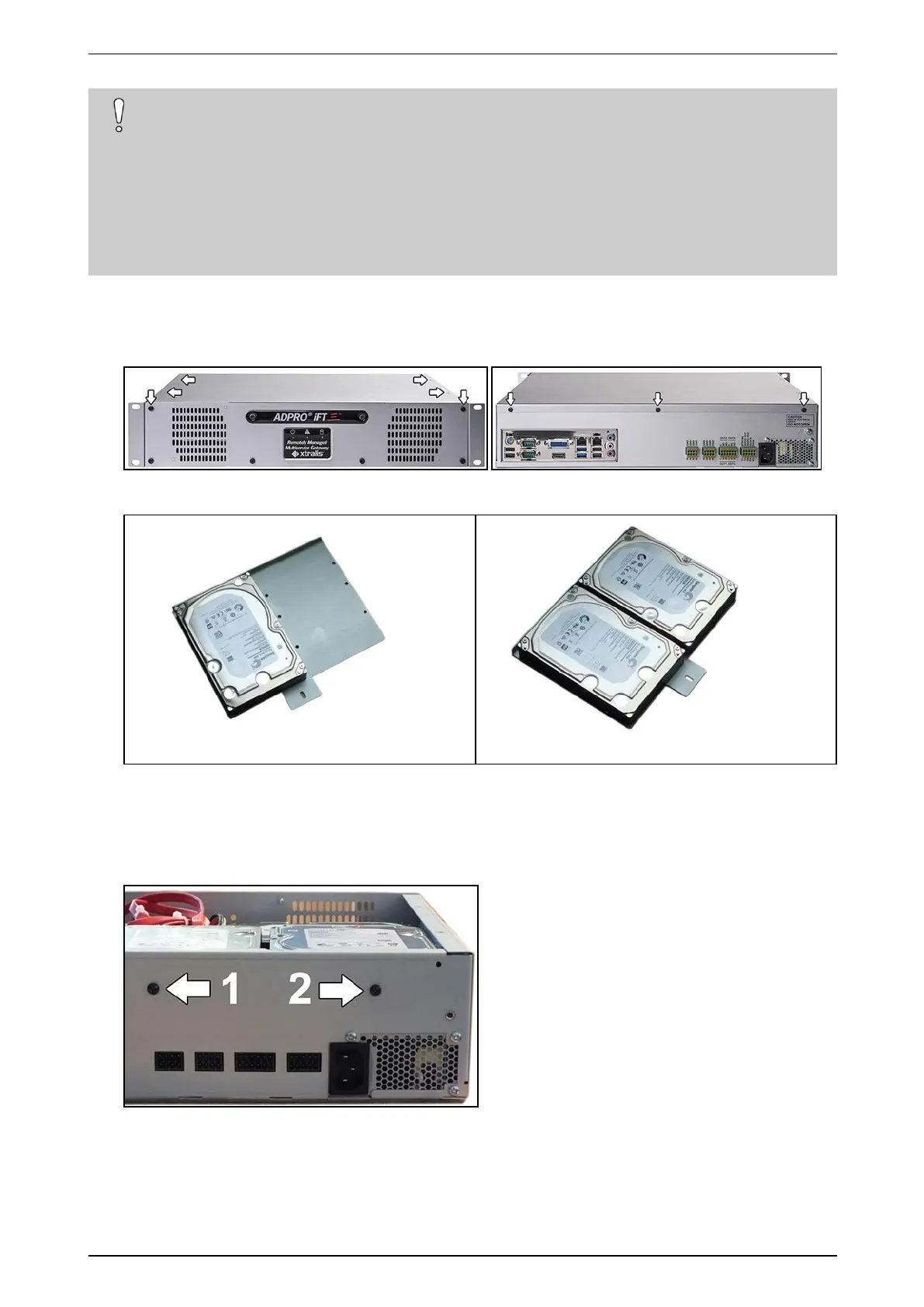
1. Stopthedevice,switchoffthepowersupply,andthenremovethetopcover:unscrew2screwsatthefront,
4atthetop,and3attheback.
2. Fixdisks3and4onthemountingbracket(#17011920)using8diskscrews(#17434080).
Disk3 Disk3and4
3. BeforemountingthebracketwiththediskintheXOdevice,arrangetherequiredSATApoweranddata
cablessothatyoucanaccessthemwhenthebracketisinplace.
4. Mountthebracketusing3self-tappingscrews(#17362010):use2screwstofixthebrackettotherearofthe
device,andusethethirdscrewtofixthebrackettotheL-shapedbracketofthealreadyinstalledsecond
disk.



 To Next Page