ADPRO iFT Series Hardware Installation Manual
27817_08 51
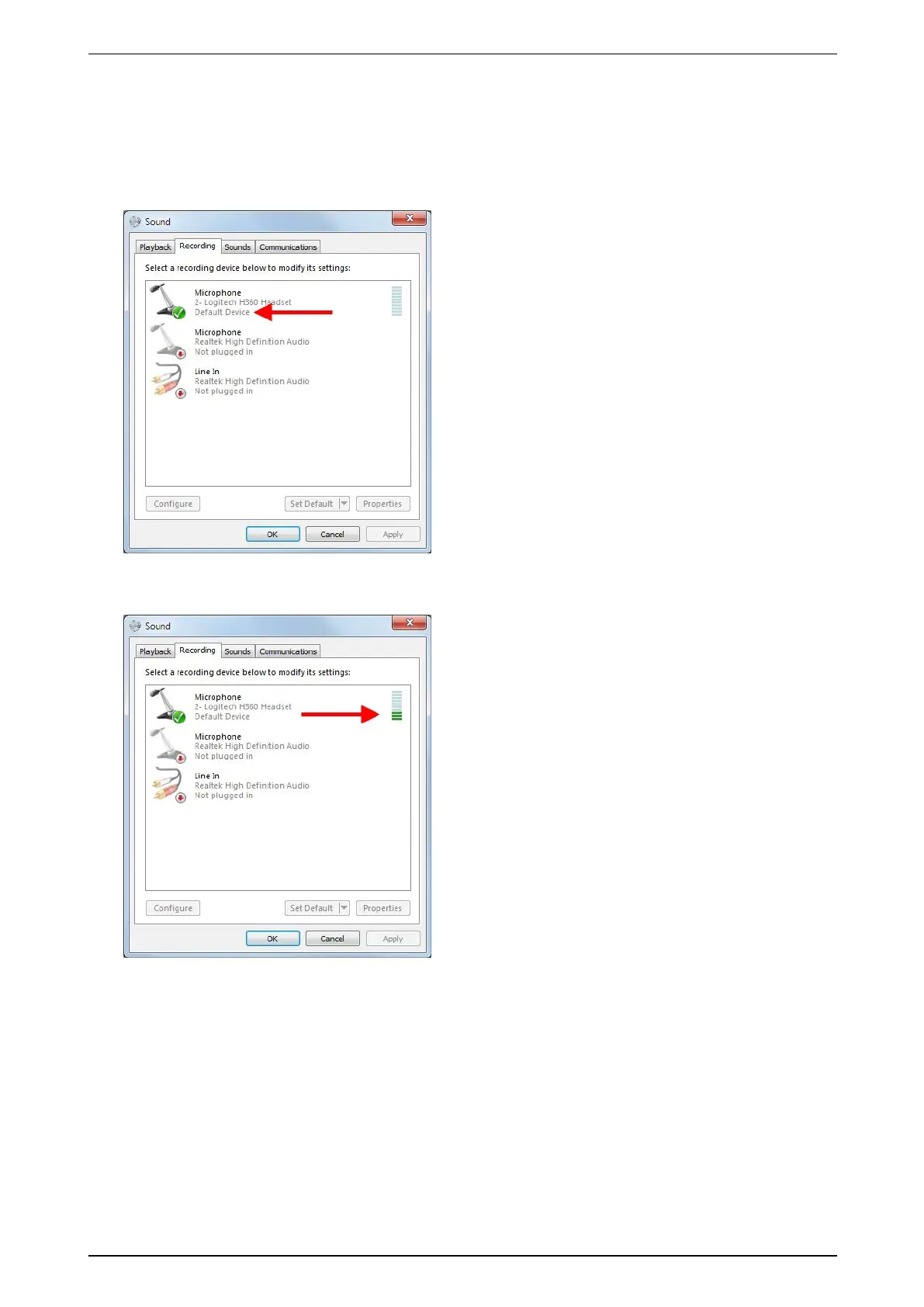
ToconfigurethemicrophoneonyourcomputerinWindowsVista/Windows7,proceedasfollows:
1. ClickStart,andthenclickControl Panel.
2. ClickSound,andthenclicktheRecording tab.
3. Ifyouhavemorethanonesounddevice,checkifthedeviceyouwanttousewiththeXOdeviceisthe
defaultdevice.Ifnot,right-clickthedesireddevice,andclickSet as Default Device.
4. Totestifthemicrophoneworks,tapitwithyourfingerafewtimes.Thebluelinesnexttothedefault
microphonelightupingreen,indicatingthevolume.
5. ClickOK,andcloseControl Panel.



 To Next Page