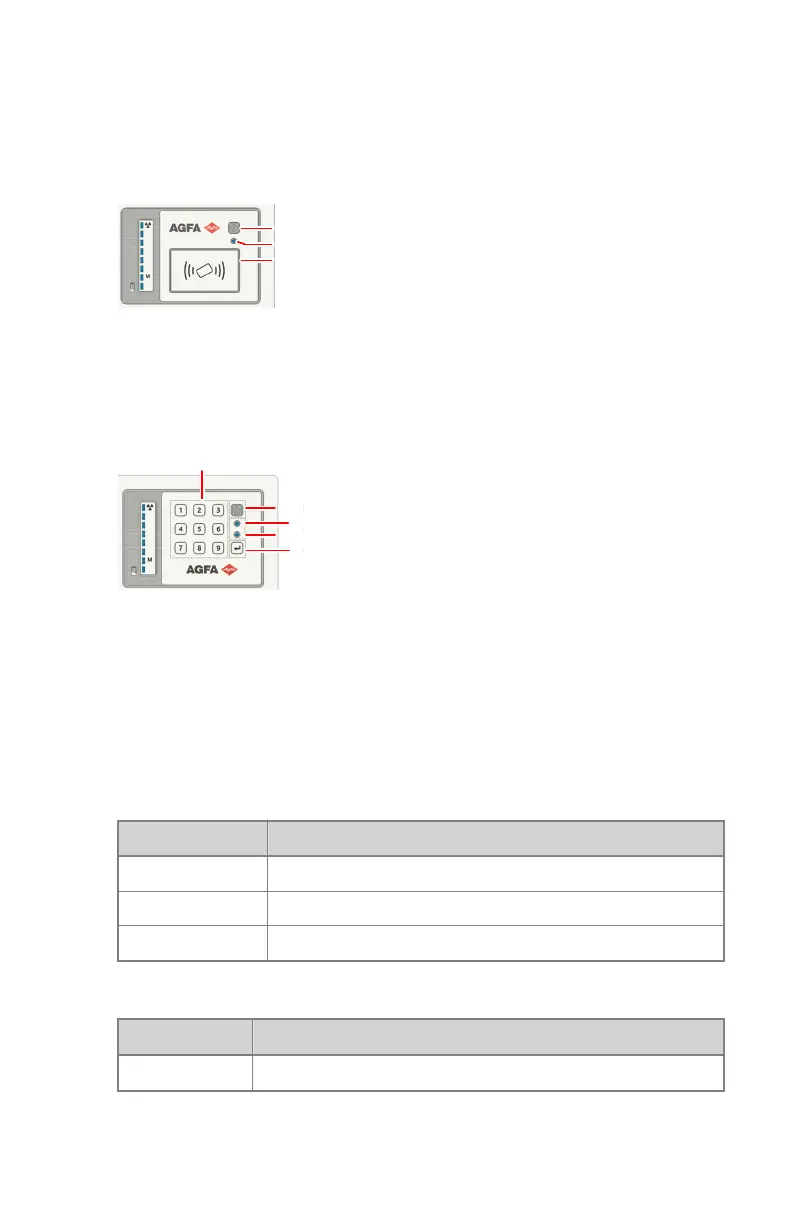
Power on/off button
Only authorized operators can power on the system. Depending on the
configuration, the operator requires a personal RFID key or a four digit access
code to power on the system.
1.
Power off button
2.
Power status indicator light
3.
RFID reader
Figure 3: Power button with RFID reader
1.
Numeric keypad
2.
Power on/off button
3.
Power status indicator light
4.
Keypad status indicator light
5.
Enter button
Figure 4: Power button with numeric keypad
Table 1: Power status indicator light
Color Meaning
Off The device is switched off.
Green The device is switched on.
Green blinking The device is starting up, waiting to be unlocked.
Table 2: Keypad status indicator light
Color Meaning
Blue blinking The keypad is ready to dial a four digit access code.
Related Links
Starting DR 100s on page 81
DR 100s | Introduction |
21
0411D EN 20220627 1040



 To Next Page