Chapter 3 Faxing with Lotus Notes Forms
OmniTouch Fax Server User Guide - 8AL_90216_USAA ed.01 19
Fields
To: The fax number of the recipient(s);
Note: Click the button to resolve the recipient numbers.
CC: The e-mail address of the recipient(s);
Subject: The subject of the fax memo;
Cover Sheet: A selected cover sheet, to append to the memo. The
default cover sheet is the User Profile or the Cover
Sheet set in the default profile if the user does not
match any user in OmniTouch Fax Server.
None does not append any cover sheet.
Password: Requires the user’s password, if prompted for
SMTP authentication.
Note: The Security tab option in the MMC Snap-in Profile properties
sets the SMTP authentication flag. Consult your Administrator
for access issues.
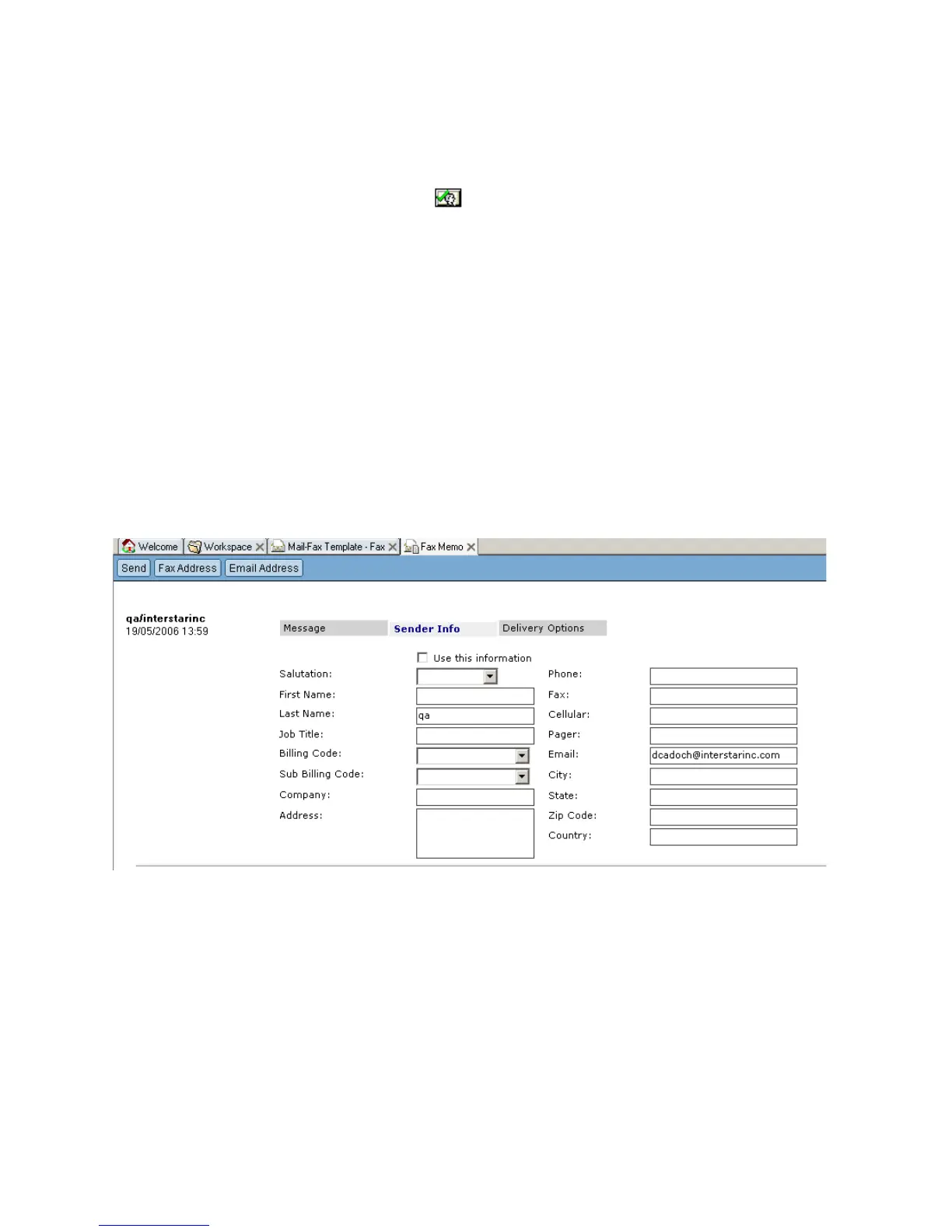
Sender Information
Salutation: A selected greeting. Available
values are: Mr., Miss, Madam,
Mister;
First Name: The sender’s first name (surname);
Last Name: The sender’s last name
Job Title: The sender’s job title.
Billing Code: The sender’s billing code;
Sub Billing Code: The sender’s sub billing code;



 To Next Page